Canonical Tags Explained: Prevent Duplicate Content
Master canonical tag SEO to prevent duplicate content. Learn when and how to use rel=canonical, cross-domain canonicals, self-referencing tags, and fixes.
A canonical tag is an HTML element — <link rel="canonical" href="..."> — that tells search engines which version of a URL is the master copy when the same or near-identical content is reachable at multiple addresses. It consolidates ranking signals (links, relevance, crawl priority) onto one authoritative URL instead of letting them scatter across duplicates. You place it in the page <head>, point it at the absolute URL you want indexed, and Google treats it as a strong hint when deciding which page to rank.
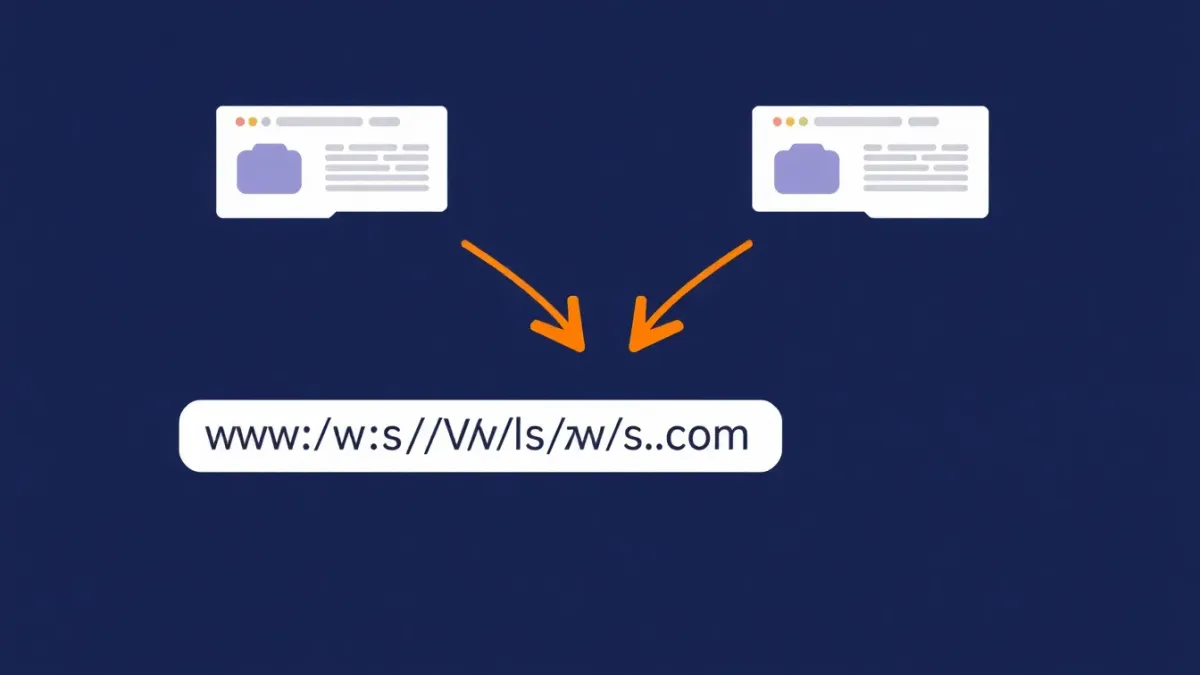
If your site serves the same content at /products, /products?sort=price, /products?ref=newsletter, and /products/index.html, Google has to guess which one is real. There's no "duplicate content penalty" — but there is confusion, and a confused crawler dilutes your link equity, wastes crawl budget, and sometimes ranks the wrong URL. Canonical tags end the guessing.
What Is a Canonical Tag?
A canonical tag is a single line that lives in your page's <head>:
<link rel="canonical" href="https://example.com/products" />It says, in effect: "This page may be reachable at several URLs, but this is the one I want indexed and ranked." Google, Bing, and Yahoo introduced rel="canonical" jointly in 2009 to fix a web drowning in duplicate URLs — session IDs, tracking parameters, print versions, HTTP vs HTTPS, www vs non-www, all spawning copies of identical content.
The critical thing to understand: a canonical is a hint, not a directive. Google usually honors it, but if your canonical contradicts your other signals — internal links, sitemap, redirects — Google may override your choice and pick its own canonical. Per Google Search Central, the tag is one of several consolidation signals, not an absolute command.
Why Canonical Tags Matter for SEO
Duplicate URLs create three concrete problems, and canonicalization solves all three at once.
Crawl budget waste. Google allocates a finite crawl budget to every site. If Googlebot spends time fetching ten versions of the same page, those are crawls it didn't spend discovering your new or updated content. On large sites — especially e-commerce — this is the difference between fresh pages getting indexed this week or next month. (For the full picture, see the complete technical SEO guide.)
Link equity dilution. When other sites link to you, those links can land on different URL variants. Without canonicals, the equity splits across duplicates instead of pooling on one page. One URL with 50 backlinks consolidated will outrank five URLs with 10 backlinks each. Canonicals are how you pull that authority back together — a foundation for any serious link-building strategy.
Ranking confusion. Google must show exactly one version in results. Left to choose, it might pick the parameter-laden URL with tracking junk, or an HTTP version that no longer carries your SSL certificate. A canonical removes the lottery.
When to Use Canonical Tags
Reach for a canonical in these specific scenarios.
URL parameters
E-commerce stores are the worst offenders. Sorting, filtering, pagination, and tracking parameters all spawn duplicate URLs:
/shoes(the original)/shoes?sort=price-asc/shoes?color=red&size=10/shoes?utm_source=newsletter
All serve the same or near-identical content. Canonical every variant back to /shoes. This is one of the most common fixes in any e-commerce SEO audit.
HTTP vs HTTPS, www vs non-www
If your pages resolve at http://, https://, http://www., and https://www., that's four copies of every page. Canonicalize to one preferred version — always HTTPS, and pick a single www convention. Pair this with a 301 redirect so users land on the right one too.
Pagination
For paginated archives like /blog?page=2, use self-referencing canonicals on each page when the listed items differ. Don't blanket-canonical pages 2, 3, 4 back to page 1 — that can hide the content on later pages from Google.
Mobile URLs
If you run a separate mobile site at m.example.com, canonical the mobile pages back to their desktop equivalents. (Responsive design avoids the problem entirely, which is why it's preferred.)
Syndicated content
When your article is republished on Medium, LinkedIn, or a partner site, ask them to add a cross-domain canonical pointing back to your original. That keeps the ranking credit on your domain.
HTML Implementation: Adding Canonical Tags
The standard implementation is a tag inside the <head>.
<!DOCTYPE html>
<html lang="en">
<head>
  <meta charset="UTF-8">
  <title>Best Running Shoes 2026</title>

  <!-- Canonical tag — tells Google this is the master URL -->
  <link rel="canonical" href="https://example.com/shoes/running" />

  <meta name="description" content="Top running shoes reviewed..." />
</head>
<body>
  <!-- Page content -->
</body>
</html>
Rules for the href value:
- Always use the absolute URL (full
https://domain.com/path), never relative. - Include the protocol (
https://). - Match your preferred domain format (www or non-www).
- Use lowercase URLs consistently — Google treats
/Shoesand/shoesas different. - Be consistent with trailing slashes; don't add one unless your site uses them everywhere.
For dynamic sites, your framework usually has a first-class way to set canonicals. In Next.js, use the Metadata API:
// app/products/page.tsx
export const metadata = {
  alternates: {
    canonical: 'https://example.com/products',
  },
};
WordPress users get canonicals automatically from Yoast or Rank Math — verify they fire, then leave them alone. See the WordPress SEO optimization guide for plugin specifics. The canonical sits in the same <head> block as your title tag and meta description, so manage them together.
Self-Referencing Canonicals: The Best Practice Everyone Skips
Here's what most guides underplay: every indexable page should carry a self-referencing canonical — even pages that have only one URL today.
Why? Because you can't predict when someone links to your page with stray parameters, or when a scraper republishes your content. A self-referencing canonical is insurance: it preemptively declares "this URL is the authoritative one." Google's John Mueller has repeatedly recommended self-referencing canonicals because they remove ambiguity before it appears.
If your site has 500 pages and only 50 carry canonicals, the other 450 are exposed. Add self-referencing canonicals everywhere. No exceptions.
Cross-Domain Canonicals
Cross-domain canonicalization is powerful and underused. It applies when the same content legitimately lives on two different domains.
Common cases:
- Content syndication. You publish on your blog, then syndicate on Medium. Medium lets you set a canonical pointing back to your original.
- Multi-regional sites. If
example.co.ukcarries the same English content asexample.com, canonical one back to the other — or, better, combine canonicals with hreflang for true regional targeting. - Acquired domains. During a migration, if content exists on both old and new domains, use cross-domain canonicals until the 301 redirects are finalized.
The syntax is identical — just point href at the other domain:
<!-- On medium.com/your-article -->
<link rel="canonical" href="https://yourdomain.com/original-article" />
Google treats cross-domain canonicals as a strong signal, though it can take longer to process than same-domain ones.
Common Canonical Tag Mistakes That Kill Rankings
Experienced developers still trip over these. Here's what SlapMyWeb flags most often in audits.
| Mistake | Why it hurts | Fix |
|---|---|---|
| Canonical points to a 404 or wrong page | Google can't index a dead target, so it ignores the signal | Verify every canonical returns a 200 status |
Canonical on a noindex page | Conflicting orders — "don't index" vs "this is the page to index" | Pick one: keep noindex and drop the self-canonical, or remove noindex |
Canonical in <body> instead of <head> | Google ignores canonicals outside the head entirely | Move the tag into <head> |
| Conflicting signals | Canonical, sitemap, internal links, and hreflang disagree | Align every signal on the same URL |
| Both 301 + canonical on one page | Redundant and adds ambiguity | Redirect the old URL; self-canonical the destination |
| Pagination all canonical to page 1 | Later pages' content may never get discovered | Use self-referencing canonicals per paginated page |
A few of these deserve extra detail.
Pointing to the wrong URL is the number-one error. People set up canonicals that target a 404, an old slug, or an unrelated page. Always confirm the canonical target returns a 200 status code.
Canonical on a noindex page sends Google directly contradictory instructions. noindex says "keep this out of the index"; a self-canonical says "this is the one to index." Decide which you actually want and remove the other signal.
Conflicting signals are the silent killer. If your canonical names URL-A, your sitemap lists URL-B, your internal links go to URL-C, and hreflang points to URL-D, Google sees noise and falls back to its own judgment — often the wrong call. Make every signal agree.
How to Audit Your Canonical Tags
You can check a single page by viewing source and searching for rel="canonical", but that doesn't scale. For a whole site, crawl every page and flag the issues programmatically.
Run a free SlapMyWeb audit — the Crawl & Indexation pillar checks for missing canonicals, absent self-referencing canonicals, canonical/noindex conflicts, and broken canonical targets, then hands you a prioritized fix list with copy-paste code.
Also lean on Google Search Console's Pages report. Two states there point straight at canonical problems:
- "Duplicate without user-selected canonical" — Google found duplicates but you didn't declare a canonical.
- "Duplicate, Google chose different canonical than user" — you set a canonical, but Google overrode it (a sign your other signals disagree).
Both are concrete to-do items. While you're in there, confirm the affected URLs are actually indexed by Google, and fold the whole pass into a complete SEO audit.
Canonical Tags vs 301 Redirects: Which to Use
This trips up a lot of people. The rule is simple:
- Use a 301 redirect when you want users and search engines to go to a different URL, and the old URL should stop being accessible.
- Use a canonical tag when both URLs must stay live for users, but you want search engines to treat one as primary.
Example: you've permanently moved /old-page to /new-page — that's a 301. But /products?sort=price needs to stay functional for shoppers while /products collects the SEO credit — that's a canonical.
When in doubt, prefer the 301. It's a stronger, more reliable signal and leaves Google less room to make its own decision. For the broader rules on how each status code behaves, see HTTP status codes for SEO.
Frequently Asked Questions
Do canonical tags pass link equity like 301 redirects?
Yes — Google consolidates link signals through canonical tags much as it does through 301 redirects. If five URLs all canonical to one master, backlinks pointing at any of the five benefit the master URL. The consolidation isn't always 100% reliable, though; 301 redirects tend to pass equity more dependably, so prefer a redirect when the duplicate URL doesn't need to stay live.
Can I use canonical tags to fix keyword cannibalization?
Not directly. Canonical tags are for duplicate or near-duplicate content, not for two genuinely different pages chasing the same keyword. Canonicalizing one unique page to another hides real content from Google. Instead, merge the pages, differentiate their targets, or 301 the weaker page. Canonicals only work when the content is substantially the same.
How long does it take for Google to recognize a new canonical tag?
It depends on how often Google crawls the page. Most sites see canonical changes processed within a few days to two weeks after the next crawl. You can speed it up by requesting a recrawl through Search Console's URL Inspection tool. High-authority sites that get crawled frequently can see changes reflected within hours.
Should I put the canonical in the HTTP header or the HTML head?
Both work. The HTML <head> tag is more common and easier to manage for normal web pages. The HTTP Link header is the right choice for non-HTML files like PDFs, where you can't add a <head> — you set the canonical via a server response header instead. For standard pages, stick with the HTML tag unless you have a specific reason to use headers.
Does a self-referencing canonical hurt anything?
No — it's purely protective. A self-referencing canonical simply confirms the current URL is the authoritative one, which removes ambiguity if the page is ever reached with extra parameters or scraped elsewhere. Google explicitly recommends them, so adding self-referencing canonicals across your whole site is safe and best practice.
SlapMyWeb Team
We build SlapMyWeb — a brutally honest AI website audit that scans 240+ SEO, performance and Core Web Vitals signals and hands you the fix code.