JSON Formatter & Validator
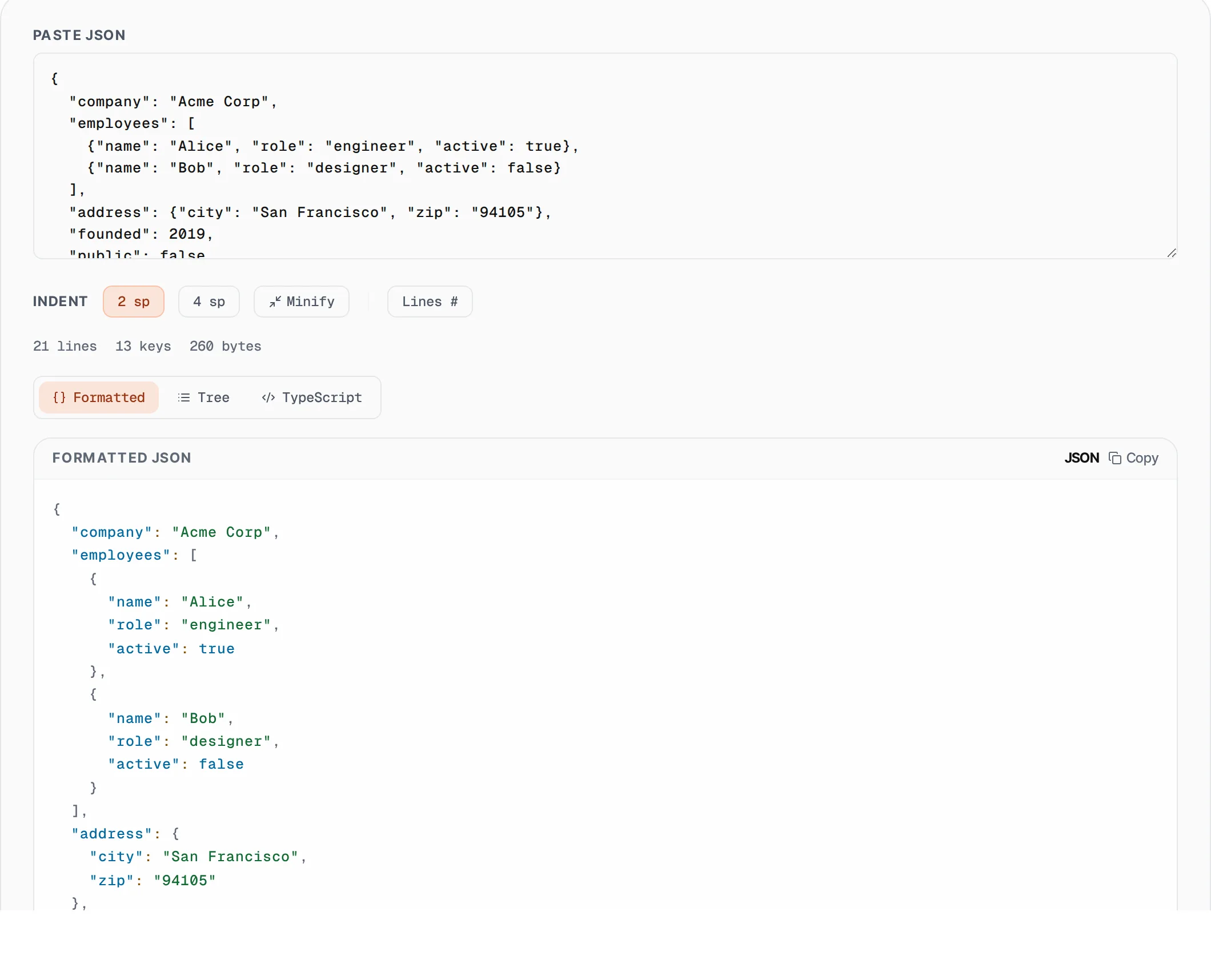
Pretty-print, validate, explore as tree, and generate TypeScript interfaces from JSON. Fully offline.
- 100% free
- No sign-up
- Clear controls
- Open and use
{
  "name": "SlapMyWeb",
  "version": "2.0",
  "features": [
    "SEO audit",
    "AI roast",
    "free browser tools"
  ],
  "pricing": {
    "free": 0,
    "pro": 9,
    "agency": 29
  },
  "active": true,
  "metadata": {
    "founded": 2024,
    "team": [
      {
        "name": "Atif",
        "role": "founder"
      }
    ]
  }
}- Pretty-print with 2 / 4 space indent
- Collapsible tree view explorer
- JSON → TypeScript interface gen
- Line numbers toggle
- Live syntax validation
- 100% browser — handles huge payloads
What is JSON Formatter & Validator?
A JSON formatter is a developer tool that takes raw, compact, or messy JSON data and restructures it with consistent indentation and line breaks so it becomes easy to read and debug.
JSON (JavaScript Object Notation) is the most widely used data-interchange format on the web, powering REST APIs, configuration files, NoSQL databases, and more. When API responses arrive as a single compressed line, finding a specific key or spotting a missing comma becomes nearly impossible without formatting. Our free JSON formatter parses your input in real time, validates it against the JSON specification, and highlights syntax errors with clear messages. Choose between 2-space or 4-space indentation to match your project style. Explore nested data with the collapsible tree view, or generate TypeScript interfaces automatically. Everything runs entirely in your browser using the native JSON.parse engine, so your data never leaves your machine.
How to use JSON Formatter & Validator
- 1
Paste your JSON
Copy raw or minified JSON from your API response, config file, or database export and paste it into the input area. The tool accepts any valid JSON including objects, arrays, and nested structures.
- 2
Choose indentation
Select 2-space or 4-space indentation using the toggle buttons. The output updates instantly as you switch between styles, so you can pick whichever matches your team's code convention.
- 3
Explore with tree view
Switch to Tree mode to explore your JSON as collapsible nodes. Click arrows to expand or collapse objects and arrays. Great for navigating deeply nested API responses.
- 4
Generate TypeScript interfaces
Switch to TypeScript mode to automatically generate type-safe interfaces from your JSON structure. Copy the output directly into your .ts files.
Everything this tool
does for you
- Real-time pretty-printing with 2 or 4 space indentation
- Collapsible tree view for exploring nested JSON structures
- Automatic JSON to TypeScript interface generation
- Line numbers toggle for referencing specific lines
- One-click minification for compact output
- Instant syntax validation with descriptive error messages
- Stats display: line count, key count, byte size
- Zero server calls — all processing in your browser
Related free tools
Frequently asked questions
Beyond this tool
See the full picture for your website.
Enter your URL for a free audit across eight scored areas. See prioritised issues and clear next steps in one report.
Free to start · No signup required