JSON to CSV Converter
Convert JSON arrays to CSV format instantly. Handles nested keys, escapes commas and quotes. Download as .csv file or copy to clipboard.
- 100% free
- No sign-up
- Clear controls
- Open and use
Paste a JSON array above- Converts JSON arrays to CSV
- Auto-detects all columns
- Proper CSV escaping
- Download as .csv file
- 100% browser — no upload
What is JSON to CSV Converter?
A JSON to CSV converter transforms structured JSON array data into comma-separated values format that can be opened in spreadsheet applications like Excel, Google Sheets, or LibreOffice Calc.
JSON is the standard format for APIs and databases, but when you need to analyze data, create reports, or share with non-technical stakeholders, CSV is far more accessible. This tool automatically detects all unique keys across every object in your JSON array and uses them as column headers. Values containing commas, double quotes, or newlines are properly escaped following RFC 4180 standards, so your CSV imports cleanly into any spreadsheet tool. The conversion happens entirely in your browser — your data is never uploaded to any server. You can copy the CSV output to your clipboard or download it directly as a .csv file. Whether you are exporting database records, converting API responses for analysis, or preparing data for a business report, this converter handles the tedious formatting work instantly.
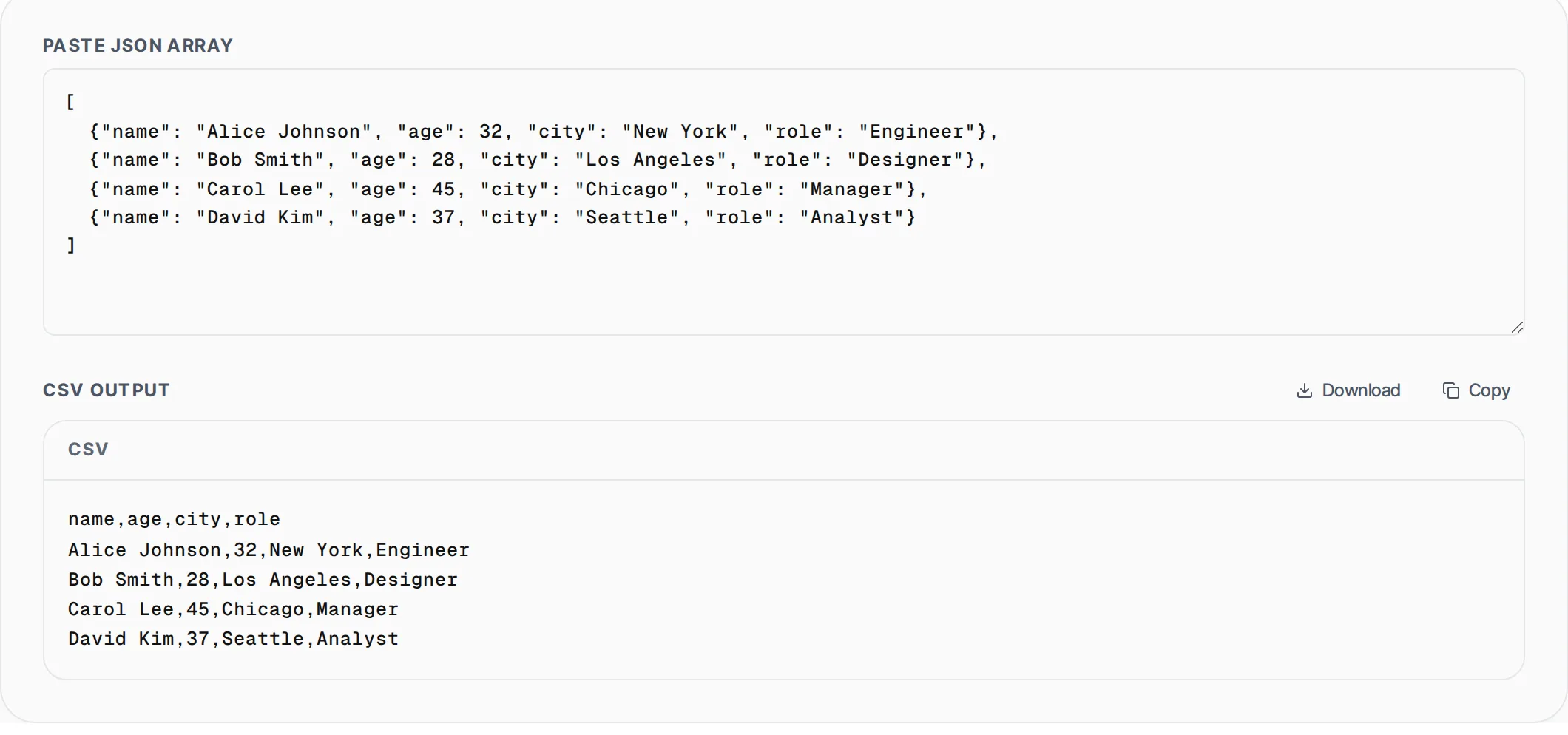
How to use JSON to CSV Converter
- 1
Paste a JSON array
Paste a JSON array of objects into the input area. Each object in the array becomes one row in the CSV output. The tool auto-detects all keys across all objects to build the header row.
- 2
Review the CSV output
The converter instantly generates CSV with proper escaping. Values with commas or quotes are wrapped in double quotes automatically. Check the preview to confirm your data looks correct.
- 3
Download or copy
Click Download to save the result as a .csv file that opens directly in Excel or Google Sheets. Or click Copy to paste the CSV data into another application.
Everything this tool
does for you
- Auto-detects all column headers from JSON keys
- RFC 4180 compliant CSV escaping for commas and quotes
- Download as .csv file for Excel and Google Sheets
- Handles null values, numbers, booleans, and strings
- Processes arrays with inconsistent keys across objects
- Zero server upload — conversion runs entirely in your browser
Related free tools
Frequently asked questions
Beyond this tool
See the full picture for your website.
Enter your URL for a free audit across eight scored areas. See prioritised issues and clear next steps in one report.
Free to start · No signup required