Password Generator
Generate strong, random passwords with customizable options
- 100% free
- No sign-up
- Clear controls
- Open and use
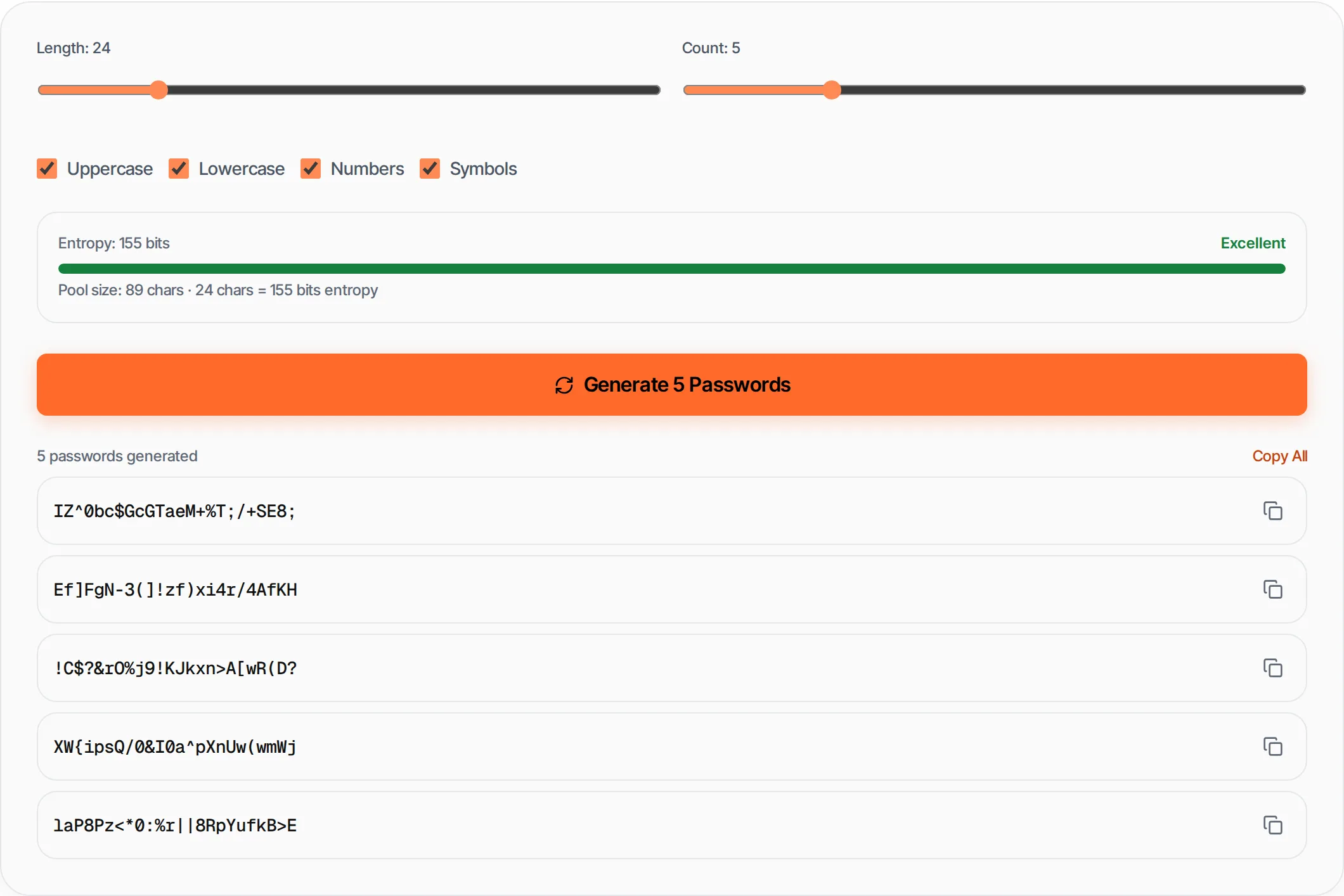
Pool size: 89 chars · 20 chars = 130 bits entropy
- Cryptographically secure (Web Crypto API)
- Custom length, charset and batch count
- Entropy + strength meter
- Copy individual or all passwords
What is Password Generator?
A password generator creates cryptographically secure random passwords using the Web Crypto API.
Unlike simple Math.random(), it uses true randomness from your operating system, making generated passwords suitable for securing accounts, servers and databases.
How to use Password Generator
- 1
Set password length
Use the slider to choose between 4 and 128 characters. 16-20 is recommended for most accounts.
- 2
Choose character types
Toggle uppercase, lowercase, numbers and symbols. More character types = stronger passwords.
- 3
Set count
Generate up to 20 passwords at once for batch account creation.
- 4
Generate and copy
Click Generate, then copy individual passwords or all at once.
Everything this tool
does for you
- Cryptographically secure via Web Crypto API
- Adjustable length from 4 to 128 characters
- Entropy calculation with strength meter
- Batch generation up to 20 passwords
- One-click copy individual or all
- Runs in your browser — nothing sent to any server
Related free tools
Frequently asked questions
Beyond this tool
See the full picture for your website.
Enter your URL for a free audit across eight scored areas. See prioritised issues and clear next steps in one report.
Free to start · No signup required