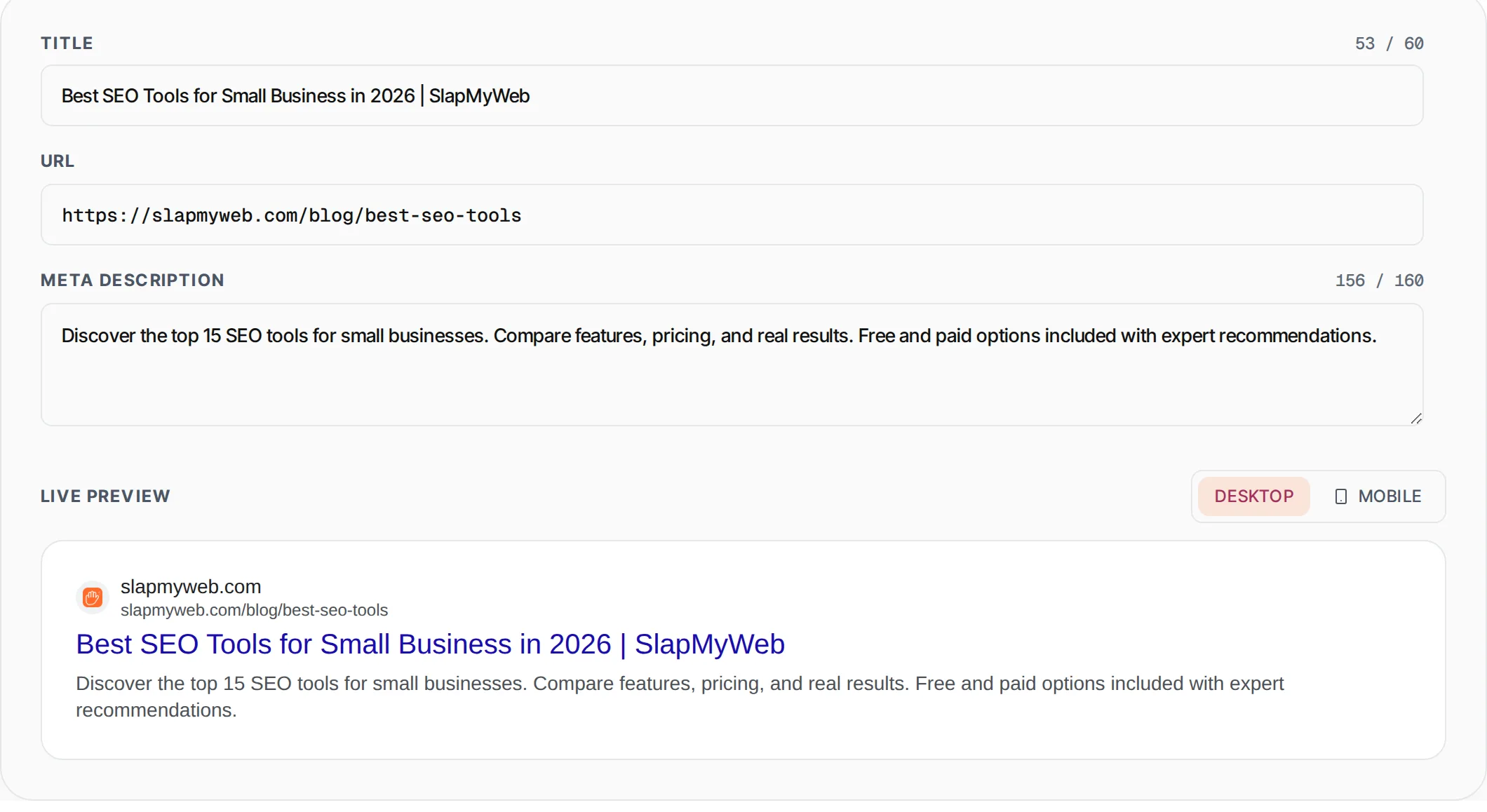
Google SERP snippet preview
See exactly how your page will appear in Google search results. Catches truncated titles and descriptions before you ship them.
- 100% free
- No sign-up
- Clear controls
- Open and use
- Live desktop + mobile preview
- Title length warnings (>60 chars)
- Description truncation simulation
- Pixel-accurate Google styling
What is Google SERP Snippet Preview?
A SERP snippet preview tool shows you exactly how your web page will appear in Google search results before you publish it.
SERP stands for Search Engine Results Page, and the snippet is the combination of your title tag, URL breadcrumb, and meta description that Google displays for each result. Getting these three elements right is critical for click-through rate optimization -- even if you rank on page one, a poorly written or truncated snippet means searchers will click your competitors instead. Google truncates title tags at roughly 580 pixels (about 60 characters) and meta descriptions at approximately 920 pixels on desktop (about 158 characters) and fewer on mobile. This tool simulates both desktop and mobile Google results with pixel-accurate styling, real-time character counters with color-coded warnings, automatic truncation simulation, and favicon fetching. Use it to craft compelling snippets that maximize clicks from organic search traffic.
How to use Google SERP Snippet Preview
- 1
Enter your title tag, URL, and meta description
Type or paste your page title, full URL, and meta description into the input fields. Character counters turn red when you exceed the recommended limits (60 chars for title, 160 for description).
- 2
Toggle between desktop and mobile views
Click the Desktop or Mobile toggle to see how your snippet renders on each device. Mobile descriptions are truncated earlier (around 130 characters), so check both views to ensure nothing important gets cut off.
- 3
Refine until the snippet is perfect
Edit your text and watch the live preview update instantly. Aim to put your primary keyword near the beginning of the title, include a compelling call-to-action in the description, and keep both within the green character limits.
Everything this tool
does for you
- Pixel-accurate Google SERP rendering with real favicon, URL breadcrumb, title, and description
- Desktop and mobile preview toggle with device-specific truncation rules
- Real-time character counters with red warnings when exceeding 60 (title) or 160 (description) chars
- Automatic description truncation simulation showing exactly where Google will cut your text
- Live favicon fetching from the entered URL domain for realistic preview rendering
- Pure client-side tool -- your page content and URLs never leave your browser
Further reading
Related free tools
Frequently asked questions
Beyond this tool
See the full picture for your website.
Enter your URL for a free audit across eight scored areas. See prioritised issues and clear next steps in one report.
Free to start · No signup required