Twitter Card Generator
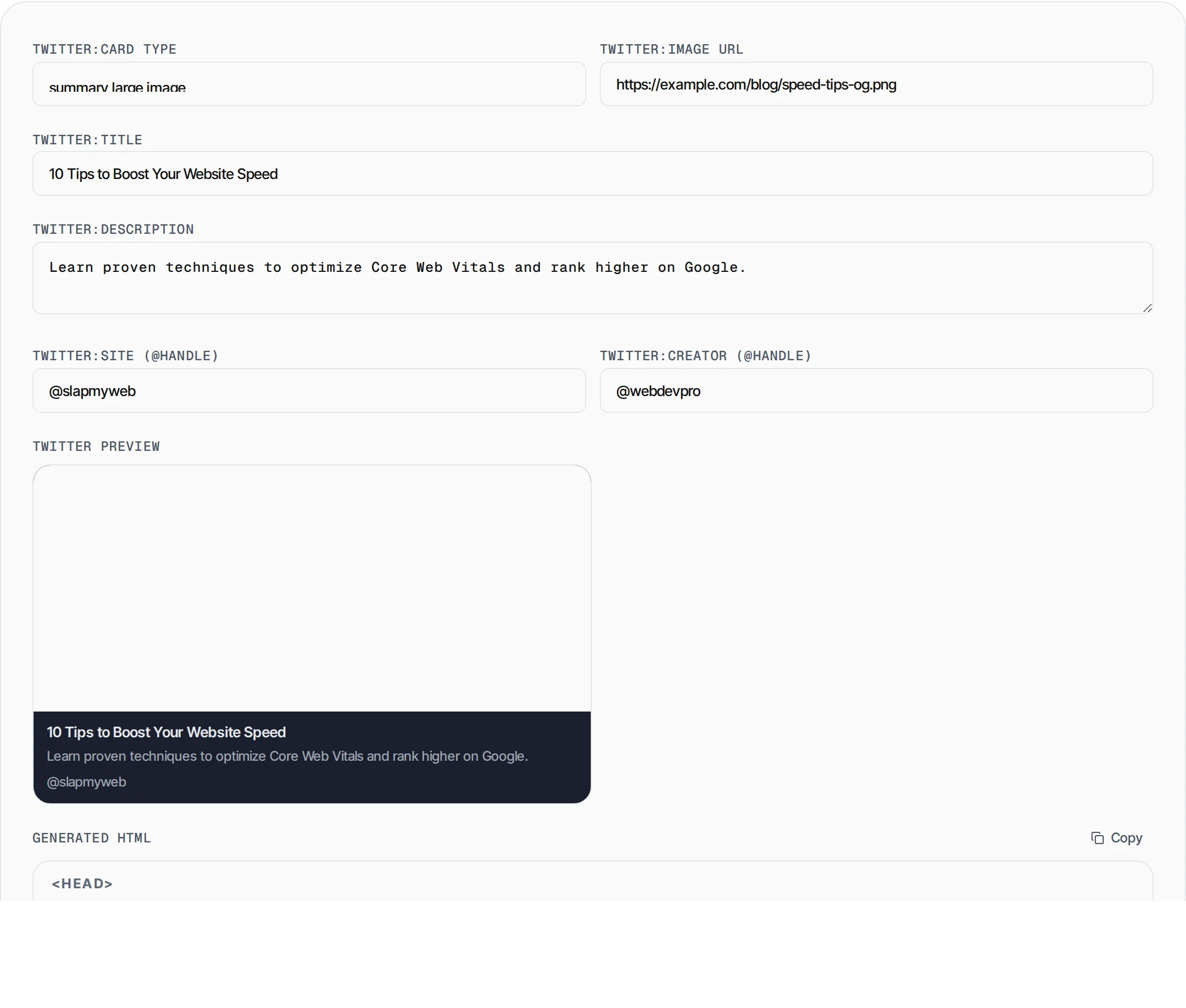
Generate Twitter Card meta tags with a live preview. Choose between summary and large-image cards, add your handles, and copy the HTML.
- 100% free
- No sign-up
- Clear controls
- Open and use
<meta name="twitter:card" content="summary_large_image"/>
- Summary and large image cards
- Live Twitter card preview
- @site and @creator handles
- Copy-paste ready HTML
What is Twitter Card Generator?
Twitter Cards are special meta tags that control how your links appear when shared on X (formerly Twitter).
Without them, shared links show a plain URL with no image or description. With the right tags, your link unfurls into a rich card with an image, title, description and attribution. This generator supports both the compact summary card and the more prominent summary_large_image card. Fill in the form, check the live preview, and copy the ready-to-use HTML to paste into your page head. Everything runs client-side in your browser.
How to use Twitter Card Generator
- 1
Choose your card type
Select summary for a compact card with a small thumbnail, or summary_large_image for a full-width image card.
- 2
Enter your content details
Add the title, description, image URL, and optionally your @site and @creator handles.
- 3
Preview and copy
Check the live preview to see how the card will look on Twitter, then click Copy to grab the HTML meta tags.
Everything this tool
does for you
- Summary and summary_large_image card types
- Live preview matching Twitter card rendering
- Support for @site and @creator attribution
- Properly escaped HTML output
- Real-time preview updates as you type
- Runs in your browser — your content stays private
Related free tools
Frequently asked questions
Beyond this tool
See the full picture for your website.
Enter your URL for a free audit across eight scored areas. See prioritised issues and clear next steps in one report.
Free to start · No signup required