Schema Markup Generator
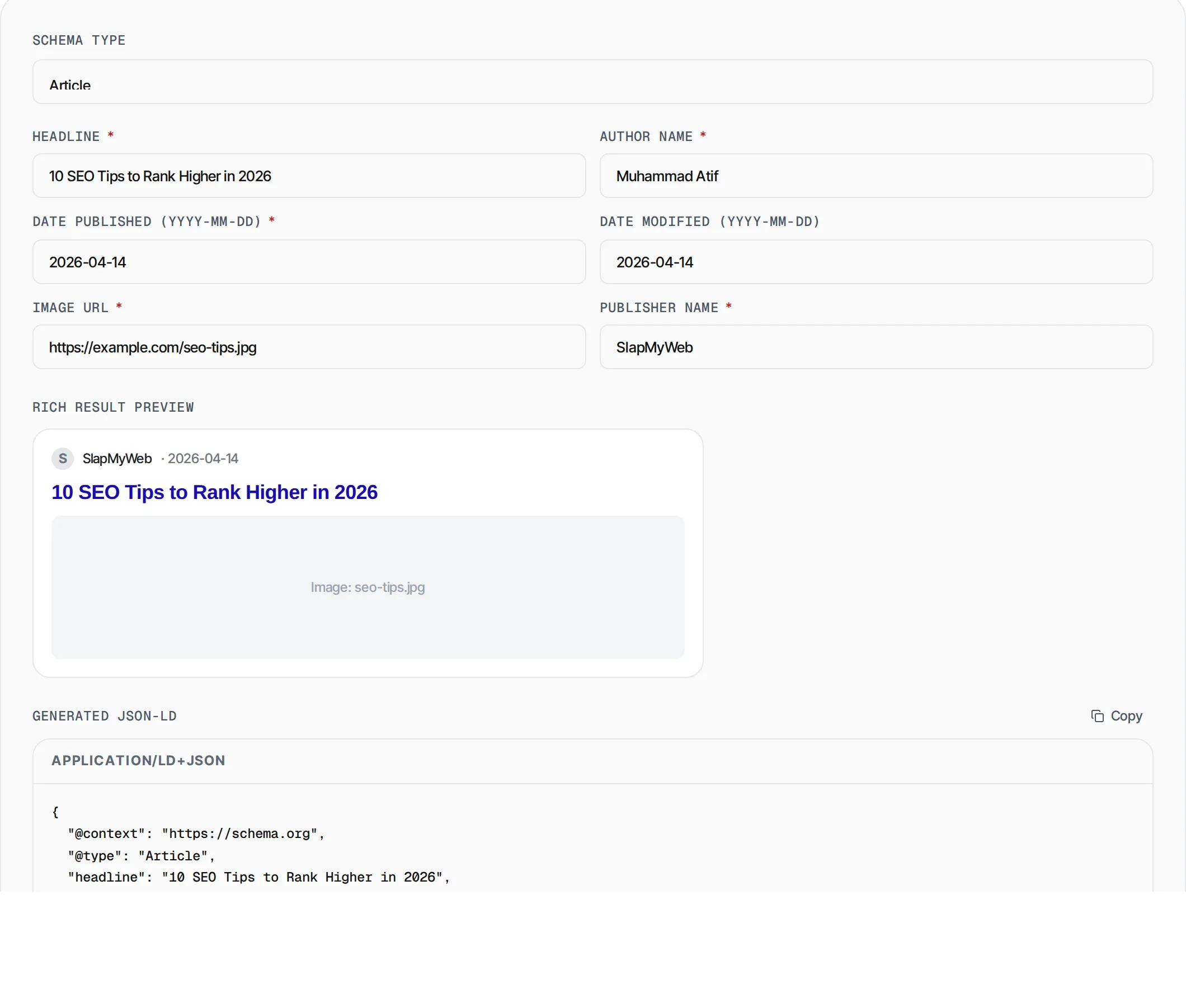
Generate valid JSON-LD structured data for 15 schema types. Fill in the form, copy the output, and paste it into your page's <head> section.
- 100% free
- No sign-up
- Clear controls
- Open and use
{
  "@context": "https://schema.org",
  "@type": "Article"
}- 15 schema types supported
- Dynamic form per type
- Live JSON-LD output
- Highlights missing required fields
- One-click copy to clipboard
What is Schema Markup Generator?
A schema markup generator helps you create structured data in JSON-LD format that search engines like Google use to understand your page content.
Adding schema markup to your website can unlock rich snippets in search results, including star ratings, FAQ dropdowns, recipe cards, event details, and product information. Rich results dramatically improve click-through rates because they occupy more visual space on the SERP and provide instant answers to searchers. Our generator supports 15 schema types with dynamic forms that show exactly which fields each type requires. The output is ready to paste into your HTML head section with zero coding knowledge needed.
How to use Schema Markup Generator
- 1
Select a schema type
Choose from 15 supported types like Article, Product, LocalBusiness, FAQ, HowTo, Organization, and more. The form fields update automatically.
- 2
Fill in the fields
Enter values for each field. Required fields are marked with an asterisk and highlighted in red if left empty. For FAQ and HowTo types, you can add multiple question-answer or step pairs.
- 3
Copy the JSON-LD
Click the Copy button to grab the generated script tag. Paste it inside the <head> section of your page.
- 4
Validate your markup
Use our Schema Markup Validator or Google Rich Results Test to confirm your markup is error-free before going live.
Everything this tool
does for you
- 15 schema types with tailored field sets
- Real-time JSON-LD generation as you type
- Visual validation of required fields
- FAQ and HowTo dynamic add/remove rows
- Product availability dropdown (InStock, OutOfStock, PreOrder)
- LocalBusiness with full address and geo coordinates
- Organization with social profile links
- One-click copy with wrapping script tag
- Runs in your browser — no data sent to any server
- Compliant with Google structured data guidelines
Related free tools
Frequently asked questions
Beyond this tool
See the full picture for your website.
Enter your URL for a free audit across eight scored areas. See prioritised issues and clear next steps in one report.
Free to start · No signup required