Open Graph Tag Generator
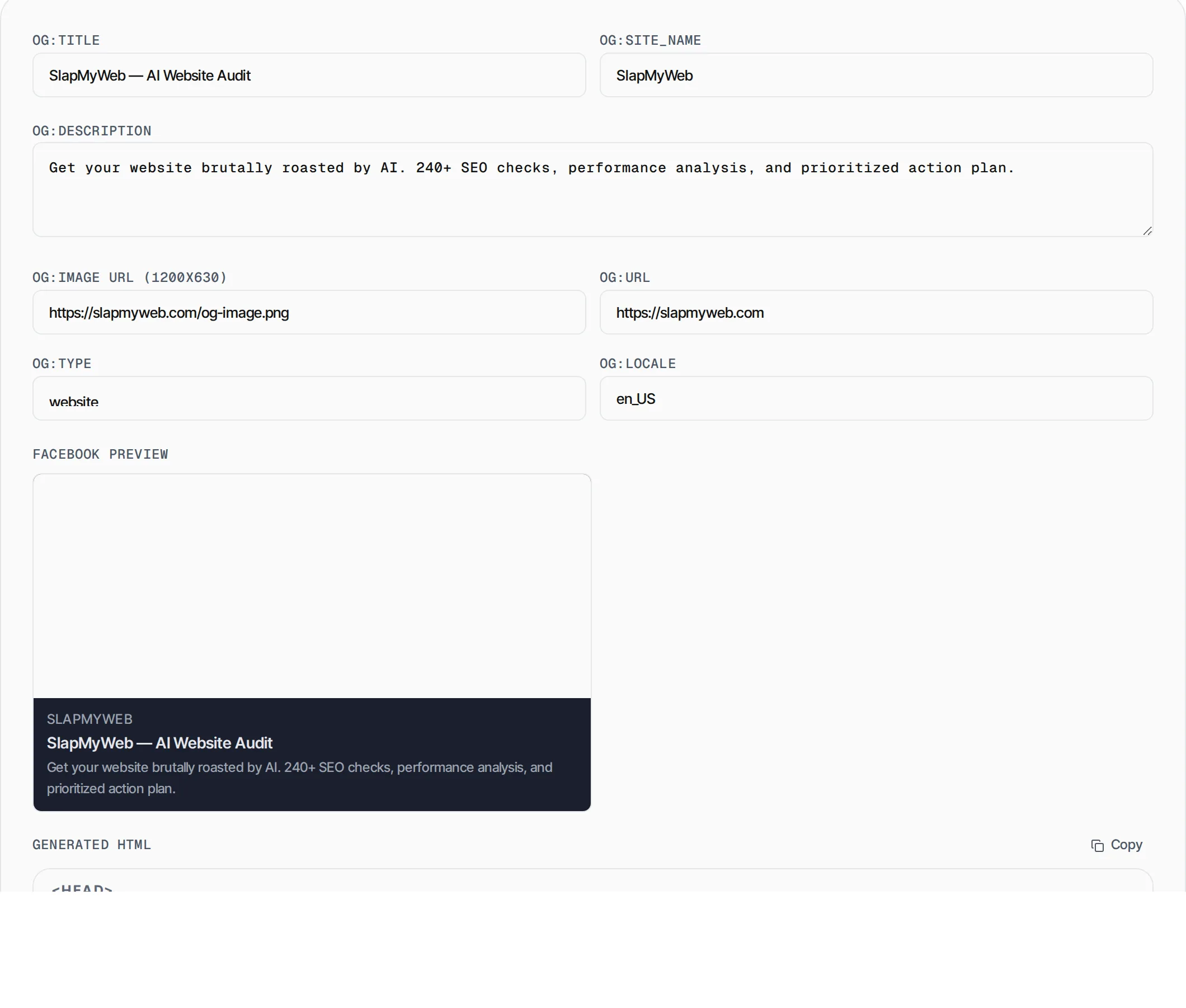
Generate Open Graph meta tags with a live Facebook/LinkedIn preview. Paste the HTML in your page head and every shared link looks pixel-perfect.
- 100% free
- No sign-up
- Clear controls
- Open and use
<meta property="og:type" content="website"/>
<meta property="og:locale" content="en_US"/>
- Live Facebook card preview
- All 7 core OG properties
- Locale and type support
- Copy-paste ready HTML
What is Open Graph Tag Generator?
Open Graph tags are HTML meta elements that control how your website appears when shared on Facebook, LinkedIn, Discord, Slack and other platforms.
Without them, social networks guess what image, title and description to show, often getting it wrong. The Open Graph Tag Generator lets you fill in a simple form, preview the exact Facebook card in real time, and copy production-ready HTML meta tags to paste into your page head. All processing happens in your browser — nothing is sent to a server.
How to use Open Graph Tag Generator
- 1
Fill in your page details
Enter the title, description, image URL, page URL, type, site name and locale for your page.
- 2
Check the live preview
The Facebook card preview updates in real time so you can see exactly how your link will appear when shared.
- 3
Copy the HTML
Click the Copy button to grab the generated meta tags and paste them inside the <head> of your HTML document.
Everything this tool
does for you
- Live Facebook/LinkedIn card preview
- Supports all 7 core OG properties
- Type dropdown with website, article, product, video
- Locale support for international pages
- HTML-escaped output safe for any document
- Runs in your browser — no data sent to servers
Related free tools
Frequently asked questions
Beyond this tool
See the full picture for your website.
Enter your URL for a free audit across eight scored areas. See prioritised issues and clear next steps in one report.
Free to start · No signup required