Skip to tool
Security & Network
DNS Lookup
Query A, AAAA, MX, TXT, NS and CNAME records for any domain
- 100% free
- No sign-up
- Clear controls
- Open and use
What this tool does
- All 6 record types at once
- MX records with priority
- TXT records (SPF, DKIM, verification)
- Copy all records to clipboard
The short version
What is DNS Lookup?
A DNS lookup tool queries the Domain Name System to retrieve all DNS records for a domain.
DNS translates human-readable domain names into IP addresses and configures email delivery (MX), domain verification (TXT), nameserver delegation (NS) and aliases (CNAME).
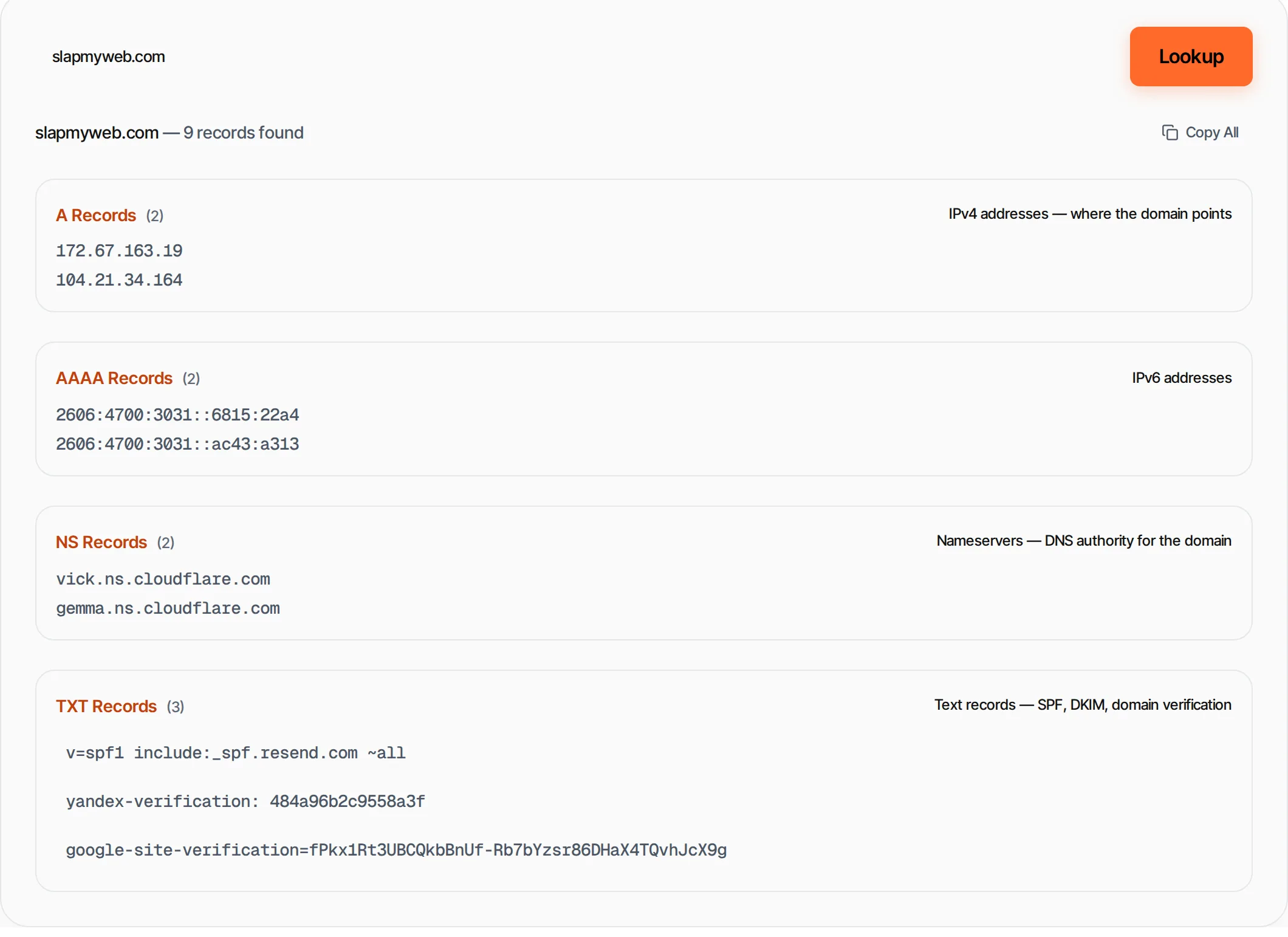
Step by step
How to use DNS Lookup
- 1
Enter a domain
Type a domain like google.com or example.org.
- 2
Click Lookup
We query all 6 record types (A, AAAA, MX, TXT, NS, CNAME) in parallel.
- 3
Review records
Each record type is shown in its own section with record count and description.
- 4
Copy results
Copy all DNS records in a formatted text block.
What's inside
Everything this tool
does for you
- Queries 6 record types simultaneously
- MX records with priority ranking
- TXT records (SPF, DKIM, verification)
- NS nameserver listing
- CNAME alias detection
- Copy all records at once
Keep going
Related free tools
Questions
Frequently asked questions
A records map a domain name to an IPv4 address. They tell browsers which server to connect to when visiting your website.
MX (Mail Exchange) records specify which mail servers accept email for your domain. Lower priority numbers have higher precedence.
TXT records store text data for domain verification (Google, Microsoft), email authentication (SPF, DKIM, DMARC) and other purposes.
DNS changes can take up to 48 hours to propagate globally due to caching at various DNS resolver levels. Most changes propagate within 1-4 hours.
Beyond this tool
See the full picture for your website.
Enter your URL for a free audit across eight scored areas. See prioritised issues and clear next steps in one report.
Run a free website audit
Free to start · No signup required