SSL Certificate Checker
Check SSL certificate expiry, issuer, chain and protocol for any domain
- 100% free
- No sign-up
- Clear controls
- Open and use
- Certificate validity and expiry check
- Issuer and subject details
- TLS protocol version
- Fingerprint and serial number
What is SSL Certificate Checker?
An SSL certificate checker connects to a domain's HTTPS port and inspects the TLS certificate.
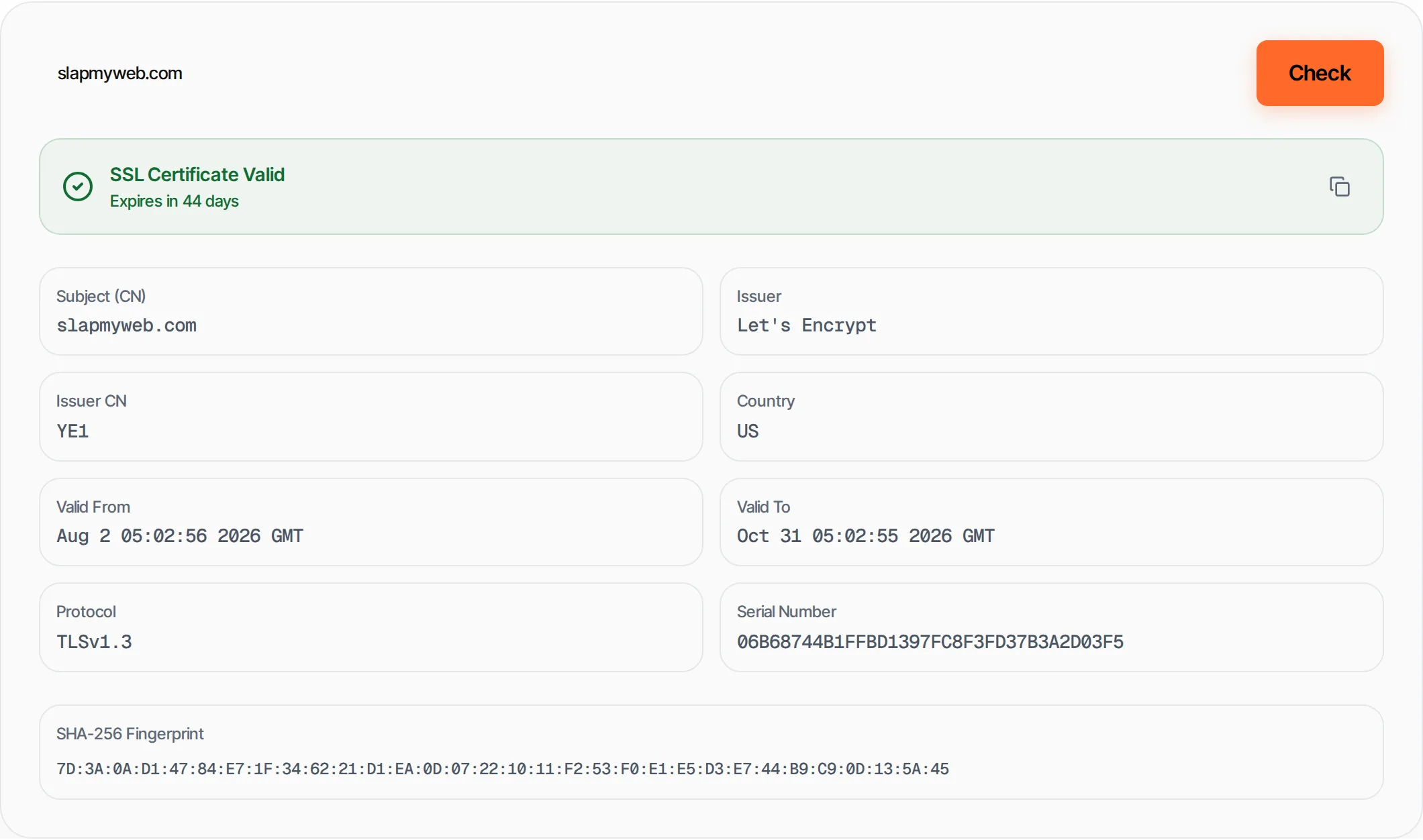
It shows the issuer (who signed it), validity period, days until expiry, TLS protocol version and the certificate fingerprint. Expired or misconfigured SSL certificates break HTTPS and can tank your search rankings.
How to use SSL Certificate Checker
- 1
Enter a domain
Type a domain name like google.com. HTTPS prefix is added automatically.
- 2
Click Check
We connect to port 443 and inspect the TLS certificate.
- 3
Review results
See validity status, expiry countdown, issuer and protocol details.
- 4
Copy details
Copy the full certificate details for documentation.
Everything this tool
does for you
- Certificate validity verification
- Expiry date with countdown
- Issuer and subject details
- TLS protocol version
- SHA-256 fingerprint
- Serial number
Further reading
Related free tools
Frequently asked questions
Beyond this tool
See the full picture for your website.
Enter your URL for a free audit across eight scored areas. See prioritised issues and clear next steps in one report.
Free to start · No signup required