Password Strength Checker
Analyze password strength with entropy, pattern detection and crack time estimation
- 100% free
- No sign-up
- Clear controls
- Open and use
- Entropy calculation in bits
- Pattern detection (keyboard walks, sequences, repeats)
- Crack time estimation
- Runs in your browser — your password never leaves your browser
What is Password Strength Checker?
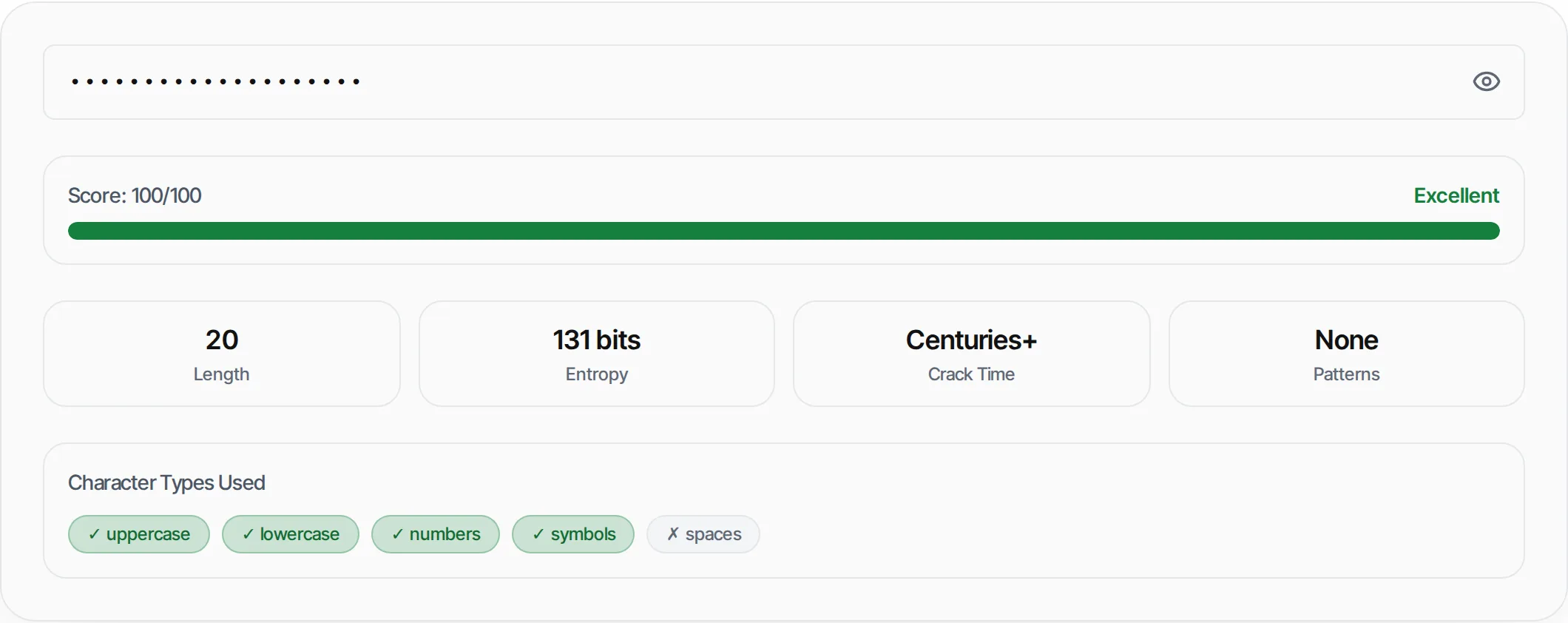
A password strength checker analyzes your password's security by calculating entropy (randomness in bits), detecting common patterns like keyboard walks and repeated characters, and estimating how long a brute-force attack would take.
This tool runs entirely in your browser — your password is never sent to any server.
How to use Password Strength Checker
- 1
Enter your password
Type or paste a password into the input field. Use the eye icon to toggle visibility.
- 2
Review the score
See your password strength score from 0-100 with a color-coded rating.
- 3
Check crack time
View estimated time to crack assuming 10 billion guesses per second.
- 4
Fix issues
Follow the improvement tips to strengthen your password.
Everything this tool
does for you
- Real-time entropy calculation in bits
- Pattern detection: keyboard walks, sequences, repeats
- Common password database check
- Crack time estimation (10B guesses/sec)
- Character type breakdown
- Runs in your browser — password never leaves your browser
Related free tools
Frequently asked questions
Beyond this tool
See the full picture for your website.
Enter your URL for a free audit across eight scored areas. See prioritised issues and clear next steps in one report.
Free to start · No signup required