Regex Tester
Test regular expressions with inline highlighting, capture groups, replace mode, and a built-in cheat sheet. All JavaScript regex flags supported.
- 100% free
- No sign-up
- Clear controls
- Open and use
- Inline match highlighting in test string
- Match stats — count and execution time
- Replace / substitution mode
- Regex cheat sheet sidebar
- Capture group extraction
- All JS flags (g, i, m, s)
- 100% browser — no server
What is Regex Tester?
A regex tester is an essential developer tool for writing, testing, and debugging regular expressions in real time.
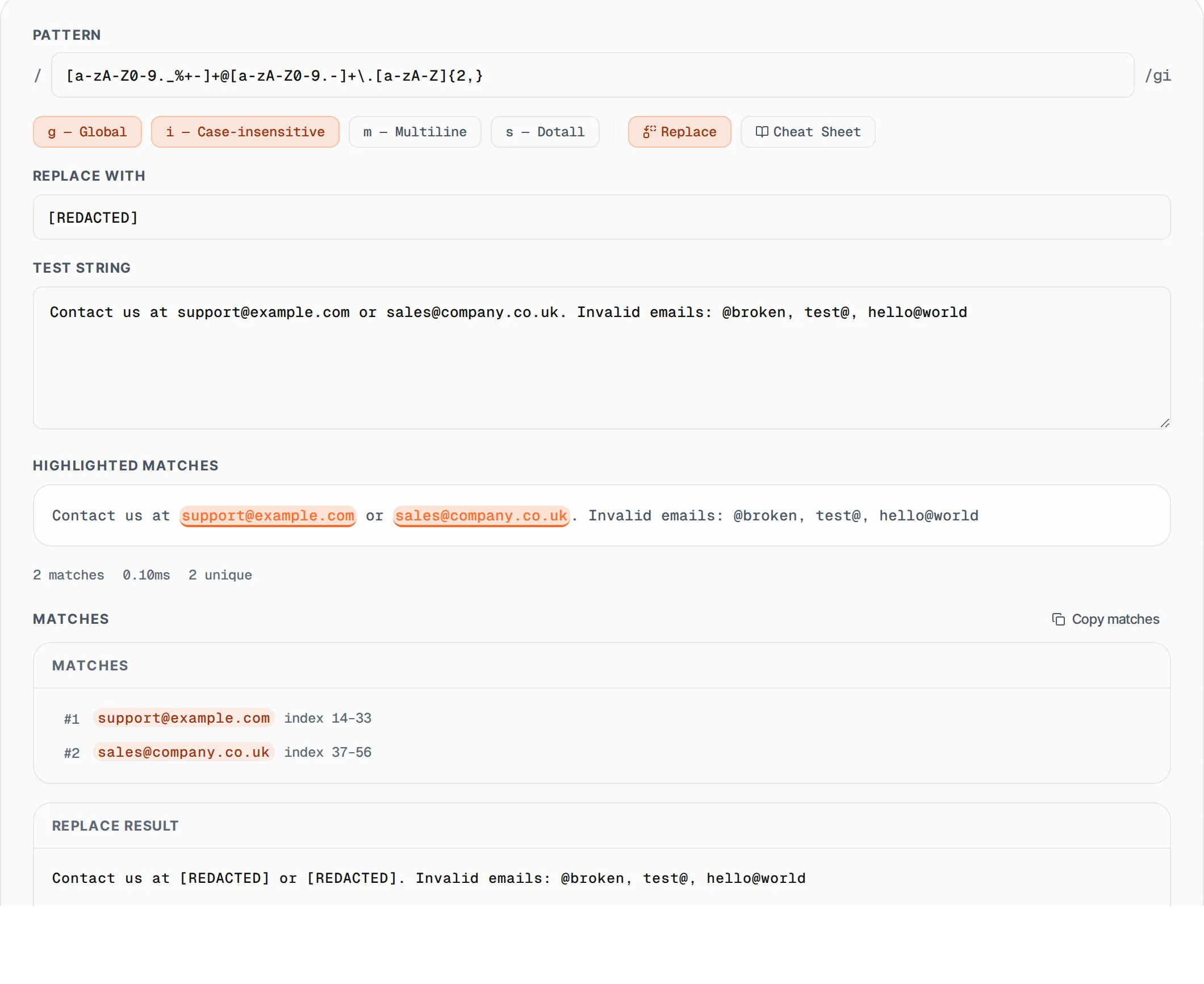
Regular expressions (regex) are powerful pattern-matching sequences used in programming for text search, validation, extraction, and replacement. Our free online regex tester provides instant feedback as you type your pattern and test string, showing all matches with inline highlighting directly in your text. It supports all JavaScript regex flags including global (g), case-insensitive (i), multiline (m), and dotall (s). The built-in replace mode lets you test substitutions with group references ($1, $2), and the cheat sheet sidebar gives you quick access to common patterns. Whether you are validating email addresses, parsing log files, extracting data from HTML, or building input validation for web forms, this tool helps you iterate on your regex patterns without writing throwaway code.
How to use Regex Tester
- 1
Enter your regex pattern
Type your regular expression in the pattern field. Select the flags you need — global for all matches, case-insensitive for ignoring case, multiline for line-by-line matching, or dotall to match newlines with the dot character.
- 2
Paste your test string
Enter or paste the text you want to test against. Matches are highlighted inline with colored underlines directly in your test string, making it easy to see exactly what your pattern captures.
- 3
Use replace mode
Toggle Replace to enter a substitution string. Use $1, $2 for captured groups. The replaced result appears below in real time.
- 4
Reference the cheat sheet
Toggle the Cheat Sheet for a quick reference of common regex syntax. Click any pattern to insert it directly into your regex.
Everything this tool
does for you
- Inline match highlighting with colored spans in test string
- Match statistics: count, unique matches, execution time
- Replace/substitution mode with group references ($1, $2)
- Built-in regex cheat sheet with clickable patterns
- Full capture group extraction with numbered group display
- Support for all JavaScript flags: global, case-insensitive, multiline, dotall
- Match index range positions for precise location identification
- One-click copy of all matched values
Related free tools
Frequently asked questions
Beyond this tool
See the full picture for your website.
Enter your URL for a free audit across eight scored areas. See prioritised issues and clear next steps in one report.
Free to start · No signup required