CSV to JSON Converter
Convert CSV data to a JSON array of objects. Handles quoted fields, commas inside values, and escaped quotes. Download or copy the result.
- 100% free
- No sign-up
- Clear controls
- Open and use
Paste CSV above- CSV to JSON array conversion
- Handles quoted fields & commas
- Download as .json file
- Adjustable indentation
- 100% browser — no upload
What is CSV to JSON Converter?
A CSV to JSON converter takes comma-separated values data, typically exported from spreadsheets or databases, and transforms it into a structured JSON array of objects ready for use in APIs, applications, and scripts.
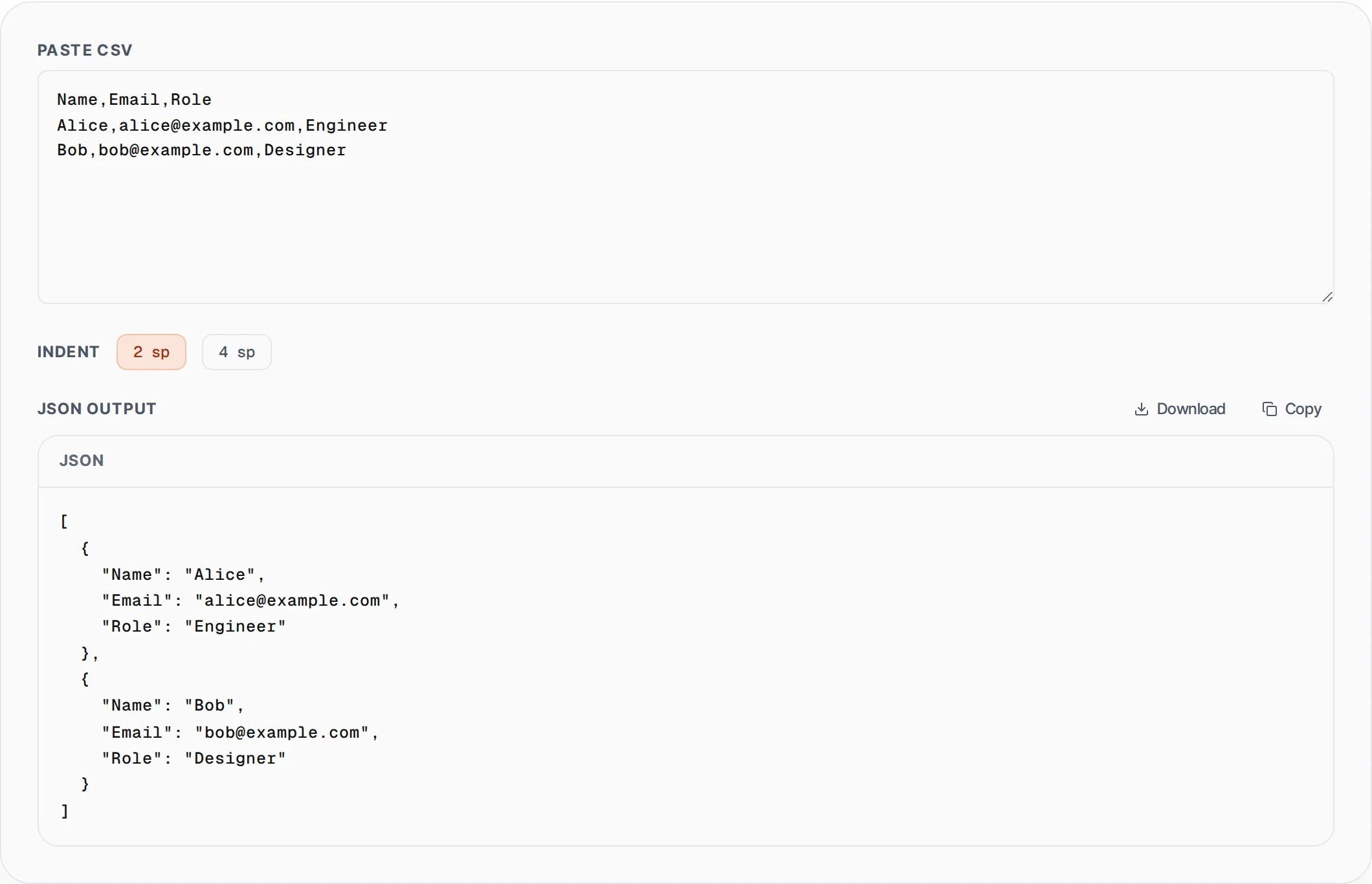
CSV is the universal export format for Excel, Google Sheets, database dumps, and analytics platforms, but modern web applications and APIs consume JSON. Manually converting rows and columns into nested JSON objects is tedious and error-prone. This tool parses your CSV input using a proper state-machine parser that correctly handles quoted fields containing commas, escaped double quotes, and multi-line values. The first row is automatically treated as column headers, and each subsequent row becomes a JSON object with those headers as keys. You can choose 2-space or 4-space indentation for readable output, then copy or download the result as a .json file. All processing happens in your browser, so your spreadsheet data stays private. Perfect for developers importing CSV data into MongoDB, building API request bodies, or converting legacy data exports into modern JSON format.
How to use CSV to JSON Converter
- 1
Paste your CSV data
Copy CSV content from your spreadsheet, database export, or text file and paste it into the input area. The first row should contain column headers that will become JSON keys.
- 2
Choose JSON indentation
Select 2-space or 4-space indentation for the output. The JSON array is generated instantly as you paste, with each CSV row converted to a JSON object using the header row as property names.
- 3
Download or copy the JSON
Click Download to save the result as a .json file, or click Copy to place it on your clipboard. The output is valid JSON ready to use in your application or API.
Everything this tool
does for you
- Full CSV parser handles quoted fields and embedded commas
- Escaped double quotes (RFC 4180) parsed correctly
- First row auto-detected as column headers
- Adjustable JSON indentation (2 or 4 spaces)
- Download as .json file or copy to clipboard
- Private processing — CSV data never leaves your browser
Related free tools
Frequently asked questions
Beyond this tool
See the full picture for your website.
Enter your URL for a free audit across eight scored areas. See prioritised issues and clear next steps in one report.
Free to start · No signup required