CSS Minifier
Minify CSS by stripping comments, collapsing whitespace and removing unnecessary semicolons. Reduces file size for faster page loads.
- 100% free
- No sign-up
- Clear controls
- Open and use
No output yet- Strips CSS comments
- Collapses whitespace
- Removes trailing semicolons
- Shows size savings
- 100% browser — no upload
What is CSS Minifier?
A CSS minifier compresses your stylesheet code by removing all characters that are not required for the browser to correctly parse and apply your styles.
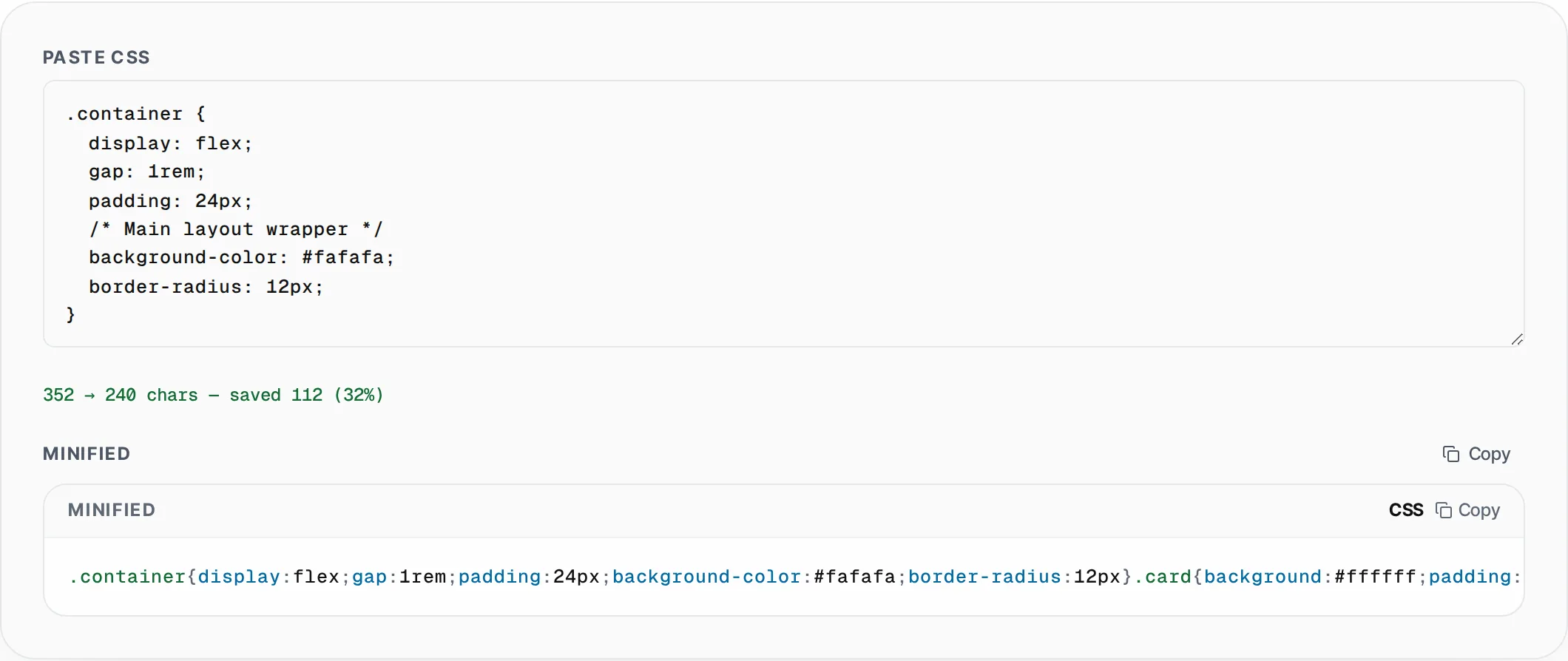
This includes stripping CSS comments (/* */), collapsing multiple whitespace characters into zero, removing spaces around selectors, colons, and semicolons, and eliminating the trailing semicolon before each closing brace. The result is the most compact valid CSS representation of your stylesheet, which loads faster and consumes less bandwidth. CSS file size directly impacts render-blocking time — browsers must download and parse all CSS before painting the first pixel of your page. Reducing CSS payload improves First Contentful Paint (FCP) and Largest Contentful Paint (LCP), two Core Web Vitals that affect both user experience and Google search rankings. This tool shows you the exact before-and-after character count and percentage savings so you can quantify the optimization. All minification runs in your browser using JavaScript string operations, so your CSS never leaves your machine. It handles standard CSS including complex selectors, media queries, custom properties, keyframe animations, and vendor-prefixed properties.
How to use CSS Minifier
- 1
Paste your CSS
Copy your stylesheet from your code editor, build output, or browser DevTools and paste it into the input area. The tool accepts any valid CSS including media queries, animations, and custom properties.
- 2
Check the size savings
The tool instantly displays the original character count, the minified count, and the percentage reduction. Typical stylesheets with comments and indentation see 20-40% savings.
- 3
Copy the minified CSS
Click Copy to place the compressed CSS on your clipboard. Use it in your production build, inline in HTML, or deploy it to your CDN for the fastest possible stylesheet delivery.
Everything this tool
does for you
- Strips all CSS comments (/* */) for cleaner output
- Collapses whitespace and removes unnecessary spaces
- Removes trailing semicolons before closing braces
- Live before/after character count with savings percentage
- Handles media queries, keyframes, and custom properties
- Private browser-only processing — no data uploaded
Related free tools
Frequently asked questions
Beyond this tool
See the full picture for your website.
Enter your URL for a free audit across eight scored areas. See prioritised issues and clear next steps in one report.
Free to start · No signup required