HTML Minifier
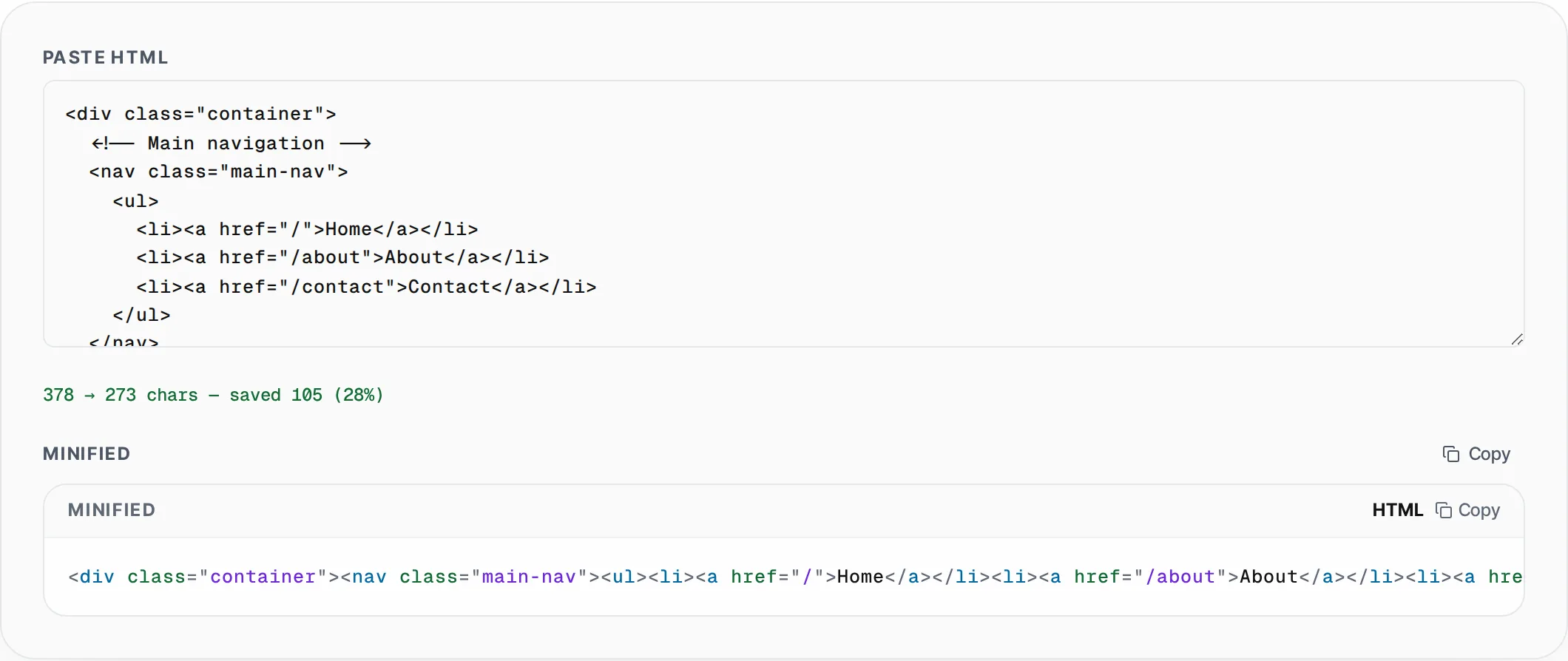
Minify HTML by stripping comments, collapsing whitespace and removing unnecessary characters. Reduces file size for faster page loads.
- 100% free
- No sign-up
- Clear controls
- Open and use
No output yet- Strips HTML comments
- Collapses whitespace
- Shows size savings
- One-click copy
- 100% browser — no upload
What is HTML Minifier?
An HTML minifier compresses your HTML markup by removing all unnecessary characters without changing the document structure or behavior.
This includes stripping HTML comments, collapsing multiple whitespace characters into single spaces, and removing whitespace between tags. The result is a compact single-line HTML document that browsers parse identically to the original but transfers faster over the network. Page load speed is a critical ranking factor for search engines and directly impacts user experience — Google reports that 53% of mobile users abandon pages that take longer than 3 seconds to load. Every kilobyte of unnecessary whitespace and comments adds to your Time to First Byte (TTFB) and Largest Contentful Paint (LCP) scores. This minifier processes your HTML entirely in your browser, showing you exact character savings with before-and-after byte counts. It handles real-world HTML including deeply nested structures, inline scripts, and complex attribute lists. Use it as the final step before deploying HTML templates, email templates, or static pages to production.
How to use HTML Minifier
- 1
Paste your HTML
Copy the HTML source code from your editor, CMS, or browser DevTools and paste it into the input area. The tool accepts any valid HTML including full pages, partial templates, and HTML email markup.
- 2
Review size savings
The tool instantly shows the original size, minified size, and percentage saved. Typical HTML with comments and indentation sees 15-30% size reduction.
- 3
Copy the minified output
Click Copy to place the minified HTML on your clipboard. Paste it into your production build, deployment pipeline, or CDN origin to serve smaller files to your users.
Everything this tool
does for you
- Strips all HTML comments (<!-- -->) from the output
- Collapses multiple whitespace characters into single spaces
- Removes whitespace between HTML tags for minimal output
- Live character count showing original vs minified size
- Percentage savings displayed for quick optimization review
- Runs entirely in your browser — no server upload needed
Related free tools
Frequently asked questions
Beyond this tool
See the full picture for your website.
Enter your URL for a free audit across eight scored areas. See prioritised issues and clear next steps in one report.
Free to start · No signup required