CSS Box Shadow Generator
Build beautiful CSS box-shadow effects visually with multiple layers, presets, and a live preview. Copy production-ready CSS instantly.
- 100% free
- No sign-up
- Clear controls
- Open and use
box-shadow: 0px 4px 12px 0px rgba(0, 0, 0, 0.2);
- Up to 4 shadow layers
- Live visual preview
- 6 built-in presets
- Inset shadow support
- 100% browser — no upload
What is CSS Box Shadow Generator?
A CSS box shadow generator is a visual tool for creating shadow effects on HTML elements without writing code by hand.
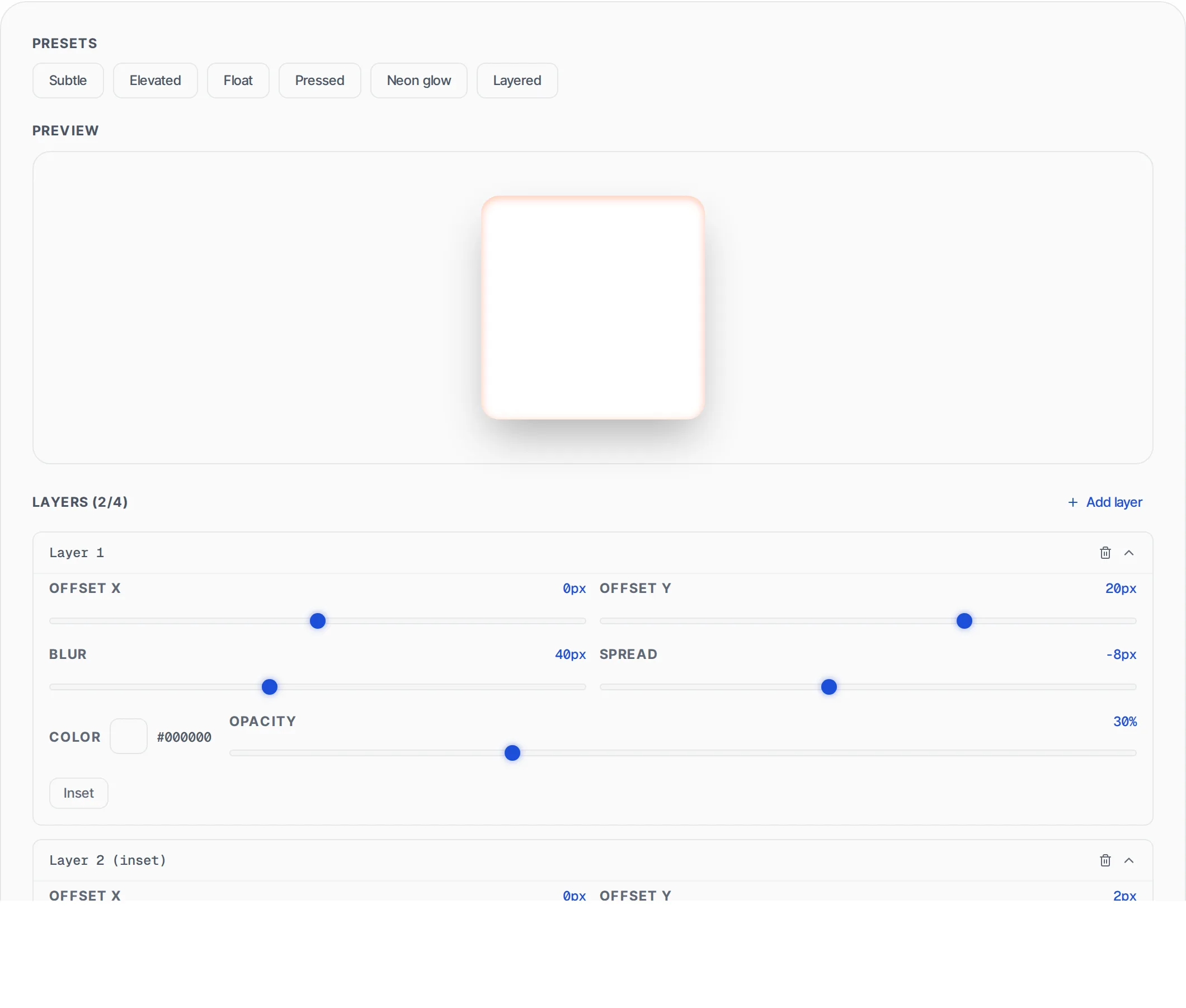
The CSS box-shadow property adds one or more drop shadows to an element's frame, creating depth and visual hierarchy. Shadows can be placed outside (drop shadow) or inside (inset shadow) the element. This tool lets you control offset, blur, spread, color, and opacity for each shadow layer, with unlimited layering for complex effects. All rendering happens in your browser.
How to use CSS Box Shadow Generator
- 1
Configure shadow properties
Adjust the horizontal and vertical offset, blur radius, spread, and shadow color. Toggle inset mode for inner shadows. Use the opacity slider for subtle effects.
- 2
Add multiple layers
Click "Add Shadow" to layer multiple shadows. Each layer has independent controls. Combine outer and inset shadows for realistic depth effects.
- 3
Preview and copy
Watch the live preview update as you adjust settings. Click "Copy CSS" to copy the complete box-shadow property to your clipboard.
Everything this tool
does for you
- Full control over X offset, Y offset, blur radius, and spread
- Inset shadow support for inner glow and pressed effects
- Multiple shadow layers for complex depth effects
- Color picker with opacity/alpha control
- Live preview that updates instantly
- Copy production-ready CSS with one click
- Preset shadow styles for common patterns
- Runs in your browser — no server calls needed
Related free tools
Frequently asked questions
Beyond this tool
See the full picture for your website.
Enter your URL for a free audit across eight scored areas. See prioritised issues and clear next steps in one report.
Free to start · No signup required