CSS Animation Generator
Build CSS keyframe animations visually with live preview. Choose from 12 presets, customize timing, duration, delay, and direction. Copy production-ready CSS instantly.
- 100% free
- No sign-up
- Clear controls
- Open and use
@keyframes fadeIn {
  from { opacity: 0; }
  to { opacity: 1; }
}

.animated-element {
  animation: fadeIn 1s ease 0s 1 normal none;
}- 12 built-in animation presets
- Full timing & easing controls
- Live animated preview
- Production-ready @keyframes CSS
- Copy with one click
- 100% browser — no upload
What is CSS Animation Generator?
A CSS animation generator is a visual tool that helps you create keyframe animations without writing code from scratch.
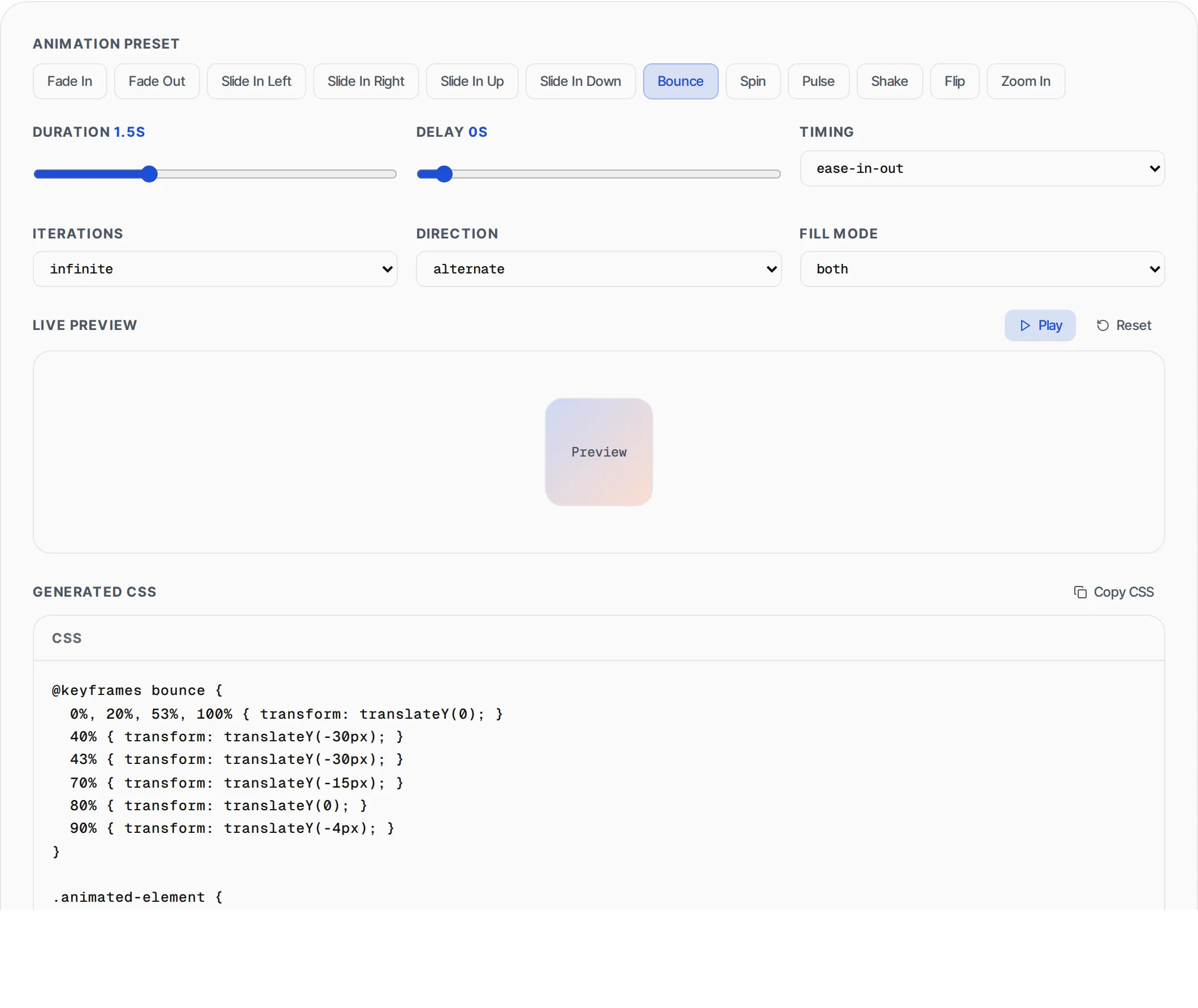
CSS animations control how elements move, fade, scale, rotate, and transform on web pages. While the @keyframes syntax is well-documented, getting the right combination of duration, easing, delay, iteration count, direction, and fill mode requires trial and error. This tool provides 12 battle-tested animation presets covering the most common motion patterns: fades, slides, bounces, spins, pulses, shakes, flips, and zooms. Each preset generates standards-compliant @keyframes CSS that works in all modern browsers. You adjust timing parameters with sliders and dropdowns while watching the animation play in real-time on a preview element. Once the motion feels right, copy the complete CSS including both the @keyframes block and the shorthand animation property. All processing runs in your browser with zero server dependency.
How to use CSS Animation Generator
- 1
Choose an animation preset
Select from 12 presets: Fade In, Fade Out, Slide In Left/Right/Up/Down, Bounce, Spin, Pulse, Shake, Flip, or Zoom In. Each generates the correct @keyframes block automatically.
- 2
Adjust timing controls
Set duration (0.1-5s), delay (0-3s), timing function (ease, linear, ease-in, ease-out, ease-in-out, cubic-bezier), iteration count (1/2/3/infinite), direction, and fill mode to fine-tune the animation feel.
- 3
Preview and copy
Click Play to see the animation on the preview element. Adjust until it looks right, then click Copy CSS to get the complete @keyframes block and animation property ready for your stylesheet.
Everything this tool
does for you
- 12 animation presets covering fades, slides, bounce, spin, pulse, shake, flip, and zoom
- Duration slider from 0.1 to 5 seconds with 0.1s precision
- Full easing control including cubic-bezier for spring-like effects
- Configurable delay, iteration count, direction, and fill mode
- Live animated preview that plays in real-time as you adjust settings
- Copy production-ready CSS with @keyframes block and animation shorthand
Related free tools
Frequently asked questions
Beyond this tool
See the full picture for your website.
Enter your URL for a free audit across eight scored areas. See prioritised issues and clear next steps in one report.
Free to start · No signup required