CSS Flexbox Generator
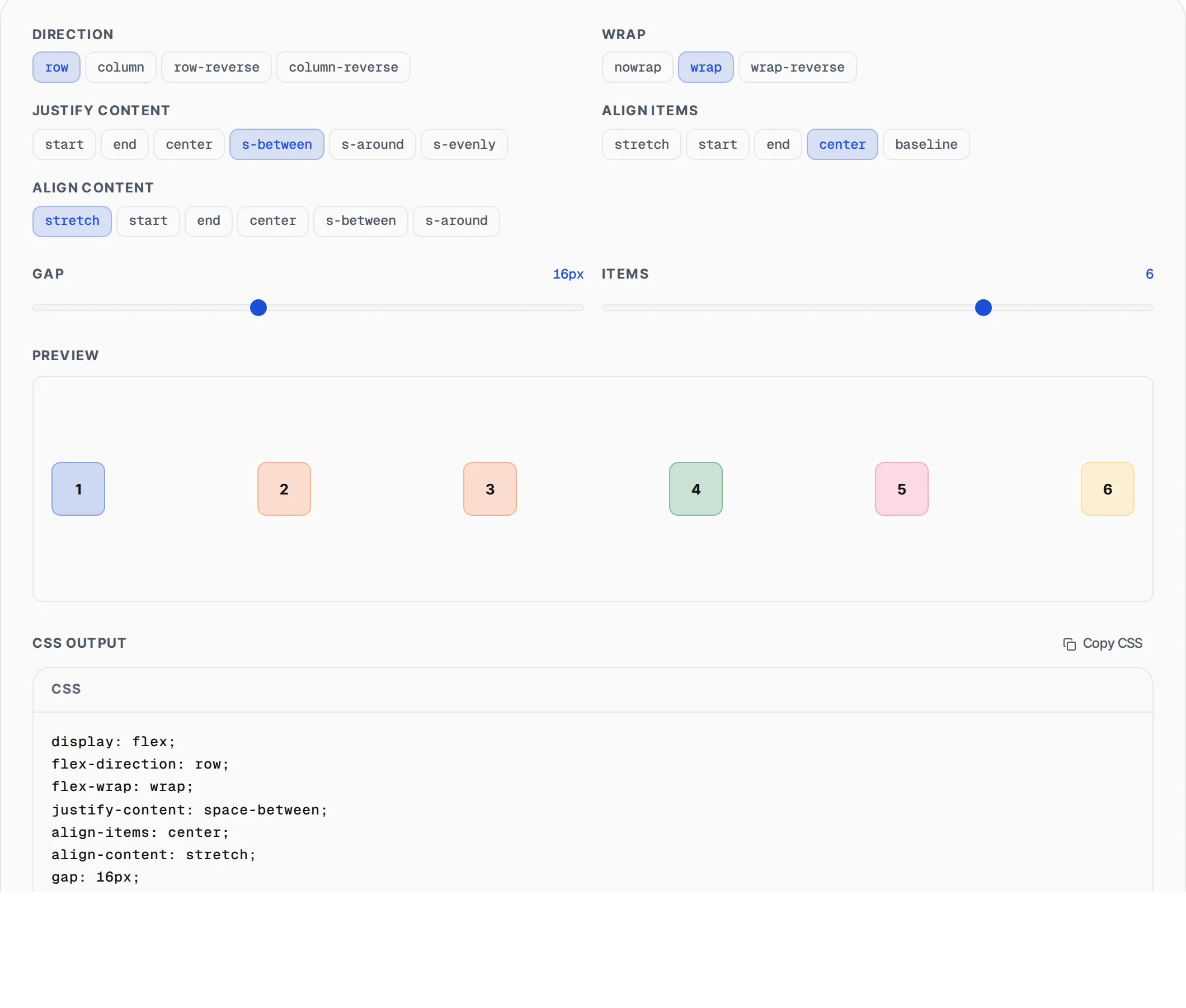
Build flexbox layouts visually. Adjust direction, wrapping, alignment, and gap in real-time, then copy production-ready CSS and HTML.
- 100% free
- No sign-up
- Clear controls
- Open and use
display: flex;
flex-direction: row;
flex-wrap: nowrap;
justify-content: flex-start;
align-items: stretch;
gap: 8px;
<div class="container">
  <div class="item">1</div>
  <div class="item">2</div>
  <div class="item">3</div>
  <div class="item">4</div>
</div>
- Visual live preview
- All flex properties
- Adjustable item count
- Copy CSS + HTML
- 100% browser — no upload
What is CSS Flexbox Generator?
A CSS Flexbox generator is a visual tool for building flexible box layouts without memorizing property combinations.
Flexbox is a one-dimensional CSS layout model that distributes space between items in a container along a main axis and cross axis. This tool lets you configure all flex container properties — direction, wrapping, alignment, justification, and gap — with a live preview showing exactly how items arrange. You also control child item properties like flex-grow, shrink, and order. The output is production-ready CSS or Tailwind utility classes.
How to use CSS Flexbox Generator
- 1
Set container properties
Choose flex-direction (row/column), flex-wrap, justify-content, and align-items. Adjust the gap between items. The live preview updates instantly.
- 2
Configure child items
Add or remove child items. Set individual flex-grow, flex-shrink, flex-basis, and order values for each item to control sizing and sequencing.
- 3
Copy the code
Click "Copy CSS" for the container and item styles, or "Copy Tailwind" for utility classes. Paste directly into your project.
Everything this tool
does for you
- All flex container properties: direction, wrap, justify, align, gap
- Individual child item controls: grow, shrink, basis, order
- Live visual preview with configurable item count
- CSS and Tailwind CSS output formats
- Copy to clipboard with one click
- Responsive-friendly layout generation
- Visual alignment guides and labels
- Runs in your browser — no server calls needed
Related free tools
Frequently asked questions
Beyond this tool
See the full picture for your website.
Enter your URL for a free audit across eight scored areas. See prioritised issues and clear next steps in one report.
Free to start · No signup required