CSS Text Shadow Generator
Build beautiful text shadow effects visually. Stack up to 4 shadow layers, apply presets, and copy production-ready CSS.
- 100% free
- No sign-up
- Clear controls
- Open and use
text-shadow: 2px 2px 4px #1d4ed8;
- Up to 4 shadow layers
- 6 built-in presets
- Custom offset, blur & color
- Live preview on dark background
- Copy CSS instantly
- 100% browser — no upload
What is CSS Text Shadow Generator?
The CSS text-shadow property adds shadow effects to text elements, creating depth, glow, emboss, neon, and 3D effects that make headings and display text visually striking.
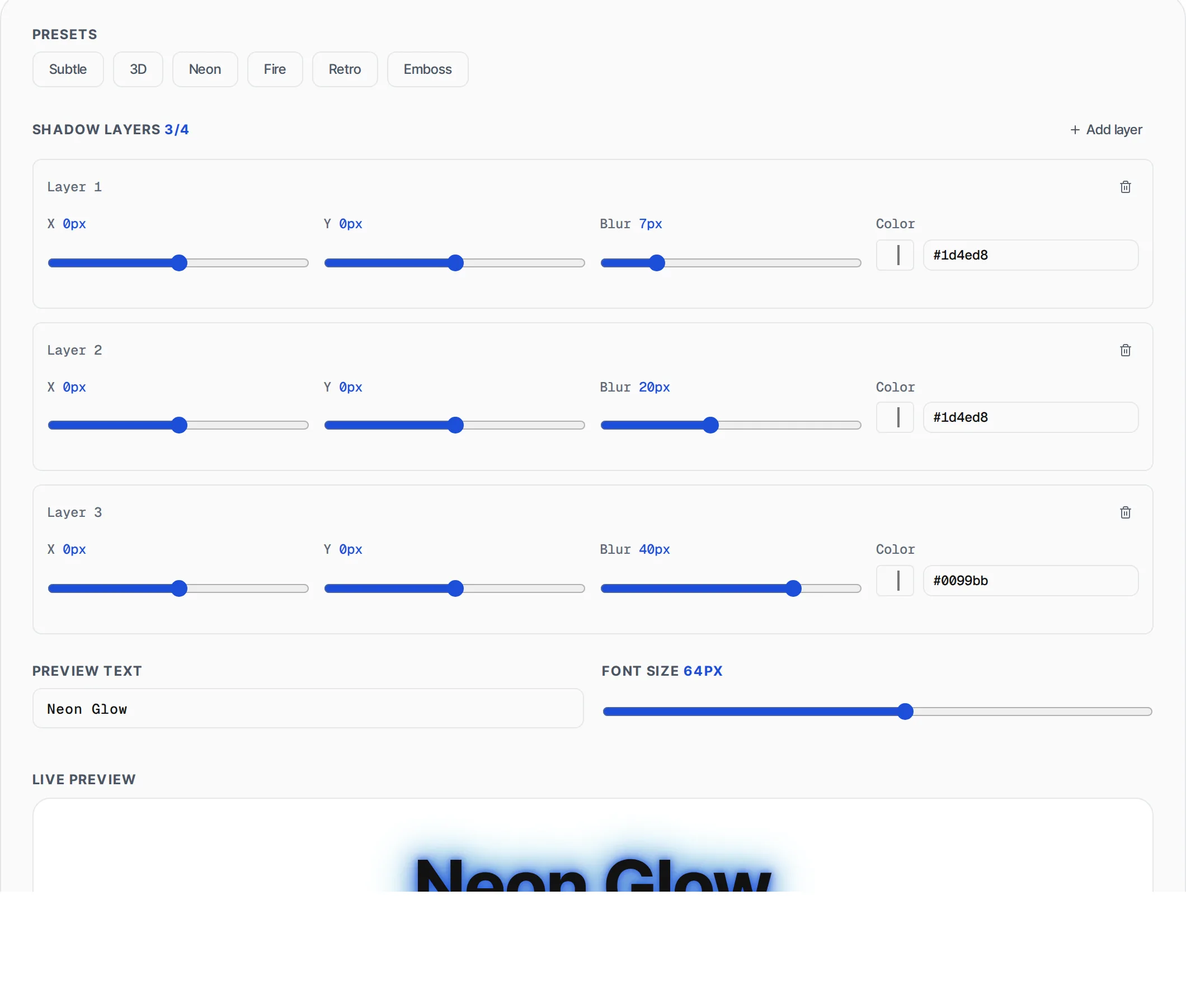
This generator lets you build text shadows visually by stacking up to four independent shadow layers, each with its own horizontal offset, vertical offset, blur radius, and color. The live preview shows your text exactly as it will appear on your page, rendered on a dark background so shadow effects are clearly visible. Six built-in presets — Subtle, 3D, Neon, Fire, Retro, and Emboss — provide starting points you can customize further. The tool outputs the complete text-shadow CSS declaration ready to paste into your stylesheet. Multiple shadow layers are comma-separated in a single property value, which is how browsers composite them. All rendering happens in your browser using standard CSS, so the preview is pixel-accurate to what users will see. No fonts are uploaded and no server processing occurs.
How to use CSS Text Shadow Generator
- 1
Choose a preset or start from scratch
Click any of the six presets to load a pre-configured shadow effect, or work with the default single layer. Each preset sets the optimal number of layers with tuned offsets, blur, and colors for that style.
- 2
Adjust shadow layers
For each layer, drag the X and Y offset sliders (-50 to 50px), set the blur radius (0-50px), and pick a color. Add up to 4 layers for complex effects, or remove layers you do not need. The preview updates in real-time.
- 3
Customize and copy
Type your own preview text and adjust the font size (24-96px) to match your actual heading size. When satisfied, click Copy CSS to place the text-shadow declaration on your clipboard for immediate use in your project.
Everything this tool
does for you
- Stack up to 4 independent shadow layers
- 6 built-in presets: Subtle, 3D, Neon, Fire, Retro, Emboss
- Per-layer offset, blur, and color controls
- Custom preview text and adjustable font size (24-96px)
- Live dark-background preview for accurate rendering
- One-click CSS copy with no server upload
Related free tools
Frequently asked questions
Beyond this tool
See the full picture for your website.
Enter your URL for a free audit across eight scored areas. See prioritised issues and clear next steps in one report.
Free to start · No signup required