CSS Grid Generator
Build CSS Grid layouts visually. Adjust columns, rows, gaps and track sizes — copy production-ready CSS and HTML instantly.
- 100% free
- No sign-up
- Clear controls
- Open and use
.grid-container {
  display: grid;
  grid-template-columns: 1fr 1fr 1fr;
  grid-template-rows: 1fr 1fr;
  gap: 12px;
}<div class="grid-container"> <div class="grid-item">1</div> <div class="grid-item">2</div> <div class="grid-item">3</div> <div class="grid-item">4</div> <div class="grid-item">5</div> <div class="grid-item">6</div> </div>
- Visual grid builder
- Custom track sizes (fr, px, auto, minmax)
- Adjustable column & row gaps
- Live preview with colored cells
- Copy CSS & HTML separately
- 100% browser — no upload
What is CSS Grid Generator?
CSS Grid is a two-dimensional layout system that lets you define rows and columns simultaneously, creating complex page layouts without floats or positioning hacks.
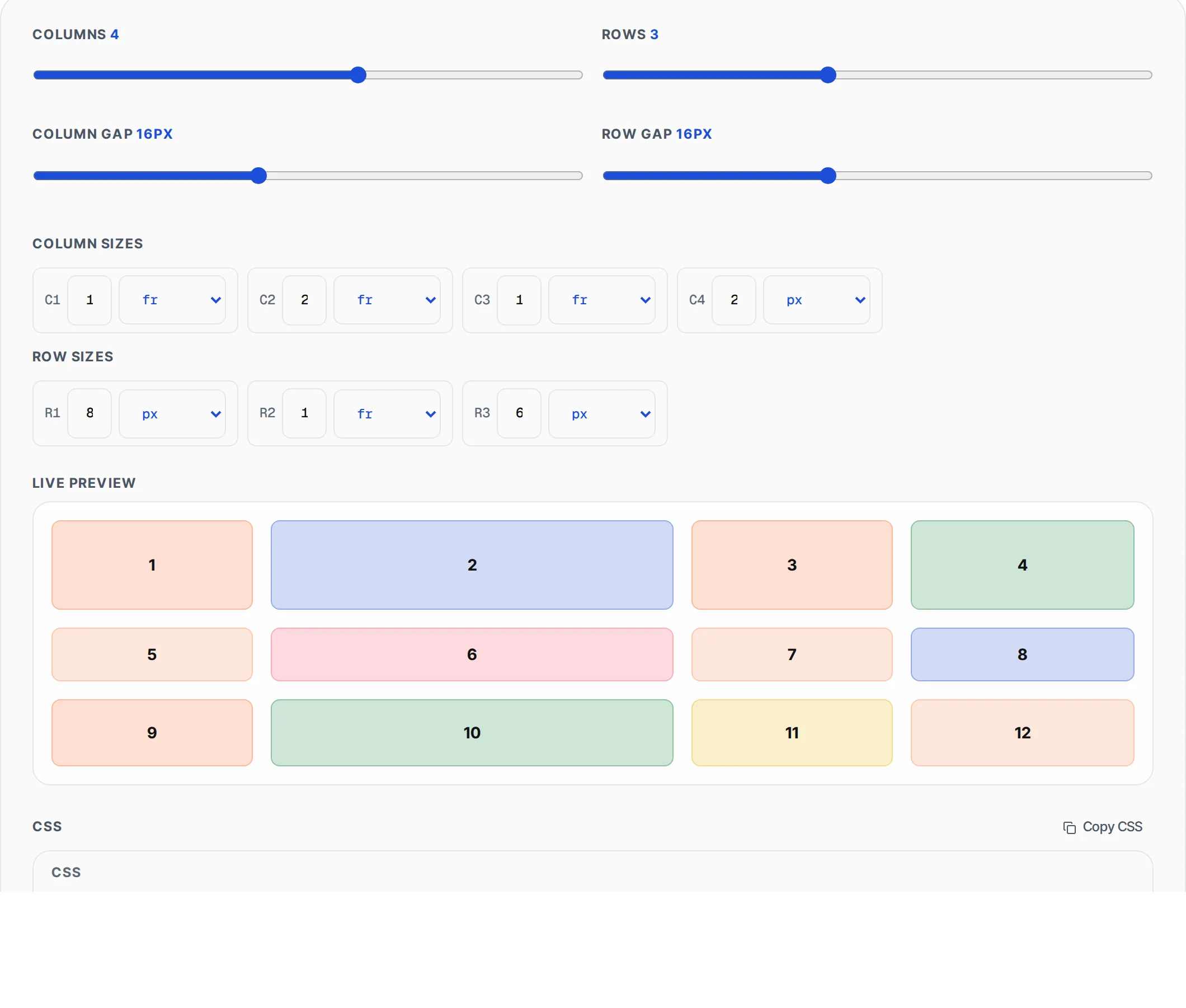
This generator provides a visual interface where you adjust columns (1-6), rows (1-6), gaps, and individual track sizes using fr units, pixels, auto, or minmax values. A live preview updates in real-time showing numbered colored cells in the exact layout your CSS will produce. The tool outputs both the CSS for the grid container and the HTML markup for the grid items, ready to paste into your project. Whether you are building a card grid, a dashboard layout, or a photo gallery, this tool eliminates trial-and-error by letting you see the result before writing a single line of code. All processing runs in your browser with zero server communication.
How to use CSS Grid Generator
- 1
Set columns and rows
Use the sliders to choose between 1 and 6 columns and 1 and 6 rows. The preview updates instantly so you can see the grid structure as you adjust.
- 2
Adjust gaps and track sizes
Set column and row gaps from 0 to 40 pixels. For each column and row, choose a size unit — fr for fractional units, px for fixed pixels, auto for content-based sizing, or minmax for flexible ranges.
- 3
Copy CSS and HTML
Click Copy CSS for the grid container styles including grid-template-columns, grid-template-rows, and gap. Click Copy HTML for a container div with numbered child items ready for your page.
Everything this tool
does for you
- Visual grid builder with 1-6 columns and 1-6 rows
- Per-track size control with fr, px, auto, and minmax units
- Independent column gap and row gap sliders (0-40px)
- Live preview with colored numbered cells
- Separate CSS and HTML output with one-click copy
- Zero server upload — all processing in your browser
Related free tools
Frequently asked questions
Beyond this tool
See the full picture for your website.
Enter your URL for a free audit across eight scored areas. See prioritised issues and clear next steps in one report.
Free to start · No signup required