Robots.txt Tester
Paste your robots.txt and instantly check if a specific URL is crawlable by Googlebot, Bingbot, or any user agent. Catches wildcards and Allow/Disallow precedence.
- 100% free
- No sign-up
- Clear controls
- Open and use
- Tests Allow / Disallow precedence rules
- Supports * and $ wildcards
- Multi user-agent support
- Pure browser — no server calls
What is Robots.txt Tester?
A robots.txt tester is a critical SEO debugging tool that lets you verify whether search engine crawlers like Googlebot, Bingbot, and others are allowed or blocked from accessing specific URLs on your website.
The robots.txt file sits at your domain root and controls which pages search engines can crawl and index. A single misconfigured rule can accidentally block your entire site from Google, or expose private admin pages to crawlers. This tool parses your robots.txt content, evaluates Allow and Disallow directives with proper precedence rules, handles wildcard patterns (* and $ end-of-string anchors), and tests against multiple user agents. It follows the same matching logic that real search engine crawlers use, so you can catch crawl blocking issues before they tank your rankings. Whether you are launching a new site, migrating URLs, or debugging indexing problems, testing your robots.txt is one of the first steps in any technical SEO audit.
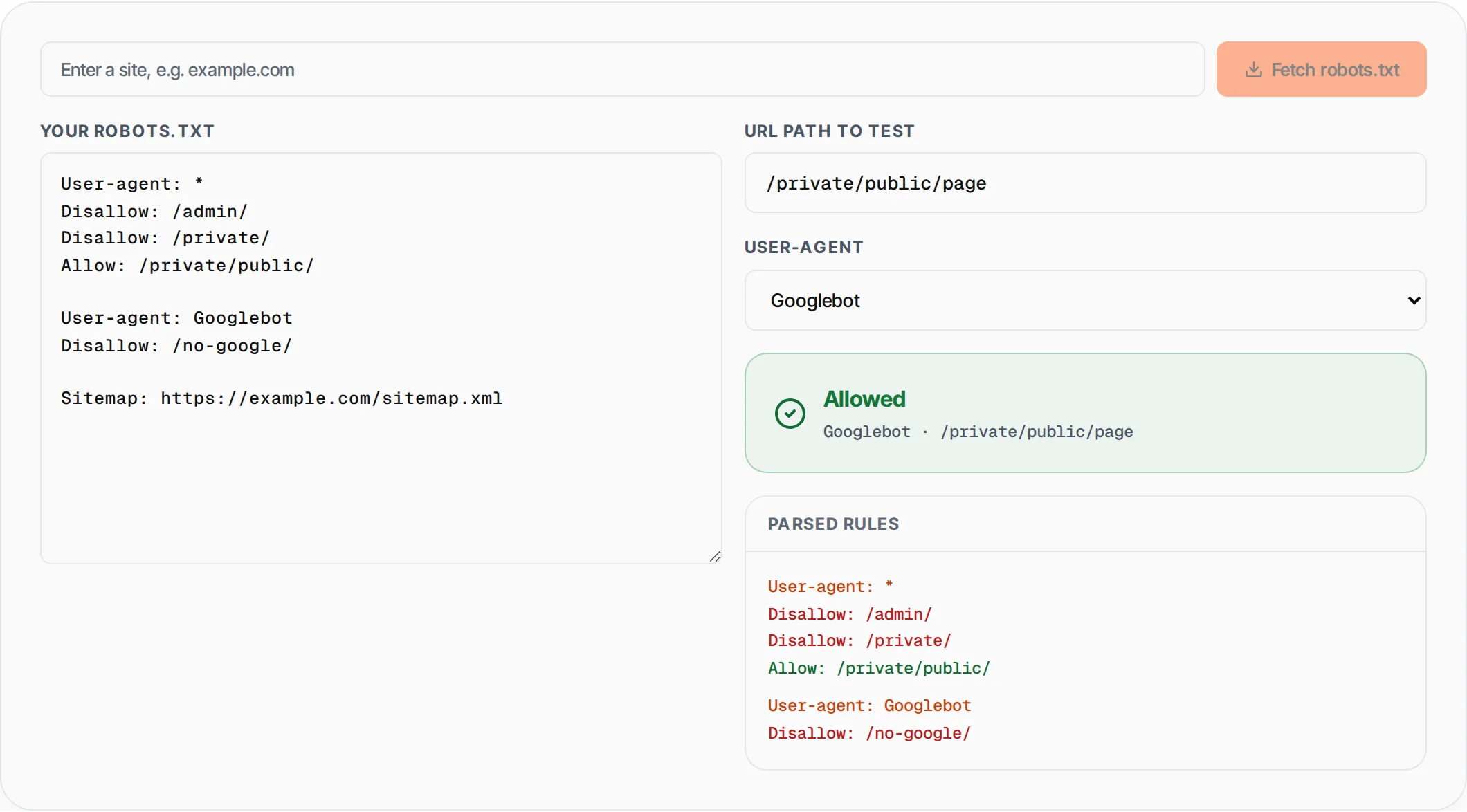
How to use Robots.txt Tester
- 1
Paste your robots.txt content
Copy your robots.txt file content and paste it into the editor on the left. You can paste the entire file including multiple User-agent blocks, Allow, Disallow, and Sitemap directives.
- 2
Enter a URL path and select a user agent
Type the URL path you want to test (e.g., /admin/settings) and choose a crawler from the dropdown -- Googlebot, Bingbot, DuckDuckBot, Yandex, Baiduspider, or the wildcard * agent.
- 3
Check the result instantly
The tool immediately shows whether the path is Allowed or Blocked for that user agent, which specific rule matched, and a full breakdown of all parsed rules color-coded by type.
Everything this tool
does for you
- Tests Allow vs Disallow precedence using longest-match-wins logic, matching real crawler behavior
- Supports wildcard patterns including * (match anything) and $ (end-of-URL anchor)
- Pre-configured user agents for Googlebot, Bingbot, DuckDuckBot, Yandex, and Baiduspider
- Parses and displays all rules organized by User-agent block with color-coded Allow/Disallow labels
- Shows the exact matched rule so you can trace why a URL is blocked or allowed
- Runs entirely in your browser -- your robots.txt content never leaves your device
Related free tools
Frequently asked questions
Beyond this tool
See the full picture for your website.
Enter your URL for a free audit across eight scored areas. See prioritised issues and clear next steps in one report.
Free to start · No signup required