Schema Markup for Beginners: Structured Data Guide | SlapMyWeb
Schema Markup11 min read
Schema Markup for Beginners: Add Structured Data
Add schema markup to your site to earn rich snippets in Google. Beginner guide with JSON-LD examples, the types that matter, validation, and testing.
SlapMyWeb Team·
Schema markup is structured data code you add to your HTML so search engines understand exactly what a page is about — a product, a recipe, an FAQ, a local business — instead of guessing from raw text. It uses the shared Schema.org vocabulary, is almost always written in JSON-LD, and when Google trusts it, your listing can earn rich results: star ratings, prices, FAQ accordions, breadcrumbs, and more. This guide walks you from "what is it" to live, validated markup on your pages — no prior structured-data experience required.
The short version: schema doesn't rank you higher by itself, but it makes your search listing bigger, clearer, and more clickable, and it feeds the entity understanding that AI search engines lean on when they decide who to cite. If you're not sure whether your site has any schema at all, run a free SlapMyWeb audit to see exactly which structured data your pages are missing.
What Schema Markup Actually Does
Your HTML tells the browser how to display content. Schema markup tells search engines what that content means. Those are two different jobs, and a normal web page only does the first one.
Here's the practical problem schema solves. When Google sees the word "Apple" on your page, it has to infer from surrounding text whether you mean the fruit, the company, or a movie character. When you see a page listing "$49" next to a product, you instantly understand it's a price — Google has to reverse-engineer that from layout and context. Structured data removes the guesswork by explicitly declaring: this is a Product, its name is X, its price is 49 USD, it's in stock, and it has a 4.6 average rating from 212 reviews.
That explicit declaration is what unlocks two things:
Rich results in Google Search — enhanced listings with ratings, prices, FAQs, breadcrumbs, how-to steps, event dates, and images.
Entity clarity — a machine-readable description of who and what your page is about, which now matters for .
The vocabulary itself, Schema.org, was created collaboratively by Google, Bing, Yahoo, and Yandex, so it isn't a Google-only standard. But Google is the engine most people care about, and Google's structured data documentation defines which types are actually eligible for rich results — a stricter list than Schema.org's full vocabulary.
JSON-LD vs Microdata vs RDFa
There are three ways to write structured data. You should use JSON-LD (JavaScript Object Notation for Linked Data) and effectively ignore the other two.
Format
How it's written
Google's stance
Maintainability
JSON-LD
A standalone <script> block
Recommended
Easy — separate from HTML
Microdata
itemprop attributes inside your HTML tags
Supported
Brittle — couples markup to layout
RDFa
property/typeof attributes on HTML
Supported
Verbose, error-prone
JSON-LD wins because it lives in its own script tag, doesn't touch your visible HTML, and can be generated dynamically from your CMS or app data. Google explicitly recommends it, so the rest of this guide is JSON-LD only.
Web developer reviewing JSON-LD code in a code editor on a desktop monitor
The Schema Types That Actually Matter
Schema.org defines over 800 types and well over a thousand properties. You will never need most of them. These are the types that earn rich results or meaningfully improve how Google and AI engines understand a page.
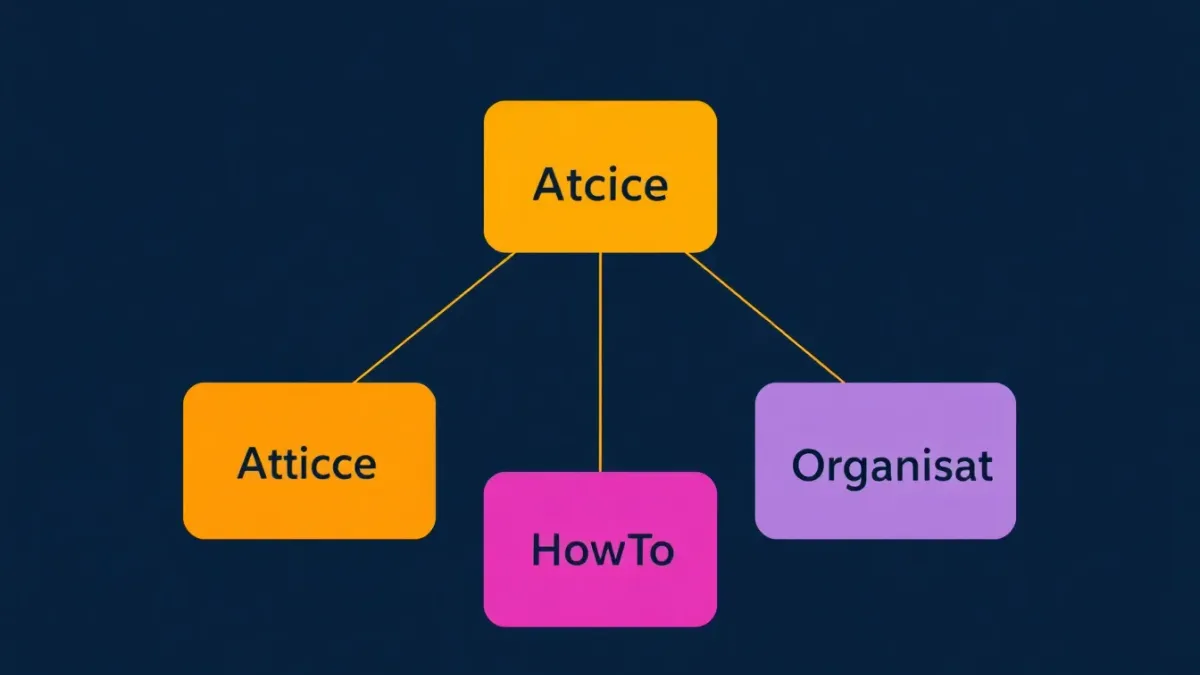
Organization
Goes on your homepage. Declares your company name, logo, contact details, and social profiles (sameAs). This is the data that feeds the Knowledge Panel when someone searches your brand name, and it's a core signal for entity recognition.
Article
For blog posts, news, and editorial content. Tells Google the headline, author, publish/modified dates, and featured image. Required for eligibility in Google News and Discover. Pair it with Person author markup that links to a real author bio for E-E-A-T signals.
FAQPage
One of the highest-leverage types. Each question-answer pair can expand your listing on the results page and is frequently reused inside AI answers. Worth its own deep dive — see our guide to FAQ schema and FAQ rich snippets for eligibility rules, which have tightened over time.
HowTo
For step-by-step instructional content. When you structure each step in the markup, Google can render a visual step-by-step result, and each step can carry its own image, tool list, and time estimate.
Product
Critical for e-commerce. Surfaces price, availability, and aggregate rating directly in results. Without it, your product listings look generic next to competitors who have it. This is foundational to e-commerce SEO, especially for stores on Shopify.
BreadcrumbList
Renders your page hierarchy in the listing (Home › Blog › SEO › Schema Guide) instead of a raw URL. It mirrors your site's heading and navigation structure and gives users a clearer sense of where the page sits.
LocalBusiness
Essential for any business with a physical location. Powers the local Knowledge Panel — hours, address, phone, reviews — and feeds Maps and the local pack. If you run a local business, combine it with a properly configured Google Business Profile for full coverage.
1. Choose the Right Schema Type for the Page
Every page type calls for different markup. Match the type to what the page actually is — do not paste every possible type onto every page.
Homepage → Organization + WebSite (+ SearchAction if you have site search)
Blog post → Article + BreadcrumbList (+ FAQPage if it has a real FAQ section)
The rule: the type must honestly describe the visible content. Mislabeling a blog post as a Product doesn't earn you product rich results — it earns you ignored or flagged markup.
2. Write (or Generate) the JSON-LD
You can hand-write JSON-LD or generate it. Either way, the structure is the same: a @context of https://schema.org, a @type, and the properties for that type.
And here's FAQPage markup — among the most impactful for SERP real estate. Note that every question and its answer must also appear in the visible content of the page:
json
{
  "@context": "https://schema.org",
  "@type": "FAQPage",
  "mainEntity": [
    {
      "@type": "Question",
      "name": "What is schema markup?",
      "acceptedAnswer": {
        "@type": "Answer",
        "text": "Schema markup is structured data code you add to your website to help search engines understand your content. It uses the Schema.org vocabulary and is typically implemented in JSON-LD format. When implemented correctly, it can trigger rich results in Google Search."
      }
    },
    {
      "@type": "Question",
      "name": "Does schema markup help SEO?",
      "acceptedAnswer": {
        "@type": "Answer",
        "text": "Indirectly. Schema markup is not a direct ranking factor, but it enables rich results that lift click-through rate. It also helps Google and AI engines understand your content, which can improve relevance matching and AI Overview inclusion."
      }
    },
    {
      "@type": "Question",
      "name": "How do I add schema markup to my site?",
      "acceptedAnswer": {
        "@type": "Answer",
        "text": "Add a JSON-LD script tag to your HTML pages, ideally rendered server-side in the head. You can generate the code with a schema generator, then validate it before deploying."
      }
    }
  ]
}
If you'd rather not write JSON by hand, the SlapMyWeb Schema Markup Generator produces valid JSON-LD for 12+ types with a visual builder.
3. Add the Markup to Your Page
Drop the JSON-LD into a <script type="application/ld+json"> block. The <head> is the cleanest home, but immediately before </body> works identically — Google processes both the same way.
Render it server-side. On React, Next.js, or Vue, output the JSON-LD in the server-rendered HTML or document head rather than injecting it purely on the client. Google can read JS-rendered schema, but server-rendered markup is more reliable and shows up immediately in crawls.
On WordPress you usually won't write any of this by hand — a plugin like Yoast or Rank Math generates Article, Organization, and Breadcrumb schema automatically. Our WordPress SEO guide covers configuring it correctly so you don't end up with duplicate graphs.
Two marketers at a desk discussing a website's search result preview on a laptop
4. Validate Before You Ship
Invalid JSON, the wrong property type, or a missing required field will silently kill your rich results. Validate before deploying, not after.
The SlapMyWeb Schema Markup Validator checks syntax, required fields, and Google's stricter rich-result requirements with plain-language errors.
A simple JSON linter catches the most common killer: a single missing comma or stray bracket that breaks the entire script.
Required-property gotchas to watch for:
Product needs name, image, and at least one offers block with price and priceCurrency.
Article needs headline, image, datePublished, and author.
FAQPage answers must match visible on-page text exactly.
5. Test the Live URL in Google's Rich Results Test
Once it's deployed, run the live URL through Google's Rich Results Test. This tells you precisely which rich result types your page is eligible for and flags every warning and error against Google's own spec.
Important reality check: valid schema is necessary but not sufficient. Google decides which eligible pages actually get rich results based on page quality, query intent, and competition. You can have perfect markup and still not see stars in the SERP — that's normal, not a bug in your code.
6. Monitor in Google Search Console
After deployment, watch the Enhancements and Rich results reports in Google Search Console. They show which schema types Google detected, how many pages have valid vs invalid markup, and the exact error for each affected page.
Check it weekly for the first month. Google re-crawls at different rates, so it commonly takes 2–4 weeks for new rich results to appear. You can nudge it along by requesting re-indexing — see how to check if your site is indexed by Google for the workflow.
Common Schema Markup Mistakes
Across thousands of audited pages, these errors come up again and again.
Invalid JSON syntax. One missing comma, extra bracket, or unescaped quote breaks the whole script. Lint and validate every time before you push.
Using the wrong type. Marking a blog post as Product, or a service page as Article, confuses Google. The type must accurately describe what's on the page; mismatched schema is ignored at best and flagged as spam at worst.
Missing required properties. Each type has fields Google requires for rich-result eligibility. Skip price on a Product or author on an Article and you forfeit the rich result even though the page validates loosely.
Marking up invisible content. Google's guidelines require schema to represent content users can actually see. FAQ schema full of questions that aren't on the page is treated as deceptive and can earn a manual action.
Letting schema go stale. Change a product's price but leave the old price in Offer and you'll broadcast wrong information in search — which erodes trust and can get the rich result pulled. Generate schema from your live CMS data so it can't drift.
Duplicate or conflicting graphs. Two Organization blocks with different names on one page confuse parsers. This is a frequent side effect of stacking multiple SEO plugins. Keep one clean, non-conflicting schema graph per page.
SEO analyst checking the Enhancements report in Google Search Console on a monitor
Audits schema across your whole site alongside 240+ other SEO signals
Google Rich Results Test
Official check for live rich-result eligibility
Google Search Console
Tracks schema detection and rich-result status over time
Schema.org docs
The authoritative reference for every type and property
Schema is one slice of a healthy site. If you want the full picture, work through our complete technical SEO guide, and when you're ready to find concrete problems, run a free SlapMyWeb audit to see which of these issues your site actually has.
Frequently Asked Questions
Does schema markup directly improve Google rankings?
No — schema markup is not a confirmed direct ranking factor. It works indirectly: it enables rich results that raise click-through rate, and it helps Google and AI engines understand your content well enough to match it to the right queries and cite it in AI answers. Better understanding plus higher CTR is the real benefit, not a ranking boost on its own.
Which schema format should I use — JSON-LD, Microdata, or RDFa?
Use JSON-LD. Google explicitly recommends it, and it's the easiest to write, generate, and maintain because it lives in its own <script> tag instead of being woven through your HTML. Microdata and RDFa still work but are more fragile and tie your markup to your page layout.
How long does it take for rich results to appear after adding schema?
Typically 2–4 weeks, once Google re-crawls the page with the new markup. You can speed it up by requesting re-indexing in Google Search Console. Keep in mind that valid schema makes you eligible for rich results — Google still decides which qualifying pages actually get them based on quality and intent.
Can too much schema markup hurt my site?
Yes, if it's inaccurate. Adding irrelevant types or marking up content that isn't visible on the page can trigger a manual action that damages rankings. Only add schema that honestly describes each page — three well-implemented types beat ten sloppy ones.
Do I need schema markup to show up in AI answers and AI Overviews?
It's not strictly required, but it helps. Schema gives engines a clean, machine-readable description of your entities and content, which makes you easier to parse and cite. Combined with clear writing and a strong answer-engine optimization approach, structured data improves your odds of being surfaced in AI-generated answers.