Schema Markup Validator
Enter a URL and we pull the JSON-LD off the live page, or paste markup directly. Checks syntax, required fields, missing @context and @type, and the properties each type needs for rich results.
- 100% free
- No sign-up
- Clear controls
- Open and use
- Checks any live URL
- Required field checks per @type
- Product / Article / FAQ / Organization rules
- Strips <script> wrapper automatically
What is Schema Markup Validator?
A schema markup validator is an essential tool for checking whether your JSON-LD structured data is correctly formatted and contains the required properties for Google rich results.
Schema markup (structured data) is code you add to your pages to help search engines understand your content -- it powers rich snippets like star ratings, FAQ dropdowns, product prices, recipe cards, and breadcrumbs in Google search results. Invalid or incomplete schema markup is silently ignored by search engines, meaning you miss out on rich results that dramatically increase click-through rates. This validator parses your JSON-LD, checks for valid JSON syntax, verifies the @context points to schema.org, confirms the @type is present, and runs type-specific validation rules for Product, Article, BlogPosting, NewsArticle, Organization, FAQPage, and BreadcrumbList schemas. It also automatically strips <script> wrappers so you can paste code directly from your page source.
How to use Schema Markup Validator
- 1
Paste your JSON-LD structured data
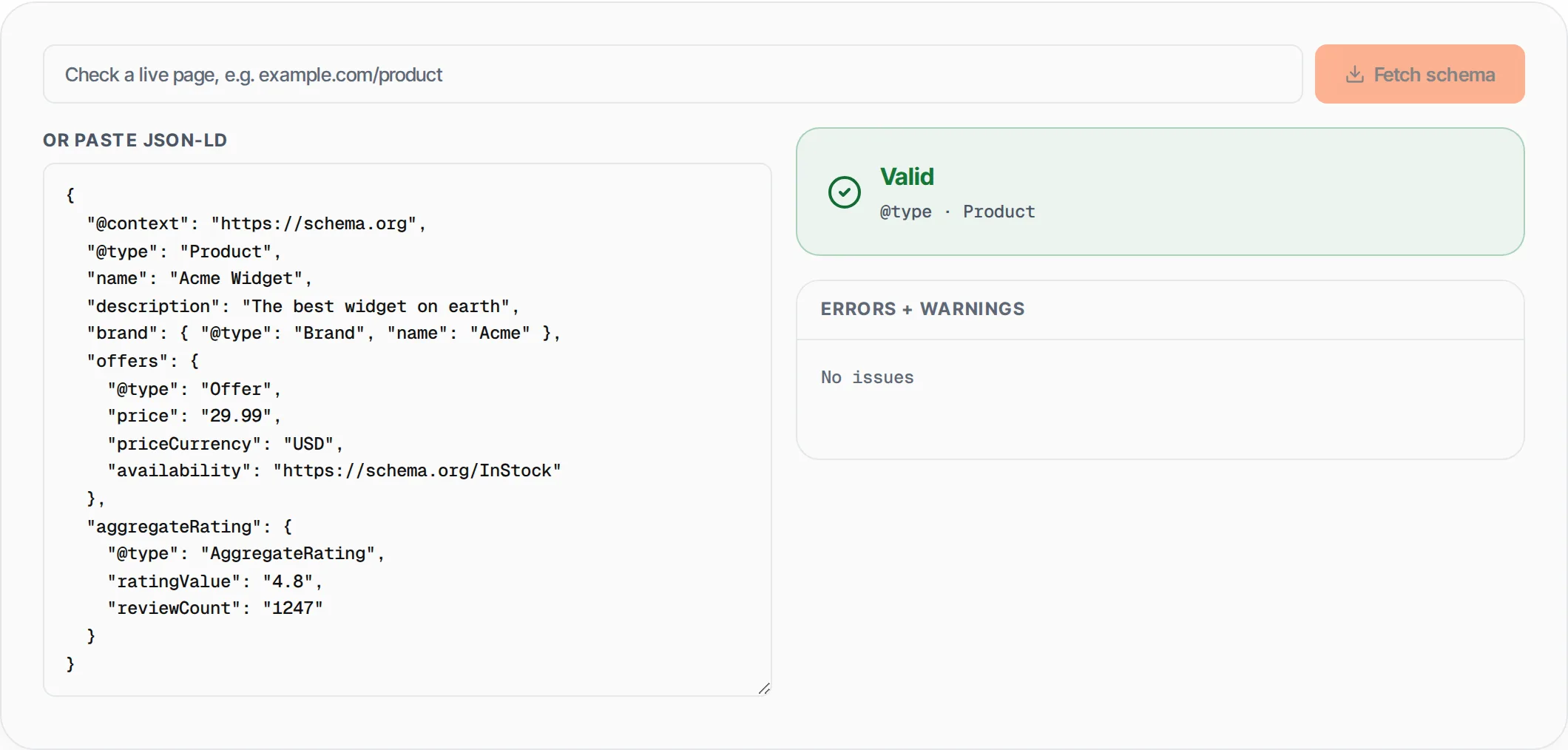
Copy the JSON-LD code from your page source (with or without the <script type="application/ld+json"> wrapper) and paste it into the editor. A sample Product schema is pre-loaded so you can see how it works.
- 2
Review errors and warnings
The validator instantly checks for JSON syntax errors, missing @context and @type properties, and type-specific required fields. Errors prevent rich results; warnings indicate recommended properties that improve eligibility.
- 3
Fix issues and re-validate
Edit your JSON-LD directly in the editor and see results update in real time. Once all errors are resolved and the status shows Valid, your schema is ready to deploy on your site.
Everything this tool
does for you
- JSON syntax validation with clear error messages pointing to the exact parsing issue
- Checks @context is set to schema.org and @type is present on every schema object
- Type-specific rules for Product, Article, BlogPosting, NewsArticle, FAQ, Organization, and BreadcrumbList
- Warns about missing recommended fields like author, datePublished, offers, and aggregateRating
- Automatically strips <script type="application/ld+json"> wrappers for easy copy-paste from page source
- Supports arrays of schema objects for pages with multiple structured data blocks
Further reading
Related free tools
Frequently asked questions
Beyond this tool
See the full picture for your website.
Enter your URL for a free audit across eight scored areas. See prioritised issues and clear next steps in one report.
Free to start · No signup required