Sitemap.xml validator
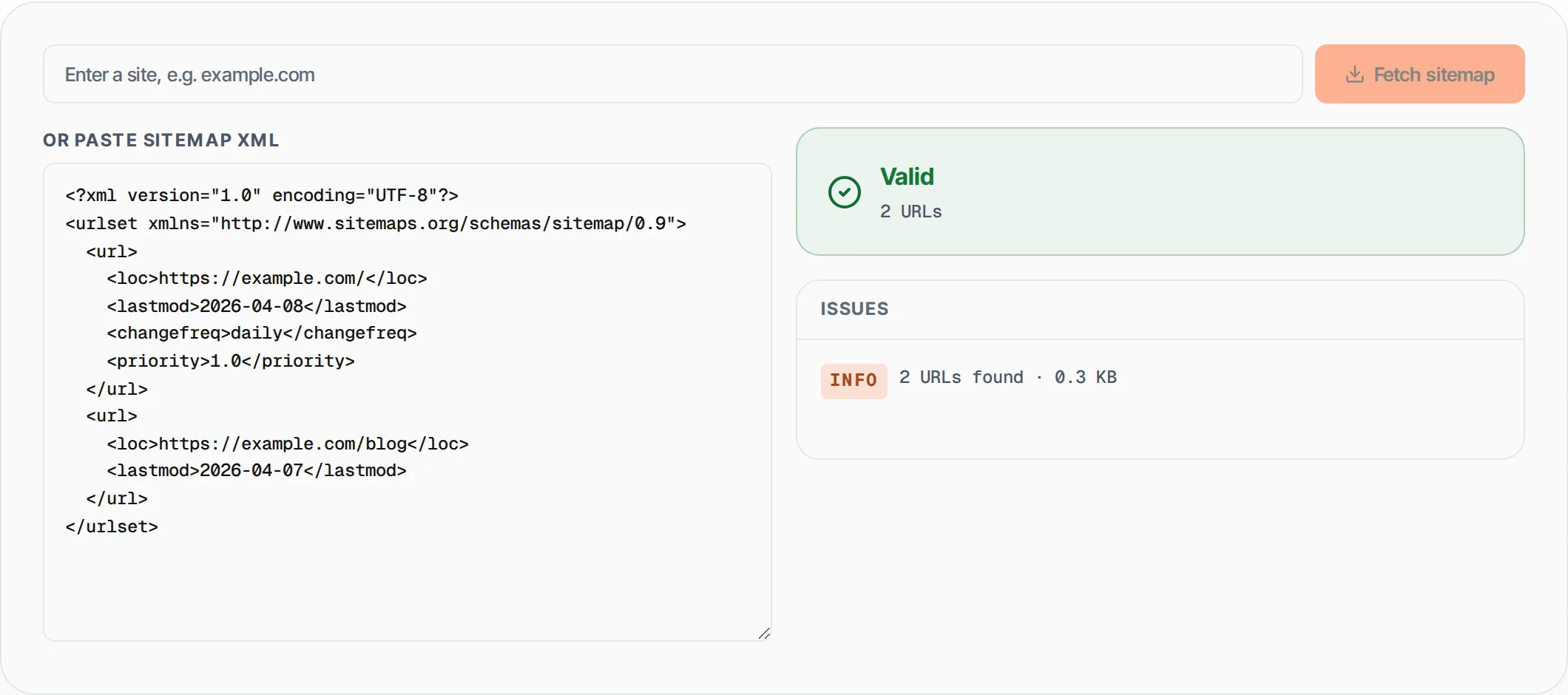
Enter your site and we fetch its sitemap.xml and validate it against the sitemaps.org spec — or paste the XML yourself. Catches namespace issues, duplicate URLs, http:// links and oversized files.
- 100% free
- No sign-up
- Clear controls
- Open and use
- Fetches sitemap.xml from any domain
- Catches duplicates + insecure http://
- Counts URLs, max-size warnings
- Supports sitemap index files
What is Sitemap.xml Validator?
A sitemap.xml validator checks whether your XML sitemap conforms to the sitemaps.org protocol specification that search engines like Google, Bing, and Yandex rely on to discover and crawl your website pages.
An XML sitemap is essentially a roadmap of your website that lists every URL you want search engines to index, along with optional metadata like last modification date, change frequency, and priority. A malformed sitemap -- with invalid XML syntax, wrong namespaces, duplicate URLs, or exceeding the 50,000 URL / 50MB size limits -- can prevent search engines from discovering your content entirely. Common issues include missing the required xmlns namespace declaration, using http:// instead of https:// URLs, including duplicate entries that waste crawl budget, and exceeding Google's size limits. This validator parses your sitemap XML using a standards-compliant parser, checks the root element type (urlset or sitemapindex), validates every URL, and reports errors, warnings, and statistics in a clear, categorized format.
How to use Sitemap.xml Validator
- 1
Paste your sitemap XML content
Copy the full contents of your sitemap.xml file and paste it into the editor. The tool handles both regular <urlset> sitemaps and <sitemapindex> files that reference multiple sub-sitemaps.
- 2
Review the validation results
The validator instantly parses the XML and reports errors (invalid XML, missing loc tags, exceeded limits), warnings (http:// URLs, duplicates, wrong namespace), and info (total URL count, file size).
- 3
Fix issues and re-validate
Edit your sitemap XML directly in the editor or fix it in your CMS/generator, then re-paste to verify. Once the status shows Valid with no errors, your sitemap is ready to submit to Google Search Console.
Everything this tool
does for you
- Full XML parsing validation that catches syntax errors, unclosed tags, and malformed attributes
- Checks the xmlns namespace matches the official sitemaps.org/schemas/sitemap/0.9 specification
- Detects duplicate URLs that waste crawl budget and can confuse search engine indexing
- Warns about insecure http:// URLs that should be upgraded to https:// for modern SEO
- Enforces the 50,000 URL per-sitemap limit and approximate 50MB file size maximum
- Supports both regular <urlset> sitemaps and <sitemapindex> files with sub-sitemap references
Further reading
Related free tools
Frequently asked questions
Beyond this tool
See the full picture for your website.
Enter your URL for a free audit across eight scored areas. See prioritised issues and clear next steps in one report.
Free to start · No signup required