Cron Expression Generator
Build cron expressions visually with plain-English descriptions and next-run preview. Presets for common schedules. Copy the expression with one click.
- 100% free
- No sign-up
- Clear controls
- Open and use
- Visual cron builder
- Plain-English description
- Next 5 run times preview
- 10 common presets
- 100% browser — no server
What is Cron Expression Generator?
A cron expression generator helps you build and understand cron schedule syntax without memorizing the five-field format.
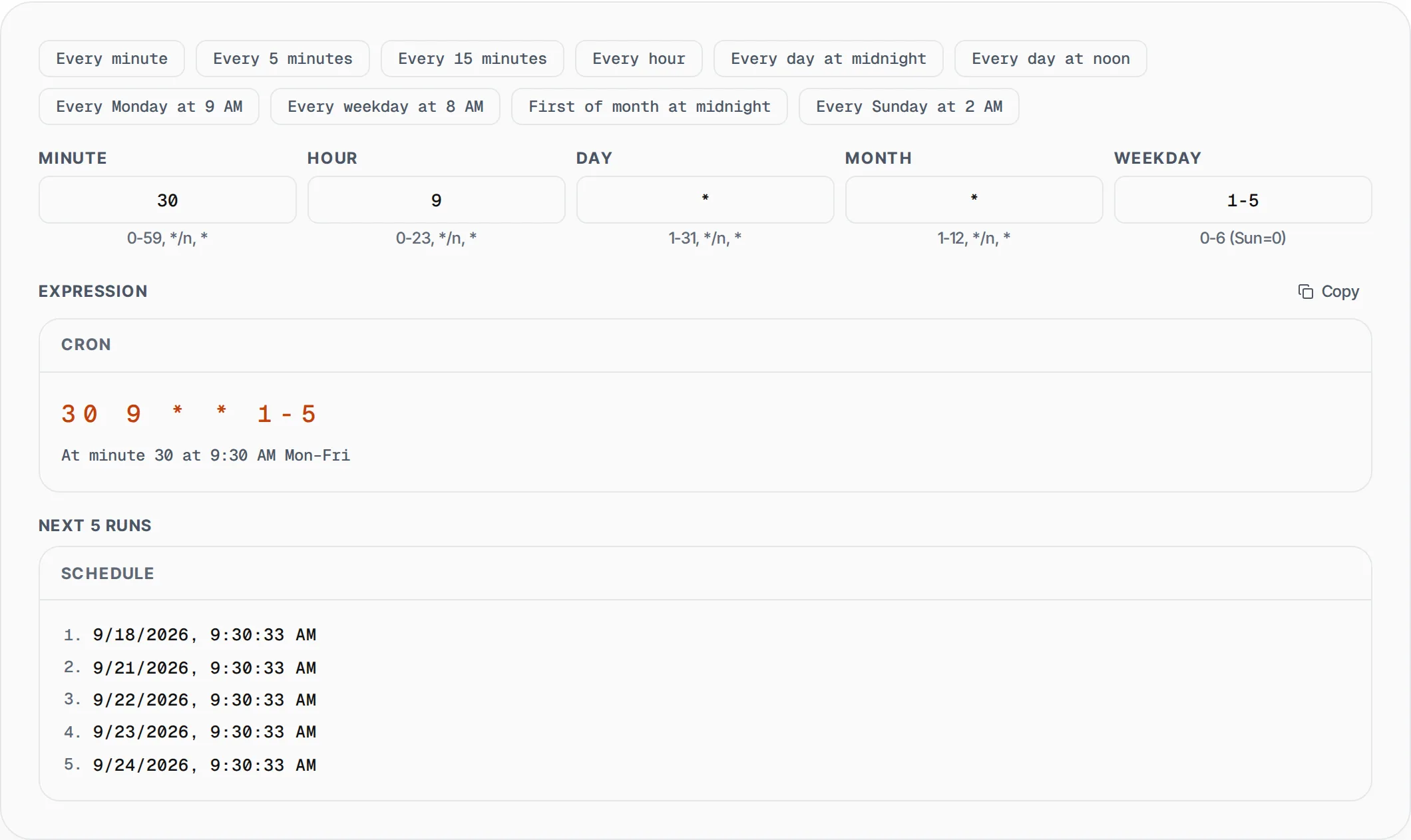
Cron expressions are used across Linux crontab, Kubernetes CronJobs, GitHub Actions, AWS EventBridge, Celery Beat, and virtually every task scheduling system to define when automated jobs should run. The standard format uses five fields: minute (0-59), hour (0-23), day of month (1-31), month (1-12), and day of week (0-6, where Sunday is 0). Our free visual builder lets you set each field independently with input validation, instantly generates the cron expression, shows a plain-English description of the schedule, and previews the next 5 run times based on your current timezone. Ten common presets are included for quick access to schedules like every 5 minutes, daily at midnight, every weekday at 8 AM, and first of the month. Whether you are scheduling database backups, setting up CI/CD pipelines, configuring monitoring alerts, or automating report generation, this tool eliminates the guesswork from cron syntax.
How to use Cron Expression Generator
- 1
Choose a preset or set fields manually
Click any of the 10 common presets to start from a known schedule, or directly edit the five cron fields (minute, hour, day, month, weekday) to build a custom expression.
- 2
Review the schedule
The tool displays a plain-English description of your cron expression and shows the next 5 execution times in your local timezone so you can verify the schedule matches your intent.
- 3
Copy the expression
Click the Copy button to copy the cron expression to your clipboard. Paste it into your crontab, Kubernetes manifest, CI/CD config, or any scheduling system that uses standard cron syntax.
Everything this tool
does for you
- Visual builder for all five cron fields with input hints and validation
- Plain-English description generated from any valid cron expression
- Next 5 run times preview calculated from your current timezone
- 10 built-in presets for common schedules like hourly, daily, and weekly
- Support for step values (*/5), ranges (1-5), and exact values
- One-click copy with instant clipboard access for the generated expression
Related free tools
Frequently asked questions
Beyond this tool
See the full picture for your website.
Enter your URL for a free audit across eight scored areas. See prioritised issues and clear next steps in one report.
Free to start · No signup required