HTML Entity Encoder & Decoder
Encode special characters like <, >, &, " to HTML entities, or decode entities back to readable text. Prevents XSS when embedding user input.
- 100% free
- No sign-up
- Clear controls
- Open and use
Type something above- Encode < > & " to entities
- Decode named & numeric entities
- Prevents XSS injection
- 100% browser — no upload
What is HTML Entity Encoder & Decoder?
An HTML entity encoder converts special characters like angle brackets (<, >), ampersands (&), quotation marks, and backticks into their corresponding HTML entity representations.
This is critical for web security because unencoded special characters in user-generated content can be interpreted as HTML or JavaScript by the browser, leading to Cross-Site Scripting (XSS) attacks. When you display user input on a web page, encoding these characters ensures they are rendered as visible text rather than executable code. The decoder does the reverse — converting HTML entities back to their original characters, which is useful when parsing HTML source code or extracting text from encoded content. This free tool handles both named entities and numeric entities, processing everything in your browser without sending data to any server.
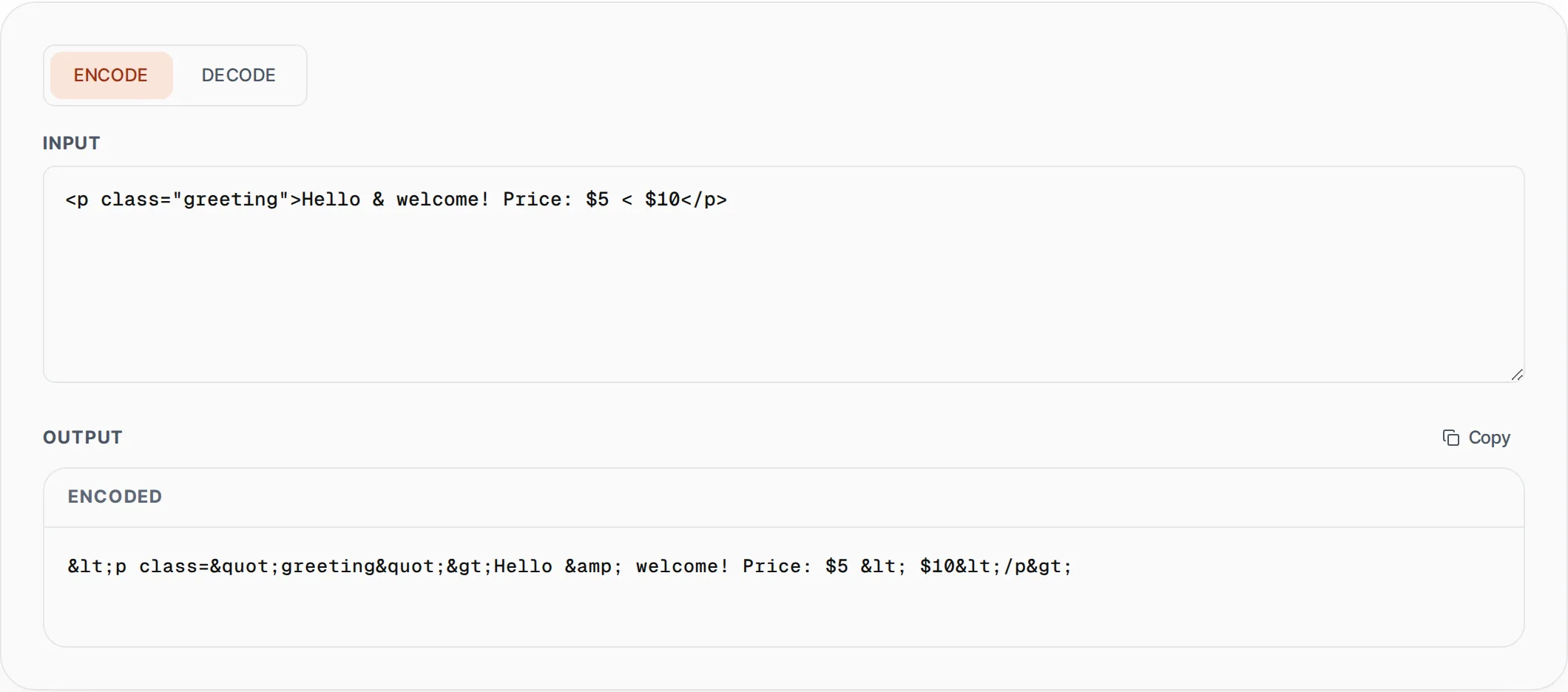
How to use HTML Entity Encoder & Decoder
- 1
Choose encode or decode mode
Select "Encode" to convert special characters into HTML entities, or "Decode" to convert HTML entities back into readable characters. Switch between modes using the toggle at the top.
- 2
Enter your text or HTML entities
Paste your raw HTML, user input, or entity-encoded string into the input field. The tool processes the input in real time and shows the converted output instantly below.
- 3
Copy the safe output
Click the Copy button to copy the encoded or decoded result. Use encoded output in your HTML templates to safely display user content without XSS risks.
Everything this tool
does for you
- Encodes all dangerous HTML characters including angle brackets and ampersands
- Decodes both named entities and numeric entities
- Prevents Cross-Site Scripting (XSS) by escaping user-generated content
- Real-time conversion with instant output as you type
- Processes entirely in the browser — no data sent to any server
- One-click copy to clipboard for quick use in your templates
Related free tools
Frequently asked questions
Beyond this tool
See the full picture for your website.
Enter your URL for a free audit across eight scored areas. See prioritised issues and clear next steps in one report.
Free to start · No signup required