JavaScript Minifier
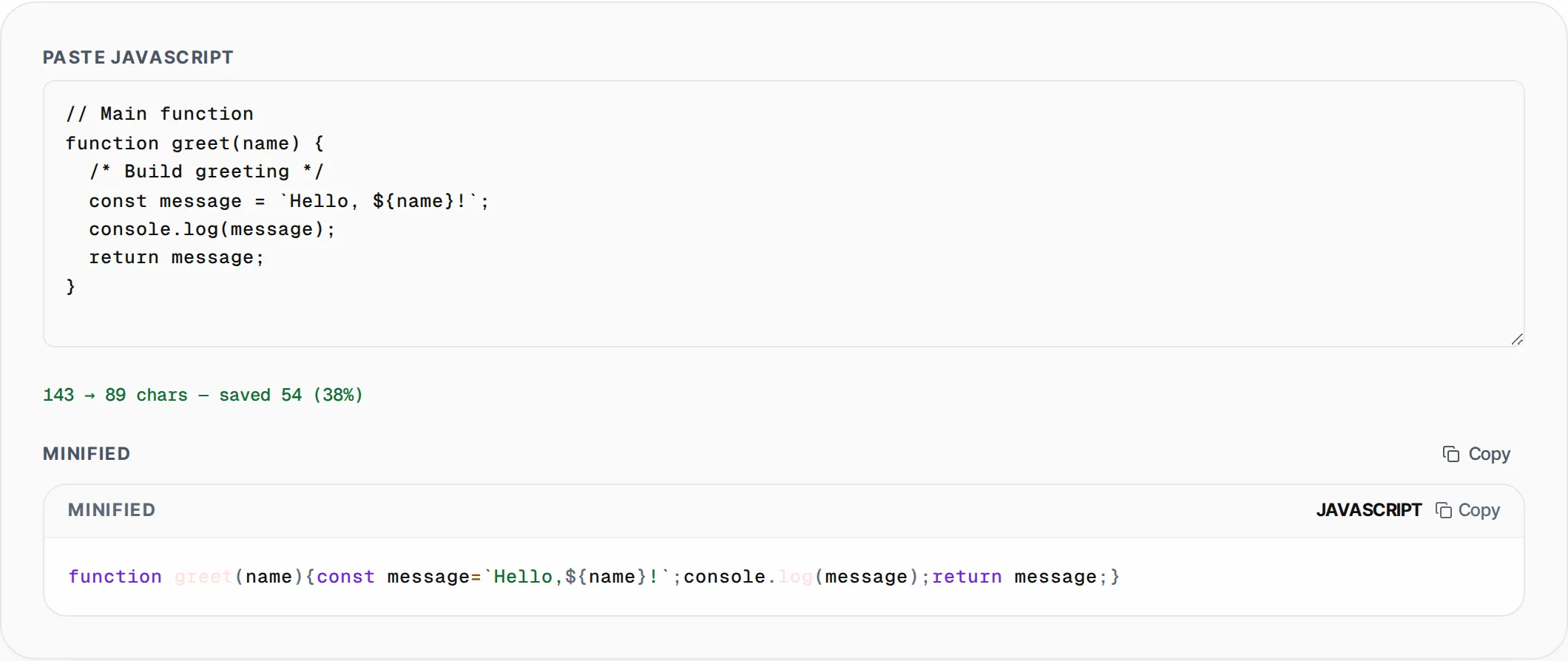
Minify JavaScript by stripping comments, collapsing whitespace and compressing code for production. Reduces bundle size instantly.
- 100% free
- No sign-up
- Clear controls
- Open and use
No output yet- Strips single & multi-line comments
- Collapses whitespace
- Compresses operators
- Shows size savings
- 100% browser — no upload
What is JavaScript Minifier?
A JavaScript minifier is a build optimization tool that reduces the file size of your JavaScript code by removing everything that is not needed for execution.
This includes single-line comments (//), multi-line comments (/* */), excess whitespace, line breaks, and unnecessary spacing around operators and punctuation. The result is a compact, single-line script that browsers parse and execute faster. Minified JavaScript directly improves page load performance by reducing download size and parse time, which positively impacts Core Web Vitals metrics like First Contentful Paint (FCP) and Time to Interactive (TTI). Professional build tools like Webpack, Vite, and Rollup include minification as a production step, but this free online JavaScript minifier lets you quickly compress individual scripts without setting up a build pipeline. All processing happens in your browser — nothing is uploaded to a server, so your source code stays completely private.
How to use JavaScript Minifier
- 1
Paste your JavaScript source code
Copy your JavaScript code from your editor or file and paste it into the input field. The tool accepts any JavaScript including functions, classes, modules, and ES6+ syntax.
- 2
View the minified output
The minified result appears instantly below the input. Single-line and multi-line comments are stripped, whitespace is collapsed, and operator spacing is compressed into the smallest possible output.
- 3
Check savings and copy
Review the character count comparison showing original size, minified size, and percentage saved. Click Copy to grab the minified code for use in your production build or CDN deployment.
Everything this tool
does for you
- Strips both single-line (//) and multi-line (/* */) comments
- Collapses all whitespace including tabs and newlines into minimal spacing
- Compresses operator spacing around braces, parentheses, and semicolons
- Shows exact character count savings with percentage reduction
- Processes code instantly as you type with zero latency
- Runs entirely client-side — source code never touches a server
Related free tools
Frequently asked questions
Beyond this tool
See the full picture for your website.
Enter your URL for a free audit across eight scored areas. See prioritised issues and clear next steps in one report.
Free to start · No signup required