JSON Path Tester
Test JSONPath expressions against JSON data. See matched results in real-time. Supports dot notation, recursive descent, wildcards, and filters.
- 100% free
- No sign-up
- Clear controls
- Open and use
- Test JSONPath expressions with instant results
- Supports dot notation ($.store.book[0])
- Recursive descent ($..author)
- Wildcards ($.store.book[*].title)
- Filters ($[?(@.price<10)])
- Runs in your browser -- your data stays private
What is JSON Path Tester?
JSONPath is a query language for JSON, similar to XPath for XML.
It lets you navigate and extract specific values from complex JSON structures using expressions like $.store.book[0].title (first book title) or $..author (all authors at any depth). This tool evaluates JSONPath expressions against your JSON data entirely in the browser, showing matched results instantly.
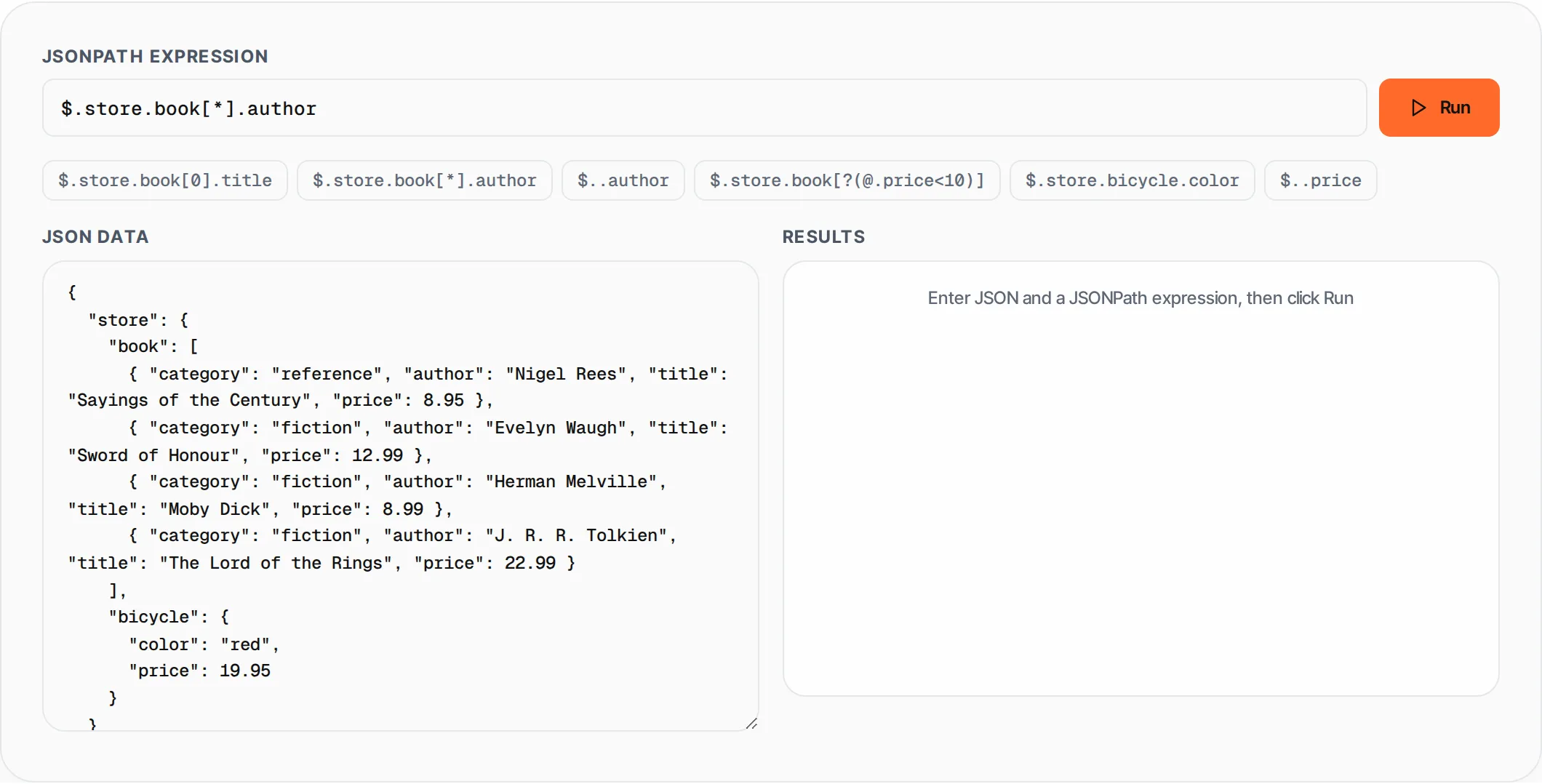
How to use JSON Path Tester
- 1
Enter your JSON
Paste or type your JSON data in the left panel. The tool validates JSON syntax in real-time and highlights errors. Click "Try Example" to load sample data.
- 2
Write a JSONPath expression
Enter a JSONPath expression in the top input field. All expressions start with $ (the root). Use dot notation for properties ($.store), brackets for arrays ($.book[0]), and two dots for recursive descent ($..price).
- 3
Click Run
Press the Run button or hit Enter. The tool evaluates the expression against your JSON and shows all matching values in the right panel.
- 4
Review matches
Each match is displayed with its index, type, and value. Objects and arrays are formatted as pretty-printed JSON. Click Copy to get all results as a JSON array.
- 5
Try example paths
Click the example path buttons below the input to quickly test common patterns. Each button fills in a different JSONPath expression.
Everything this tool
does for you
- Dot notation: $.store.book.title for nested property access
- Recursive descent: $..author finds "author" at any depth
- Wildcards: $.store.book[*].title matches all array items
- Array indexing: $.store.book[0] accesses specific elements
- Filter expressions: $[?(@.price<10)] for conditional matching
- Real-time JSON validation with error highlighting
- One-click example paths for quick testing
- Runs in your browser -- your JSON data stays in your browser
Related free tools
Frequently asked questions
Beyond this tool
See the full picture for your website.
Enter your URL for a free audit across eight scored areas. See prioritised issues and clear next steps in one report.
Free to start · No signup required