JWT Decoder
Decode and inspect JSON Web Tokens. View header, payload, claims, and expiration status. Your token never leaves the browser — zero server calls.
- 100% free
- No sign-up
- Clear controls
- Open and use
- Decode JWT header & payload
- Shows expiration status
- Formats iat, exp, nbf timestamps
- Detects expired tokens
- 100% browser — no server
What is JWT Decoder?
A JWT (JSON Web Token) decoder is a developer tool that parses the three parts of a JWT — header, payload, and signature — and displays them in a human-readable format.
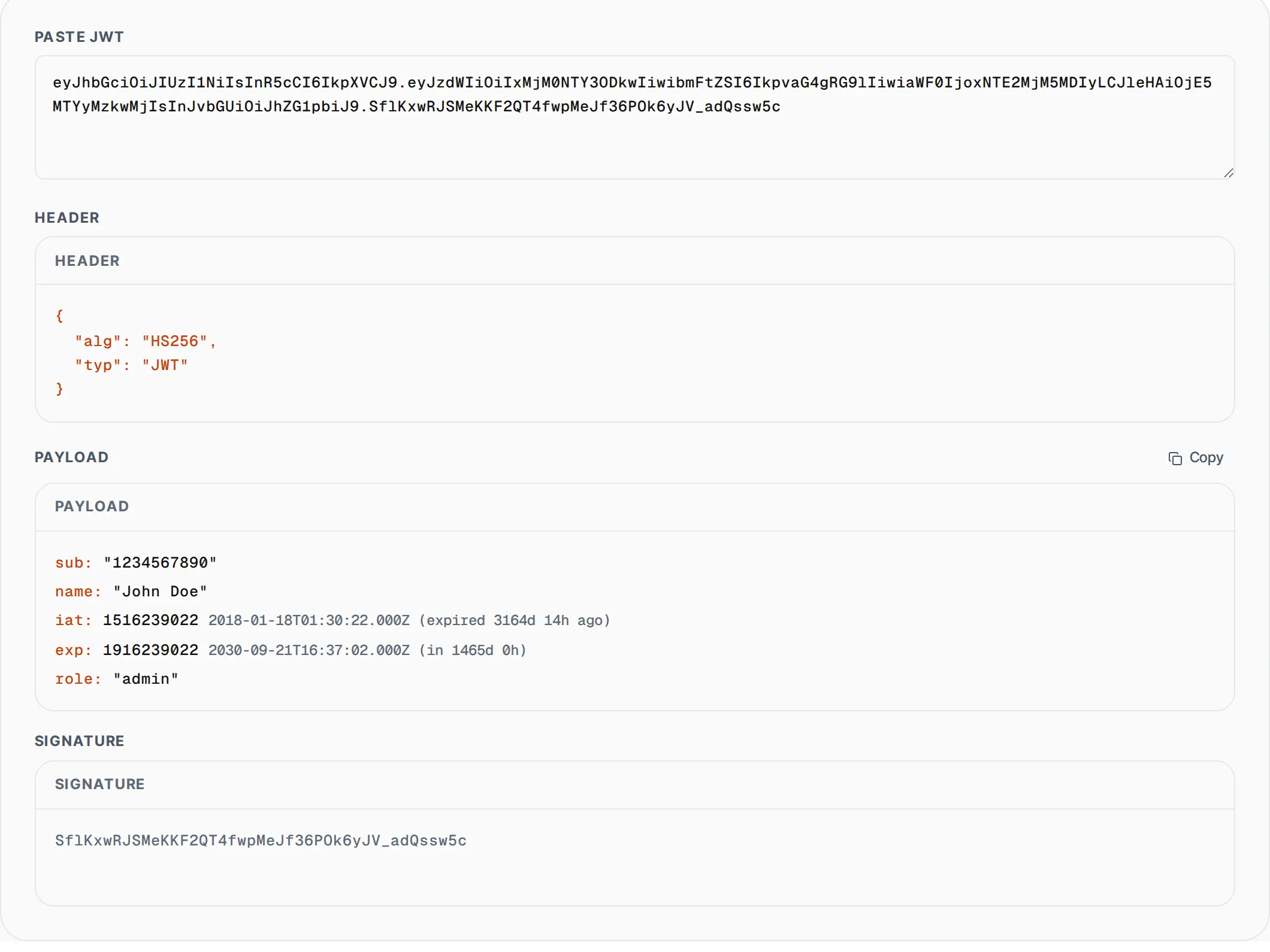
JWTs are the standard authentication token format used in modern web applications, APIs, and OAuth 2.0 flows. They consist of three base64url-encoded segments separated by dots. Our free JWT decoder extracts and pretty-prints the header (containing the algorithm and token type) and the payload (containing claims like subject, issuer, expiration time, and custom data). It automatically detects and formats standard timestamp claims (iat, exp, nbf, auth_time) with human-readable dates and shows whether the token has expired. This tool is invaluable for debugging authentication issues, verifying token contents during API development, inspecting OAuth tokens, and understanding what data your application sends in authorization headers. Everything runs in your browser so your tokens are never exposed to any server.
How to use JWT Decoder
- 1
Paste your JWT token
Copy a JWT from your application, browser dev tools, API response, or authorization header and paste it into the input field. The decoder accepts any valid three-part JWT string.
- 2
Inspect header and payload
The decoder instantly displays the parsed header (algorithm, type) and payload (all claims) in a formatted view. Timestamp fields like exp, iat, and nbf are shown with human-readable dates and relative time.
- 3
Check expiration status
If the token contains an exp claim, the decoder automatically checks whether it has expired and displays a clear warning banner. Copy the decoded JSON with one click for use in documentation or debugging.
Everything this tool
does for you
- Instant decoding of JWT header, payload, and signature components
- Automatic detection and formatting of timestamp claims (iat, exp, nbf)
- Clear expired token warning with relative time display
- Pretty-printed JSON output for both header and payload sections
- One-click copy of decoded token data as formatted JSON
- Complete browser-side processing with zero server communication
Related free tools
Frequently asked questions
Beyond this tool
See the full picture for your website.
Enter your URL for a free audit across eight scored areas. See prioritised issues and clear next steps in one report.
Free to start · No signup required