MD5 Hash Generator
Generate MD5 hashes from any text instantly. Pure JavaScript implementation — your data never leaves the browser. Useful for checksums and file verification.
- 100% free
- No sign-up
- Clear controls
- Open and use
- Instant MD5 hashing
- RFC 1321 compliant
- Pure JS — no server calls
- Copy hash with one click
- UTF-8 support
What is MD5 Hash Generator?
MD5 (Message-Digest Algorithm 5) is a widely-used cryptographic hash function that produces a 128-bit (32-character hexadecimal) hash value from any input text.
Originally designed by Ronald Rivest in 1991 and specified in RFC 1321, MD5 creates a unique fixed-length fingerprint for any piece of data. It is commonly used for file integrity verification — comparing MD5 checksums lets you confirm that a downloaded file has not been corrupted or tampered with during transfer. MD5 is also used for generating database cache keys, deduplicating content, and creating non-security-critical identifiers. However, MD5 is cryptographically broken and should never be used for password hashing or digital signatures because collision attacks can produce different inputs with identical hashes. This free MD5 generator uses a pure JavaScript implementation that runs entirely in your browser — your text is never uploaded to any server, making it safe for generating checksums of sensitive content.
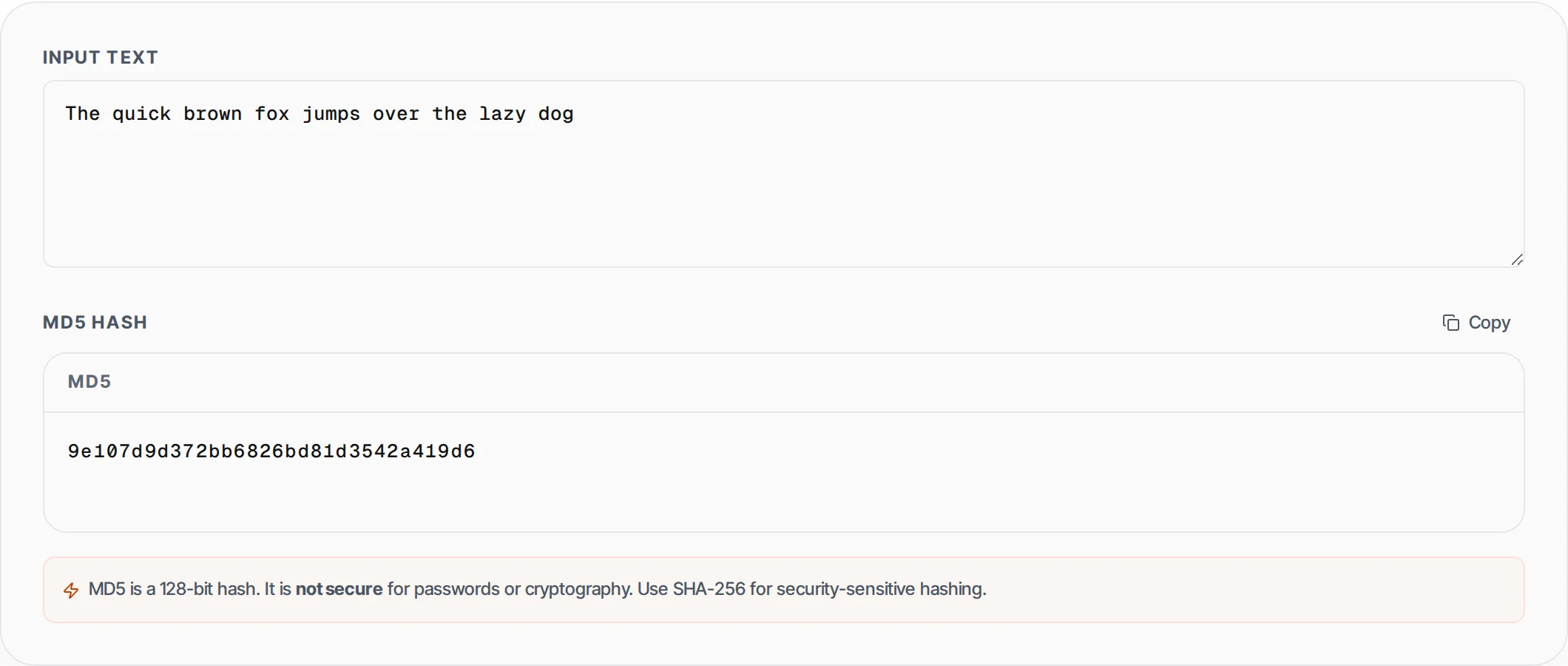
How to use MD5 Hash Generator
- 1
Enter your text
Type or paste the text you want to hash into the input field. The tool accepts any text including multi-line strings, code snippets, and Unicode characters with full UTF-8 support.
- 2
View the MD5 hash instantly
The 32-character hexadecimal MD5 hash appears in real time as you type. Every character change produces a completely different hash, demonstrating the avalanche effect of cryptographic hash functions.
- 3
Copy the hash value
Click the Copy button to copy the MD5 hash to your clipboard. Use it for file verification, cache key generation, content deduplication, or any non-security-critical checksum purpose.
Everything this tool
does for you
- RFC 1321 compliant MD5 implementation producing accurate 128-bit hashes
- Pure JavaScript — no server requests, no data uploads, fully offline-capable
- Real-time hashing that updates instantly as you type each character
- Full UTF-8 support for international characters, emojis, and multi-byte text
- One-click copy to clipboard for quick use in verification workflows
- Security warning included reminding users to use SHA-256 for sensitive applications
Related free tools
Frequently asked questions
Beyond this tool
See the full picture for your website.
Enter your URL for a free audit across eight scored areas. See prioritised issues and clear next steps in one report.
Free to start · No signup required