CSS clip-path generator
Build CSS clip-path shapes visually. Choose polygon, circle, ellipse or inset, adjust coordinates with sliders, preview live, and copy production-ready CSS.
- 100% free
- No sign-up
- Clear controls
- Open and use
clip-path: polygon(50% 0%, 100% 100%, 0% 100%);
- Polygon, circle, ellipse, and inset shapes
- Up to 20 polygon points with coordinate control
- Live shape preview as you design
- Copy production-ready CSS with one click
- 12 common shape presets to start from
- 100% browser — no server calls
What is CSS Clip-Path Generator?
A CSS clip-path generator is a visual design tool that helps you create clipping masks for HTML elements without writing code by hand.
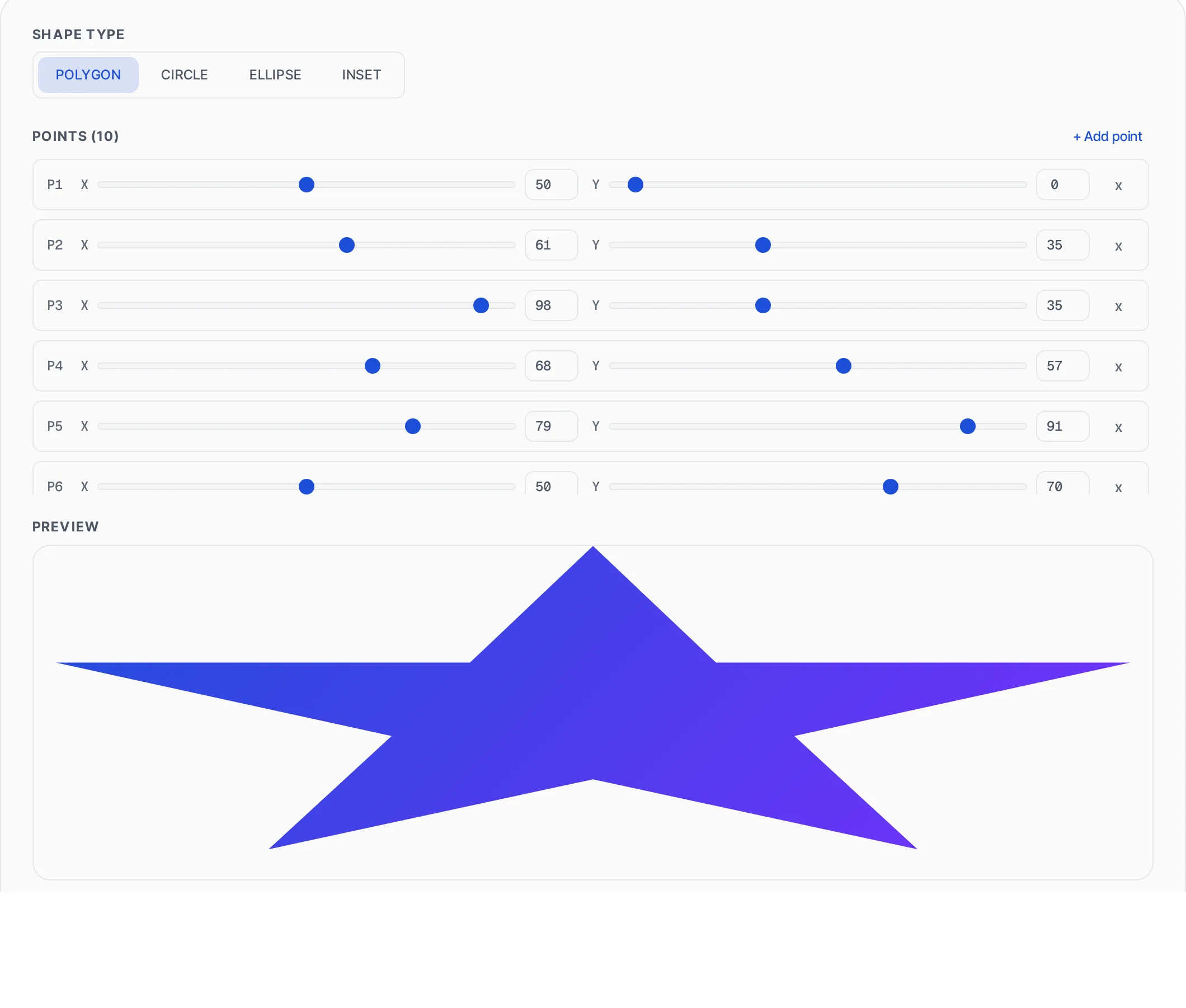
The CSS clip-path property defines a clipping region that determines which parts of an element are visible and which are hidden. Everything inside the clip path is shown, everything outside is invisible. This tool supports all four CSS clip-path shape functions: polygon for complex multi-point shapes, circle for circular clips, ellipse for oval clips, and inset for rectangular clips with optional rounded corners. Polygon mode lets you define up to 20 coordinate points to create any shape imaginable — triangles, stars, arrows, hexagons, custom silhouettes, and more. Each point is positioned using percentage-based X and Y coordinates, making the shape responsive by default. Circle and ellipse modes let you control the radius and center position. Inset mode lets you crop from each edge independently with optional border-radius rounding. The live preview shows your shape rendered against a gradient background with a subtle checkerboard pattern behind the clipped-away areas, so you can see exactly what will be visible. All processing runs entirely in your browser with zero server interaction.
How to use CSS Clip-Path Generator
- 1
Choose a shape type
Select polygon, circle, ellipse, or inset. Polygon is the most versatile — it lets you define custom shapes with any number of points. Circle and ellipse are great for simple rounded clips. Inset creates rectangular cutouts with optional border-radius.
- 2
Adjust the shape
For polygons, use the X and Y sliders or type exact percentage values for each point. Add or remove points as needed. For circles and ellipses, adjust the radius and center position. For inset, set how much to crop from each edge. The live preview updates instantly.
- 3
Use presets or copy CSS
Click any of the 12 polygon presets (triangle, star, hexagon, etc.) to load common shapes as a starting point, then customize. When your shape looks right, click Copy CSS to get the clip-path property ready to paste into your stylesheet.
Everything this tool
does for you
- Polygon, circle, ellipse, and inset clip-path shape support
- Up to 20 polygon points with individual X/Y coordinate sliders and numeric inputs
- Live shape preview with gradient fill and checkerboard background for clipped areas
- Twelve built-in polygon presets: triangle, pentagon, hexagon, star, arrow, chevron, cross, message bubble, diamond, trapezoid, parallelogram, octagon
- Circle mode with radius and center position controls
- Ellipse mode with independent X/Y radius and center position controls
- Inset mode with per-edge cropping and optional border-radius
- Copy production-ready CSS clip-path property with one click
- Percentage-based coordinates for fully responsive shapes
- Zero server calls — all rendering happens in your browser
Related free tools
Frequently asked questions
Beyond this tool
See the full picture for your website.
Enter your URL for a free audit across eight scored areas. See prioritised issues and clear next steps in one report.
Free to start · No signup required