CSS Transform Generator
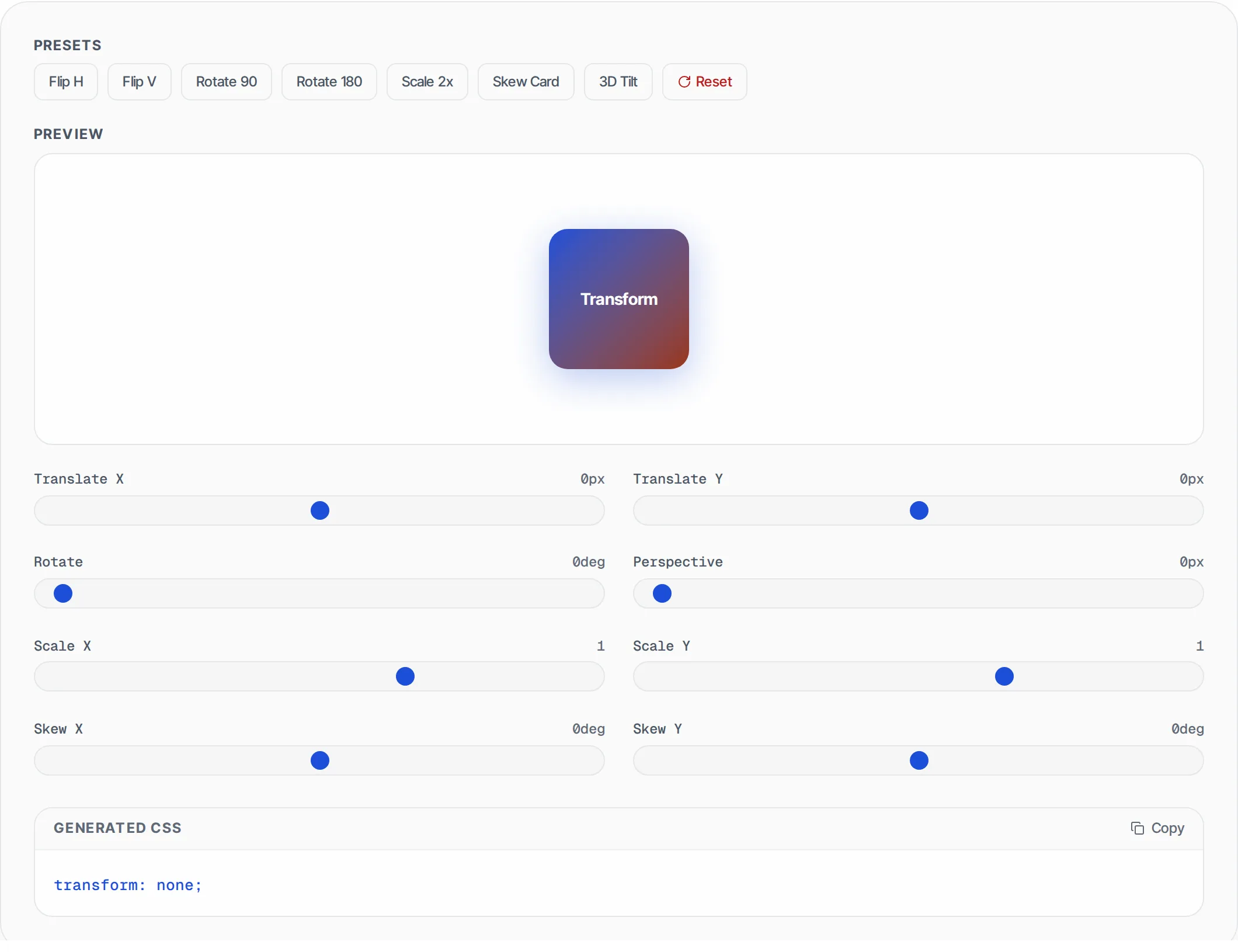
Build CSS transforms visually -- translate, rotate, scale, skew, and perspective with live preview. Copy the generated CSS code.
- 100% free
- No sign-up
- Clear controls
- Open and use
transform: none;- Live preview of all CSS transform functions
- Sliders for translate, rotate, scale, skew, perspective
- 7 presets: flip, rotate, scale, 3D tilt
- One-click copy generated CSS
- Reset button to clear all transforms
- Runs in your browser -- no server needed
What is CSS Transform Generator?
The CSS transform property applies 2D and 3D transformations to HTML elements -- moving, rotating, scaling, skewing, and adding perspective.
This visual generator lets you adjust each transform function with sliders and see the result in real-time on a live preview element. The generated CSS code is ready to copy and paste into your stylesheet.
How to use CSS Transform Generator
- 1
Adjust sliders
Use the sliders to set values for translate (X/Y), rotate, scale (X/Y), skew (X/Y), and perspective. The preview element updates instantly as you drag.
- 2
Try presets
Click a preset button to quickly apply common transforms like Flip Horizontal, Flip Vertical, Rotate 90/180, Scale 2x, or 3D Tilt.
- 3
Review the preview
The live preview shows exactly how your element will look with the applied transforms. The transition is smoothly animated as you adjust values.
- 4
Copy the CSS
The generated CSS property is displayed below the sliders. Click Copy to place it on your clipboard, ready to paste into your CSS file.
Everything this tool
does for you
- Live preview element that updates in real-time as you adjust sliders
- All major transform functions: translate, rotate, scale, skew
- Perspective slider for 3D transforms (0-1200px)
- Negative scale support for mirror/flip effects
- 7 one-click presets for common transforms
- Reset button to return all values to defaults
- Clean, copyable CSS output with one-click copy
- Runs in your browser -- no server calls, works offline
Related free tools
Frequently asked questions
Beyond this tool
See the full picture for your website.
Enter your URL for a free audit across eight scored areas. See prioritised issues and clear next steps in one report.
Free to start · No signup required