CSS Glassmorphism Generator
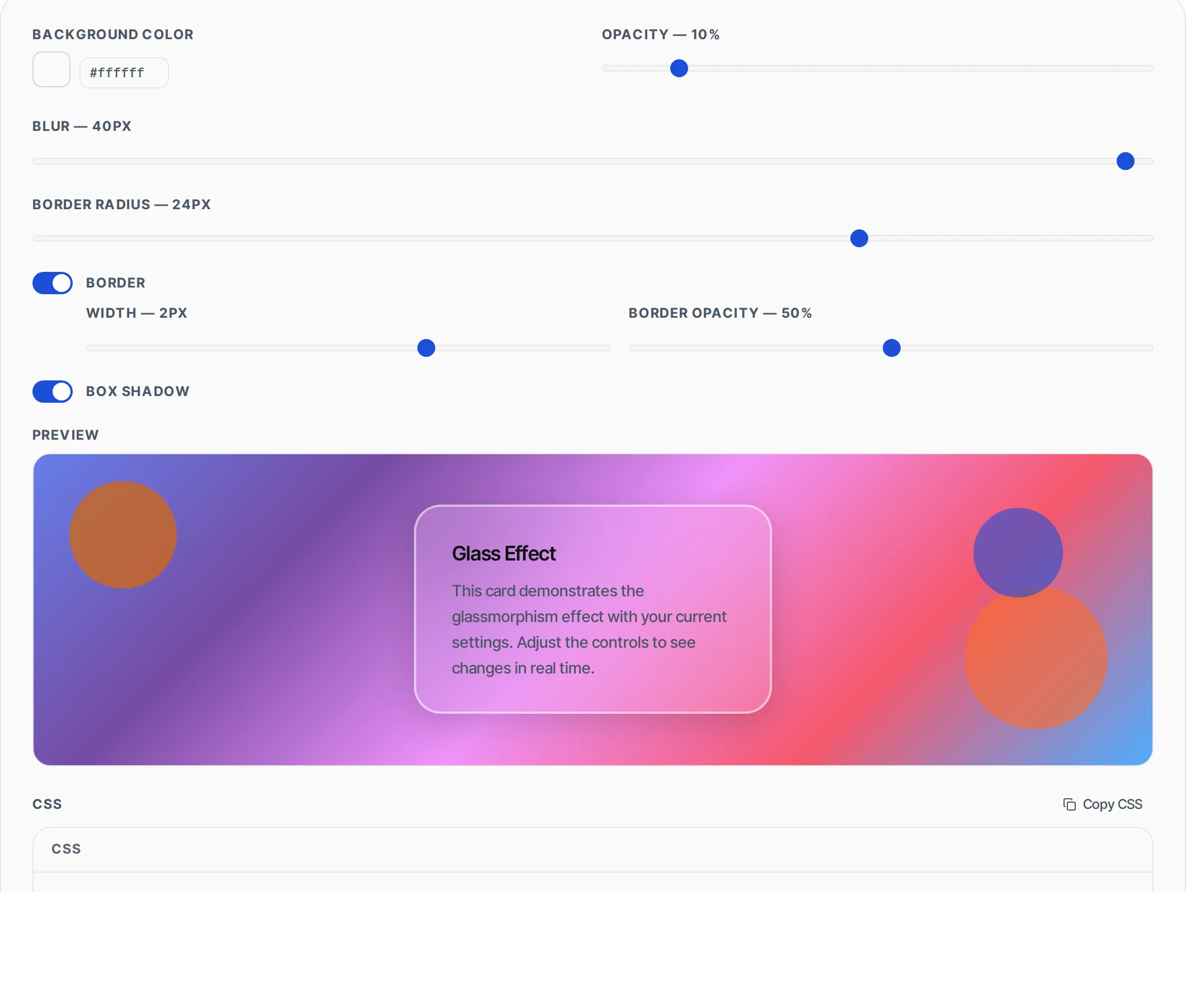
Design frosted-glass UI effects visually. Adjust blur, opacity, border and shadow, preview live against a colorful backdrop, and copy production-ready CSS.
- 100% free
- No sign-up
- Clear controls
- Open and use
Glass Effect
This card demonstrates the glassmorphism effect with your current settings. Adjust the controls to see changes in real time.
background: rgba(255, 255, 255, 0.25);
backdrop-filter: blur(16px);
-webkit-backdrop-filter: blur(16px);
border-radius: 16px;
border: 1px solid rgba(255, 255, 255, 0.30);
box-shadow: 0 8px 32px 0 rgba(0, 0, 0, 0.18);
- Real-time glass effect preview
- Background color + opacity control
- Blur intensity up to 40px
- Optional border with adjustable opacity
- Box shadow toggle for depth
- 6 curated presets to start from
What is CSS Glassmorphism Generator?
A glassmorphism generator is a visual design tool that creates the frosted-glass aesthetic popularized by Apple's macOS and iOS interfaces.
Glassmorphism (also called frosted glass or glass UI) relies on four CSS properties working together: a semi-transparent background color using rgba(), a backdrop-filter blur that frosts whatever sits behind the element, a subtle semi-transparent border for edge definition, and optionally a soft box shadow for depth. The technique makes UI elements feel layered and translucent, giving interfaces a modern, premium look without heavy image assets. This generator lets you dial in each parameter with sliders and toggles, see the result live against a colorful gradient backdrop with overlapping shapes (so the blur effect is clearly visible), and copy clean CSS that works in all modern browsers. Everything runs client-side with zero server calls.
How to use CSS Glassmorphism Generator
- 1
Set background color and opacity
Pick the base color for the glass surface using the color picker or enter a hex code. Then adjust the opacity slider from 0% (fully transparent) to 100% (fully opaque). Lower values like 15-30% give the best glass effect.
- 2
Adjust blur and border radius
Use the blur slider to control how much the background content is frosted. Values between 10-24px work best for most UI elements. Set the border radius to round the corners of the glass card.
- 3
Configure border and shadow
Toggle the border on or off. When enabled, adjust its width and opacity for that characteristic glass edge highlight. Toggle box shadow for additional depth. Finally, copy the CSS or try one of the 6 presets as a starting point.
Everything this tool
does for you
- Live preview against a colorful gradient backdrop with overlapping shapes for visible frosting
- Background color picker with hex input and opacity slider for precise transparency control
- Blur intensity slider from 0 to 40 pixels with instant preview updates
- Optional border with independent width and opacity controls for edge definition
- Border radius slider up to 32px for rounded glass cards
- Box shadow toggle for depth and elevation effects
- Six curated presets: Frost, Smoke, Ice, Crystal, Midnight, and Aurora
- Generates production-ready CSS with backdrop-filter and -webkit-backdrop-filter prefixes
Related free tools
Frequently asked questions
Beyond this tool
See the full picture for your website.
Enter your URL for a free audit across eight scored areas. See prioritised issues and clear next steps in one report.
Free to start · No signup required