Open Port Checker
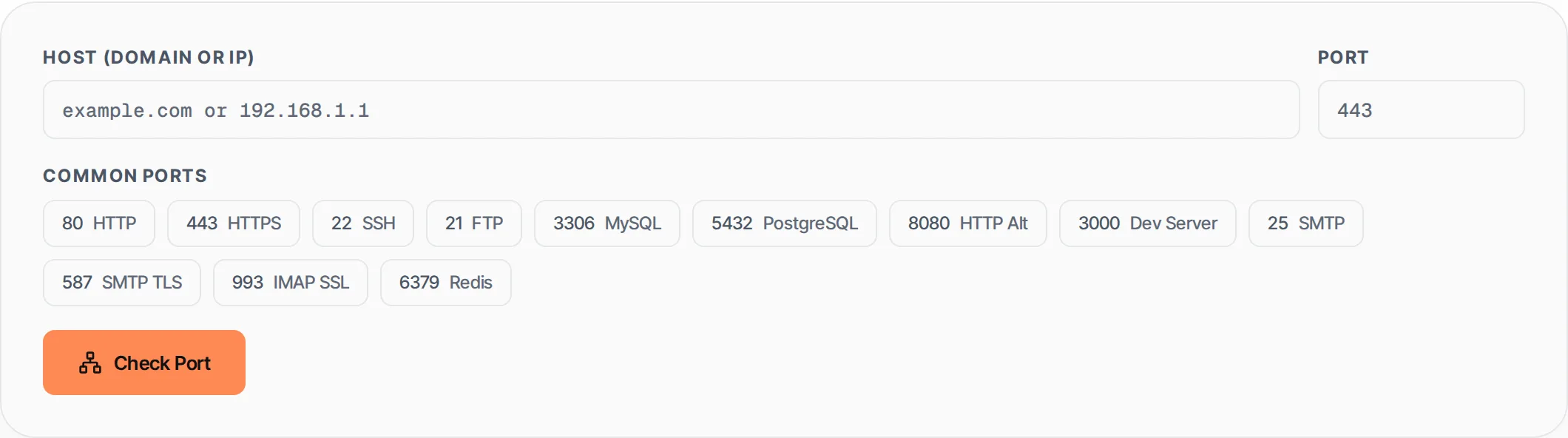
Check if a specific port is open on any host. Tests TCP connectivity with timeout detection. Useful for debugging firewalls, servers, and network configurations.
- 100% free
- No sign-up
- Clear controls
- Open and use
- Check any port (1-65535) on any host
- Common port presets: HTTP, HTTPS, SSH, FTP, MySQL, PostgreSQL
- Timeout detection for filtered ports
- Connection latency measurement
- Check history (last 20 checks)
- Command-line alternatives provided
What is Open Port Checker?
An open port checker tests whether a specific TCP port is reachable on a remote host.
When a port is open, a service is listening and accepting connections. When it is closed, no service is listening. When it is filtered, a firewall is blocking the connection. This tool sends a check request to our backend API which attempts a TCP connection to the specified host and port, returning the result with latency information.
How to use Open Port Checker
- 1
Enter the host
Type the domain name (example.com) or IP address (192.168.1.1) of the server you want to check. Do not include the protocol (http://).
- 2
Set the port
Enter the port number (1-65535) or click one of the common port presets: 80 (HTTP), 443 (HTTPS), 22 (SSH), 3306 (MySQL), etc.
- 3
Click Check Port
The tool sends a TCP connection test to the specified host and port. Results appear within a few seconds, including latency if the port is reachable.
- 4
Review the result
Open (green) means a service is listening. Closed (red) means no service is responding. If the check fails, command-line alternatives are shown for manual testing.
Everything this tool
does for you
- Check any TCP port (1-65535) on any host or IP address
- 12 common port presets with service names (HTTP, SSH, MySQL, etc.)
- Connection latency measurement in milliseconds
- Timeout detection for filtered/firewalled ports
- Check history showing the last 20 results
- Color-coded status: green (open), red (closed), yellow (error)
- Command-line alternatives provided when API is unavailable
- No software installation required -- works in your browser
Related free tools
Frequently asked questions
Beyond this tool
See the full picture for your website.
Enter your URL for a free audit across eight scored areas. See prioritised issues and clear next steps in one report.
Free to start · No signup required