Keyword Density Checker
Analyze keyword frequency and density in your content to optimize for search engines without over-stuffing.
- 100% free
- No sign-up
- Clear controls
- Open and use
- Find over-used and under-used keywords
- Supports 1-word, 2-word, and 3-word phrases
- Excludes common stop words automatically
- Visual density bars for quick scanning
- Export results to clipboard
What is Keyword Density Checker?
Keyword density is the percentage of times a keyword or phrase appears in your content relative to the total word count.
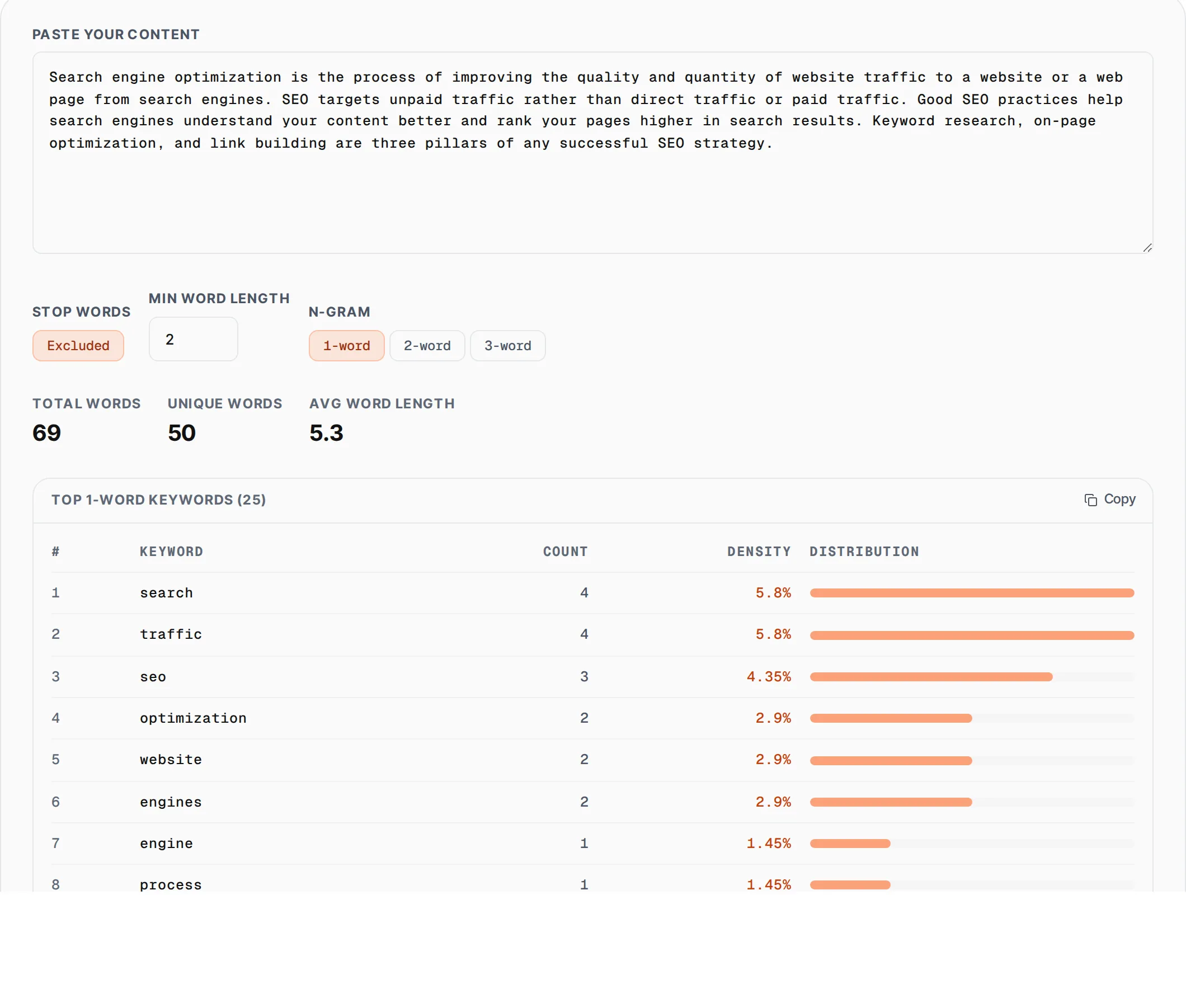
The Keyword Density Checker by SlapMyWeb analyzes your text and shows you exactly which words and phrases appear most frequently, their count, and their density percentage. It supports 1-word, 2-word, and 3-word phrase analysis (n-grams), automatic stop word filtering, and visual distribution bars so you can quickly spot over-optimized or under-used keywords.
How to use Keyword Density Checker
- 1
Paste your content
Copy and paste your article, blog post, or page content into the text area. The tool works with any length of text.
- 2
Configure analysis options
Toggle stop word exclusion, set minimum word length (1-5 characters), and choose between 1-word, 2-word, or 3-word phrase analysis.
- 3
Review the results
The tool shows total words, unique words, and average word length at the top. The table below lists the top 25 keywords sorted by frequency with count, density percentage, and visual bars.
- 4
Optimize your content
Aim for 1-2% density for primary keywords and 0.5-1% for secondary keywords. If any keyword exceeds 3%, consider reducing its usage to avoid keyword stuffing penalties.
Everything this tool
does for you
- Supports 1-word, 2-word, and 3-word phrase analysis
- Automatic stop word filtering (60+ common English words)
- Configurable minimum word length (1-5 characters)
- Visual density distribution bars
- Total words, unique words, and average word length stats
- Top 25 keywords sorted by frequency
- One-click export to clipboard in TSV format
- Real-time analysis as you type
Further reading
Related free tools
Frequently asked questions
Beyond this tool
See the full picture for your website.
Enter your URL for a free audit across eight scored areas. See prioritised issues and clear next steps in one report.
Free to start · No signup required