UTM Builder
Generate campaign-tagged URLs to track traffic sources in Google Analytics with precision.
- 100% free
- No sign-up
- Clear controls
- Open and use
- Track exactly which campaigns drive traffic
- Auto-generates properly encoded UTM parameters
- One-click presets for Google, Facebook, Email, and more
- Real-time URL preview as you type
- Copy the tagged URL instantly
What is UTM Builder?
UTM (Urchin Tracking Module) parameters are tags added to the end of a URL that let analytics tools like Google Analytics track exactly where your traffic comes from.
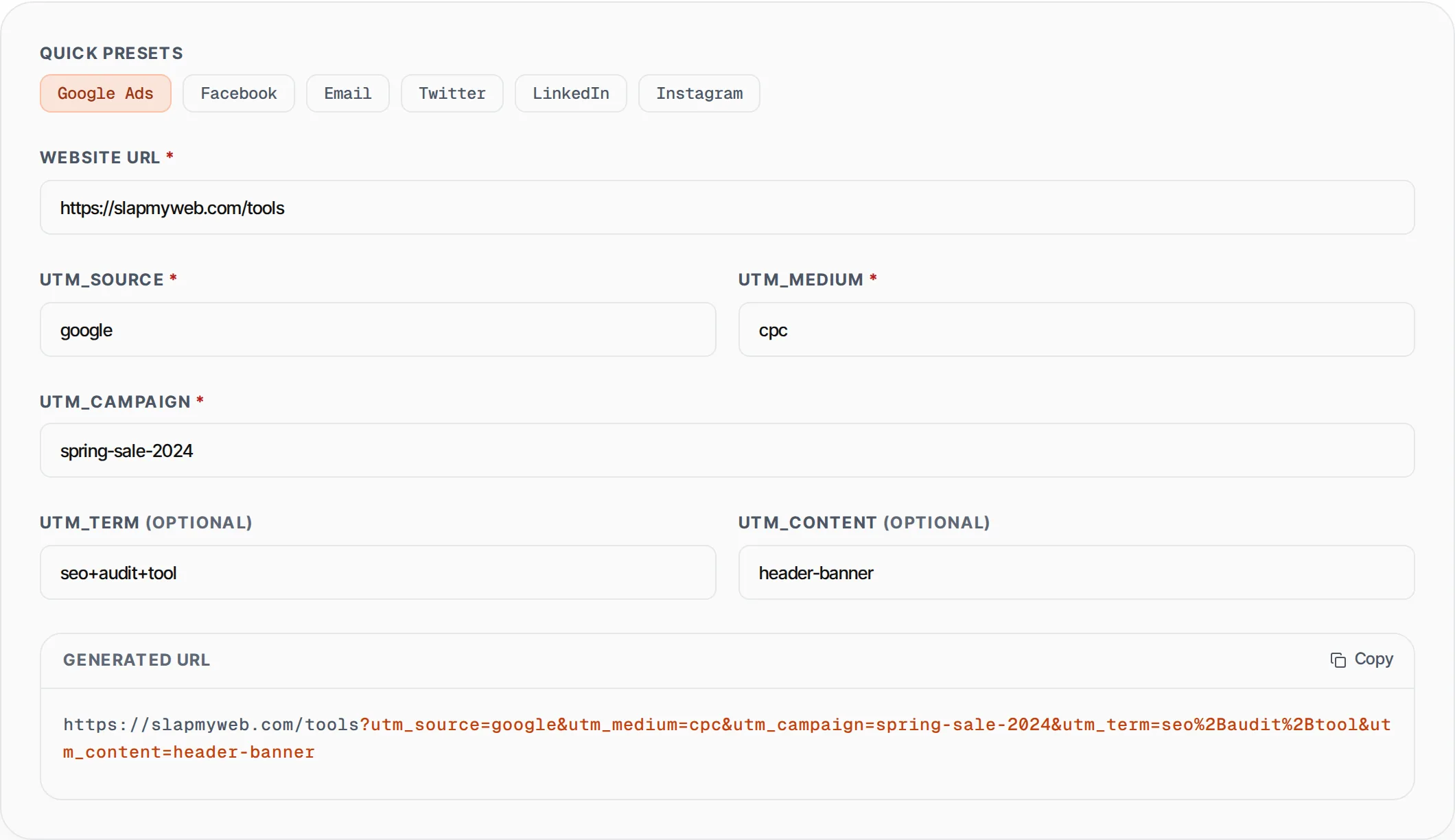
The UTM Builder by SlapMyWeb lets you generate properly formatted UTM-tagged URLs in seconds. Just enter your destination URL, fill in the source, medium, and campaign name, and the tool builds the complete tagged URL in real-time. One-click presets for Google Ads, Facebook, Email, and social platforms make it even faster.
How to use UTM Builder
- 1
Enter your destination URL
Paste the landing page URL you want to track. This is the page users will land on when they click your campaign link.
- 2
Fill in UTM parameters
Enter the source (where traffic comes from), medium (type of traffic like cpc or email), and campaign name. Optionally add term and content for more granular tracking.
- 3
Use presets for common platforms
Click Google Ads, Facebook, Email, Twitter, LinkedIn, or Instagram to auto-fill the source and medium fields with industry-standard values.
- 4
Copy your tagged URL
The tool generates the URL in real-time. Click the copy button and use it in your ads, emails, or social posts.
Everything this tool
does for you
- Real-time URL generation as you type
- One-click presets for 6 major platforms
- Proper URL encoding of all parameters
- Supports all 5 UTM parameters (source, medium, campaign, term, content)
- Highlights UTM parameters in the output for easy reading
- Instant copy to clipboard
- Works with any URL including those with existing query strings
Further reading
Related free tools
Frequently asked questions
Beyond this tool
See the full picture for your website.
Enter your URL for a free audit across eight scored areas. See prioritised issues and clear next steps in one report.
Free to start · No signup required