TikTok Character Counter
Count characters for TikTok captions with the 2200 character limit. Track hashtags, mentions, words, and get visual feedback.
- 100% free
- No sign-up
- Clear controls
- Open and use
- 2200 character TikTok caption limit tracking
- Visual progress bar (green/yellow/red)
- Hashtag and mention counter
- Word and line count
- Hashtag extraction list
What is TikTok Character Counter?
TikTok Character Counter is a tool designed specifically for TikTok content creators.
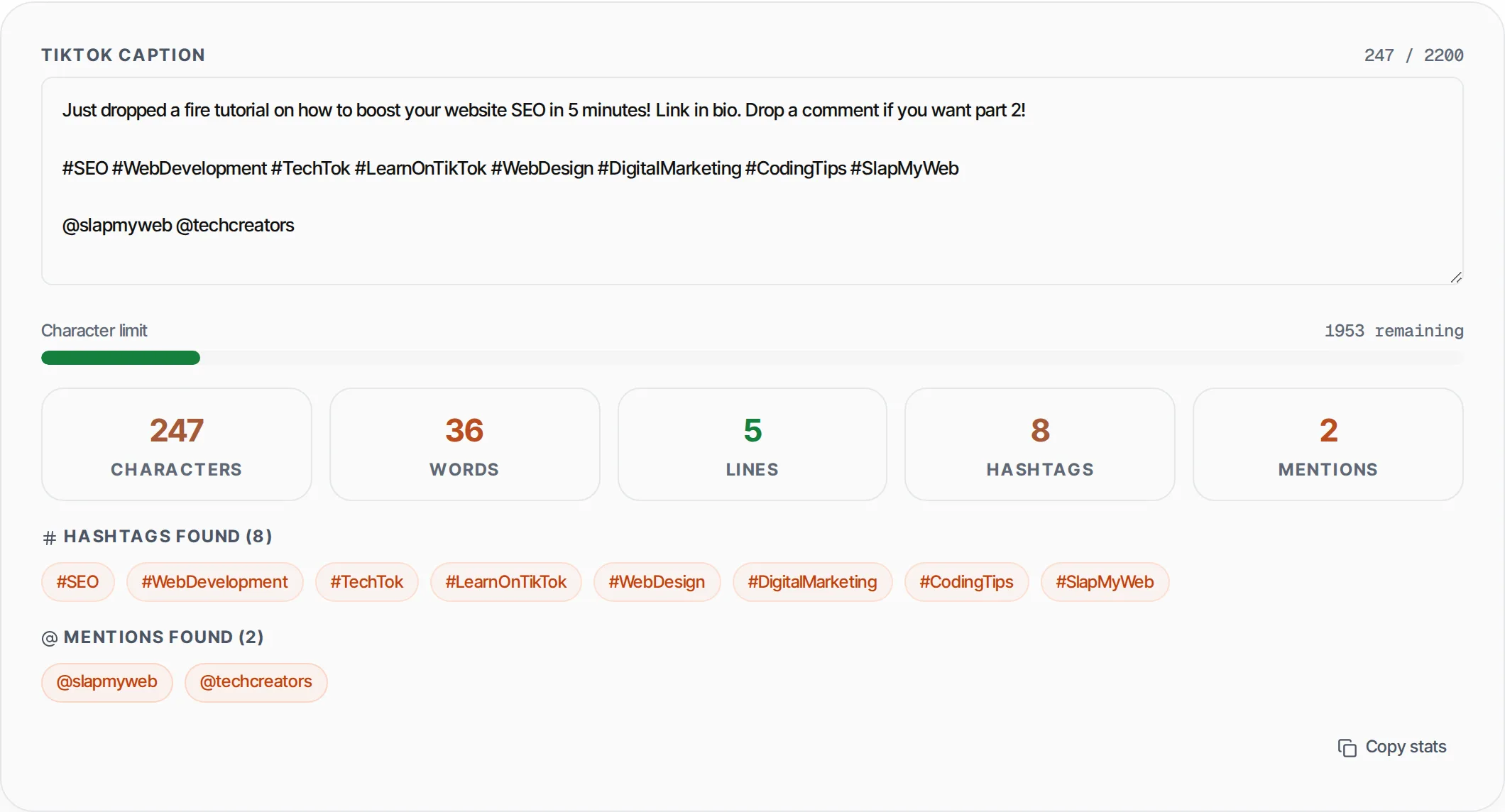
TikTok captions have a 2200 character limit, and this tool helps you stay within it. It provides real-time character counting, a visual progress bar that changes color as you approach the limit, word and line counts, automatic hashtag and mention extraction, and an over-limit warning. Everything runs in your browser with no data stored.
How to use TikTok Character Counter
- 1
Type your caption
Enter or paste your TikTok caption into the text area. All counts update in real-time as you type.
- 2
Watch the progress bar
The bar is green when safe, yellow above 70%, and red above 90% or when over the 2200 limit.
- 3
Check your stats
View character count, words, lines, number of hashtags, and number of mentions in the stat cards.
- 4
Review extracted hashtags
All hashtags and mentions are automatically extracted and displayed as tags below the stats.
- 5
Copy stats
Click Copy stats to copy all counts to your clipboard for reference.
Everything this tool
does for you
- Real-time character counting against 2200 limit
- Visual progress bar: green, yellow, red stages
- Word count and line count
- Automatic hashtag extraction and count
- Automatic mention (@) extraction and count
- Over-limit warning with exact overage count
- Characters remaining display
- Runs in your browser — no data sent anywhere
Related free tools
Frequently asked questions
Beyond this tool
See the full picture for your website.
Enter your URL for a free audit across eight scored areas. See prioritised issues and clear next steps in one report.
Free to start · No signup required