Color Mixer
Mix two colors together at any ratio. Generate intermediate color steps for gradient palettes. View HEX, RGB, and HSL values.
- 100% free
- No sign-up
- Clear controls
- Open and use
- Mix any two colors with adjustable ratio
- Visual color pickers for both colors
- HEX, RGB, and HSL values for mixed result
- Gradient steps mode: 3, 5, 7, or 10 intermediate colors
- Click any swatch to copy its value
- Runs in your browser -- no server calls
What is Color Mixer?
A color mixer blends two colors together to create a new color.
By adjusting the mix ratio, you control how much of each color contributes to the result. The Steps mode generates a series of evenly-spaced intermediate colors between your two picks -- perfect for creating gradient palettes, design systems, or color scales. All mixing is done in RGB color space with real-time preview.
How to use Color Mixer
- 1
Pick two colors
Use the color pickers or type HEX values for Color 1 and Color 2. These are the two endpoints of your mix.
- 2
Adjust the ratio
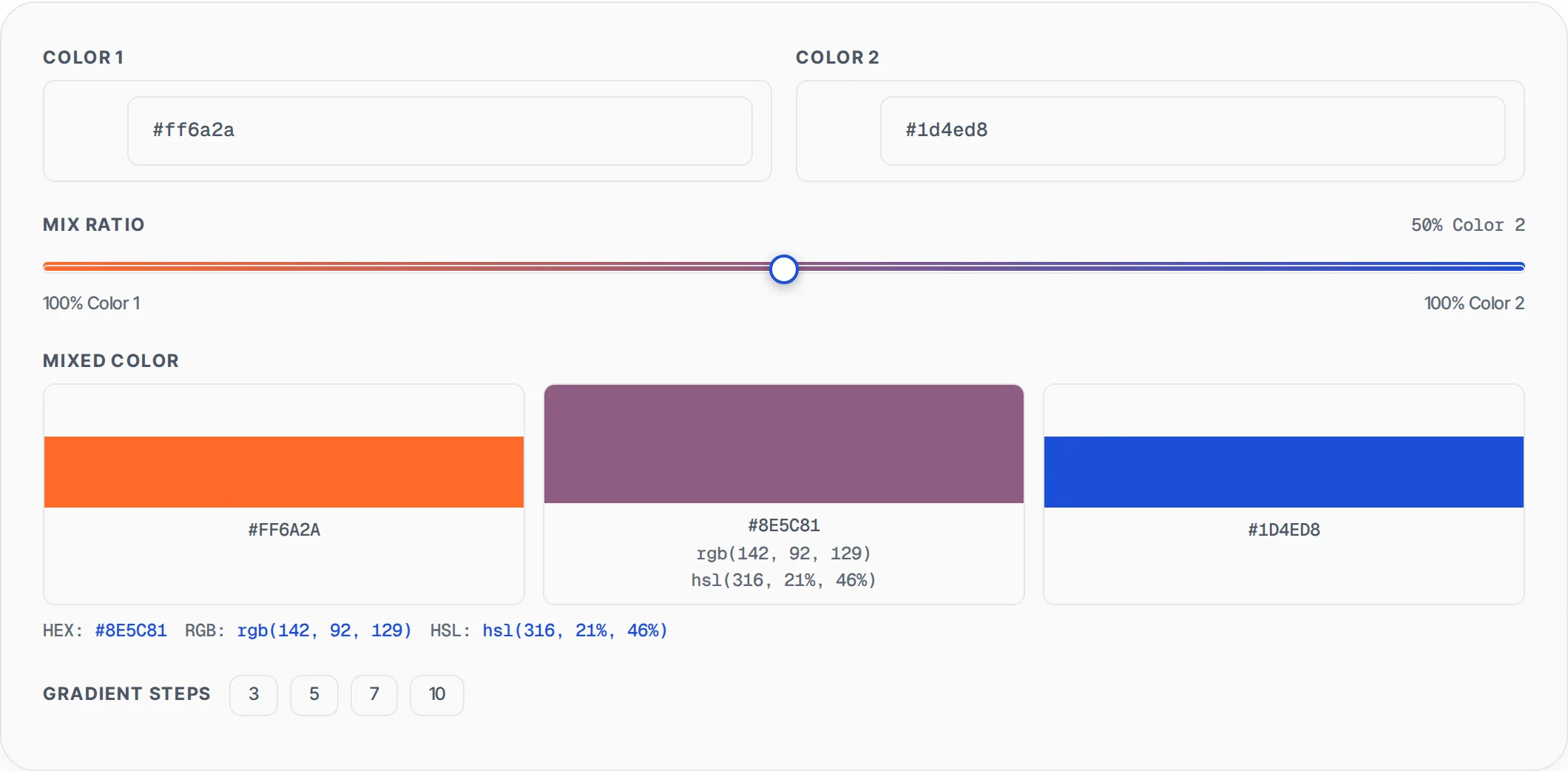
Drag the mix ratio slider. At 0% you see pure Color 1, at 100% pure Color 2, and at 50% an equal blend. The gradient track shows the full spectrum between your colors.
- 3
View the result
The mixed color appears in the center with its HEX, RGB, and HSL values. Click the swatch to copy the HEX value.
- 4
Generate gradient steps
Click a step count (3, 5, 7, or 10) to generate evenly-spaced intermediate colors between your two picks. Each step swatch is clickable to copy its color.
Everything this tool
does for you
- Visual color pickers for both input colors
- Adjustable mix ratio with gradient slider track
- Mixed result displayed in HEX, RGB, and HSL formats
- Gradient steps mode with 3, 5, 7, or 10 intermediate colors
- Click any color swatch to copy its HEX value
- Full gradient strip preview showing the color transition
- Live update as you adjust colors or ratio
- 100% browser-based -- no server calls or data uploads
Related free tools
Frequently asked questions
Beyond this tool
See the full picture for your website.
Enter your URL for a free audit across eight scored areas. See prioritised issues and clear next steps in one report.
Free to start · No signup required