Hreflang Tag Generator
Generate hreflang tags for multilingual and multi-regional websites to serve the right content to the right audience.
- 100% free
- No sign-up
- Clear controls
- Open and use
Fill in the URLs above to generate hreflang tags...
- Prevent duplicate content across language versions
- Tell Google which language version to show each user
- Support for 30 languages and 30 regions
- Includes x-default fallback tag
- Copy all tags with one click
What is Hreflang Tag Generator?
Hreflang tags are HTML link elements that tell search engines which language and regional version of a page to show to users based on their location and language preferences.
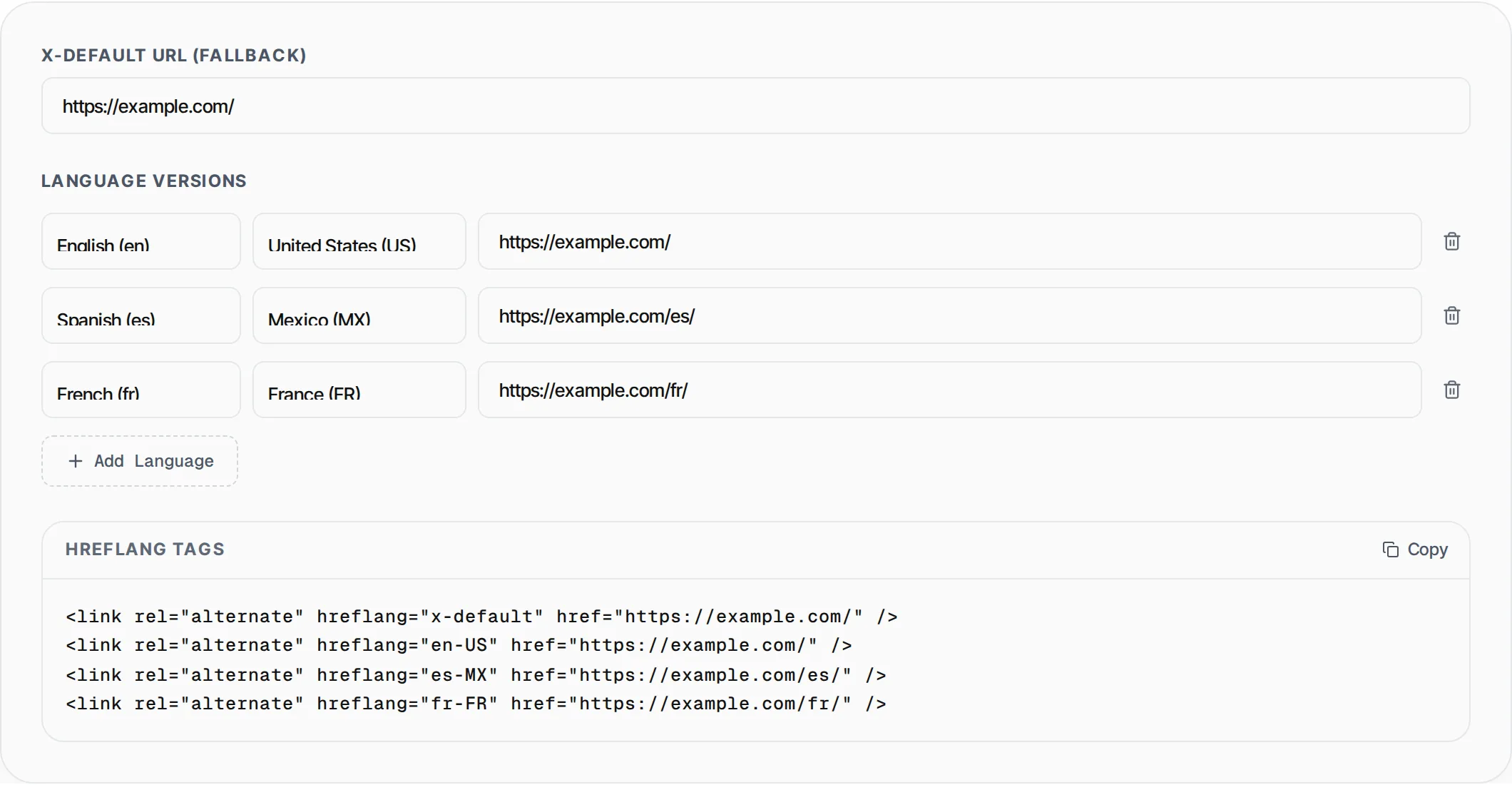
The Hreflang Tag Generator by SlapMyWeb lets you build these tags visually -- select languages and regions from dropdowns, enter URLs for each version, and the tool generates properly formatted link tags including the x-default fallback. This prevents duplicate content issues across your international site versions and ensures Google serves the right page to the right audience.
How to use Hreflang Tag Generator
- 1
Set the x-default URL
Enter the default/fallback URL that should be shown when no specific language version matches the user. This is typically your main English or primary language page.
- 2
Add language versions
For each language version of your page, select the language, optionally select a region (e.g., en-US vs en-GB), and enter the full URL for that version.
- 3
Add more languages as needed
Click "Add Language" to add more rows. You can have as many language-region combinations as needed. Remove rows you don't need with the trash icon.
- 4
Copy and implement
Copy all generated tags and paste them into the <head> section of EVERY language version of the page. Each page must reference all other versions including itself.
Everything this tool
does for you
- Support for 30 languages and 30 regions
- x-default fallback tag generation
- Dynamic row addition and removal
- Proper language-region code formatting (e.g., en-US, es-MX)
- Real-time tag generation as you configure
- One-click copy all tags to clipboard
- Clean HTML output ready for implementation
Related free tools
Frequently asked questions
Beyond this tool
See the full picture for your website.
Enter your URL for a free audit across eight scored areas. See prioritised issues and clear next steps in one report.
Free to start · No signup required