HTML to Markdown Converter
Convert HTML to clean Markdown. Handles headings, links, images, lists, code blocks, bold, italic and more. Perfect for migrating content to Markdown-based systems.
- 100% free
- No sign-up
- Clear controls
- Open and use
Paste HTML above- Converts full HTML to Markdown
- Headings, links, lists, code
- Strips scripts & styles
- Decodes HTML entities
- 100% browser — no upload
What is HTML to Markdown Converter?
An HTML to Markdown converter transforms HTML markup into clean, readable Markdown syntax.
This is essential when migrating content from websites, CMS platforms, or email templates to Markdown-based systems like GitHub, Jekyll, Hugo, Gatsby, Notion, or Obsidian. Our free converter handles all common HTML elements including headings (h1-h6), paragraphs, bold and italic text, strikethrough, hyperlinks with href attributes, images with alt text, ordered and unordered lists, code blocks, inline code, blockquotes, and horizontal rules. It automatically strips script and style tags that would be meaningless in Markdown, and decodes HTML entities like & and < back to their plain text equivalents. The output is clean, properly formatted Markdown that you can immediately use in any Markdown editor or static site generator. Perfect for developers converting documentation, content writers migrating blog posts, or anyone who needs to extract readable text from HTML source code.
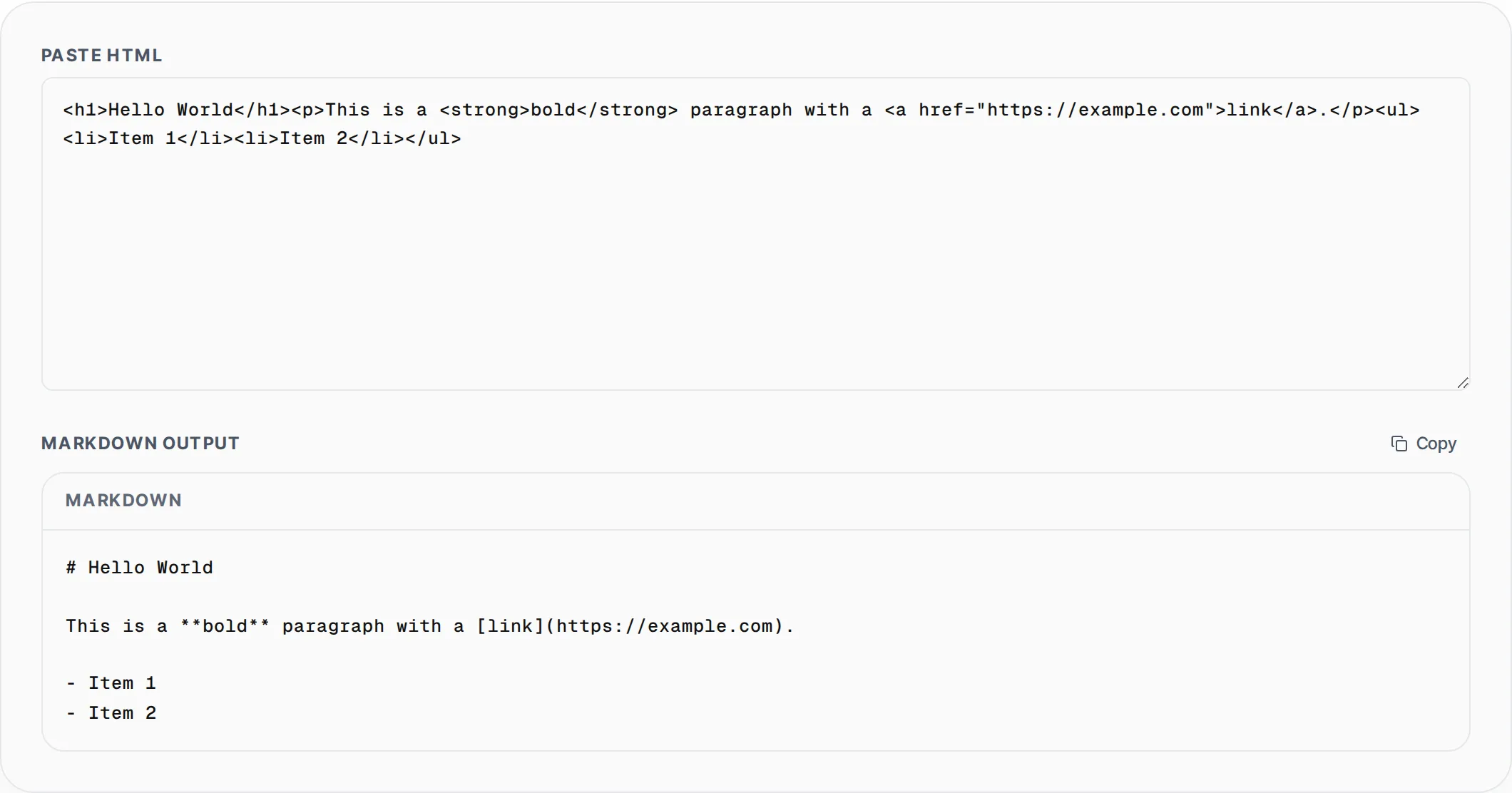
How to use HTML to Markdown Converter
- 1
Paste your HTML
Copy HTML from any source — a web page, CMS editor, email template, or code file — and paste it into the input area. The converter accepts any valid or partial HTML.
- 2
Review the Markdown output
The converter instantly transforms your HTML into clean Markdown syntax. Check that headings, links, lists, and formatting are correctly converted.
- 3
Copy the Markdown
Click the Copy button to copy the converted Markdown to your clipboard. Paste it into your Markdown editor, GitHub repository, documentation site, or note-taking app.
Everything this tool
does for you
- Converts headings, paragraphs, bold, italic, strikethrough, and links
- Automatically strips script and style tags from the HTML input
- Decodes HTML entities (&, <, >, ", ') to plain text
- Preserves code blocks with fenced syntax and inline code with backticks
- Converts images to Markdown syntax with alt text preservation
- Instant conversion with no file uploads or server processing
Related free tools
Frequently asked questions
Beyond this tool
See the full picture for your website.
Enter your URL for a free audit across eight scored areas. See prioritised issues and clear next steps in one report.
Free to start · No signup required