Markdown to HTML Converter
Convert Markdown to clean HTML instantly. Supports headings, bold, italic, links, images, code blocks, lists, blockquotes and more. Live preview included.
- 100% free
- No sign-up
- Clear controls
- Open and use
Type Markdown above- Full Markdown syntax support
- Live HTML preview
- Clean semantic output
- Copy HTML with one click
- 100% browser — no server
What is Markdown to HTML Converter?
A Markdown to HTML converter transforms Markdown-formatted text into valid HTML markup that browsers can render.
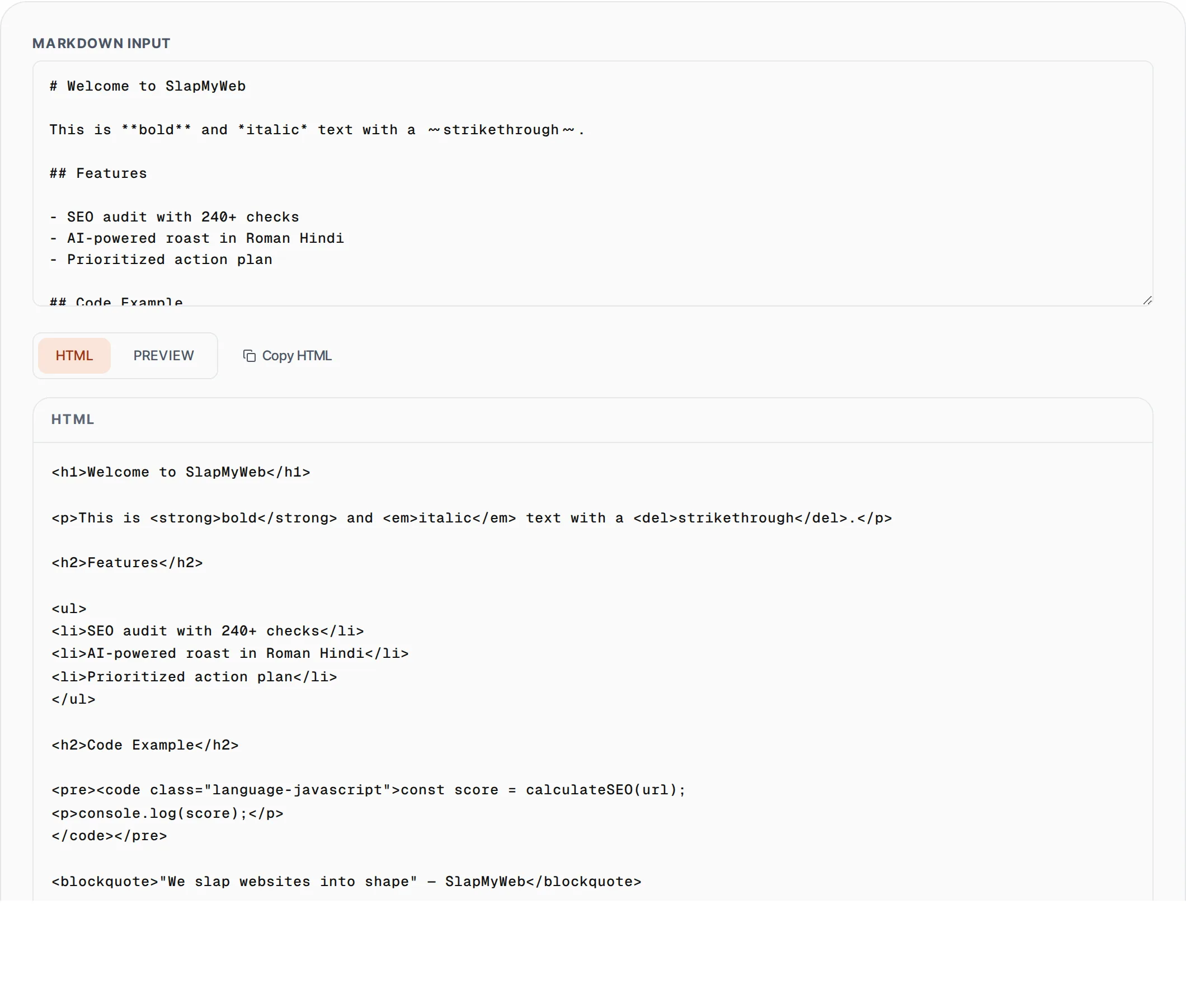
Markdown is a lightweight markup language created by John Gruber that lets you write formatted content using plain text syntax like # for headings, ** for bold, and - for lists. Our free converter handles the full CommonMark-compatible syntax including headings (h1-h6), bold, italic, strikethrough, links, images, fenced code blocks with language hints, ordered and unordered lists, blockquotes, and horizontal rules. The output is clean, semantic HTML without unnecessary wrapper divs or inline styles. Use the live preview mode to see exactly how your Markdown renders as formatted content, or switch to HTML mode to copy the raw markup. This tool is perfect for blog writers converting drafts to HTML, developers building documentation, email marketers preparing newsletter content, or anyone migrating content between Markdown-based and HTML-based platforms.
How to use Markdown to HTML Converter
- 1
Paste or type your Markdown
Enter your Markdown content in the input area. The converter supports all standard syntax including headings, emphasis, links, images, code blocks, lists, and blockquotes.
- 2
Switch between HTML and Preview
Use the HTML mode to see the raw HTML output, or switch to Preview mode to see a rendered version of your content exactly as it would appear on a web page.
- 3
Copy the HTML output
Click the Copy HTML button to copy the converted markup to your clipboard. Paste it directly into your CMS, email template, or HTML file.
Everything this tool
does for you
- Full Markdown syntax support including headings, bold, italic, and strikethrough
- Fenced code blocks with language class attributes for syntax highlighting
- Live preview mode showing rendered HTML alongside raw markup
- Clean semantic HTML output without unnecessary wrapper elements
- Image and link conversion with proper alt text and href attributes
- Instant conversion with zero dependencies and no server requests
Related free tools
Frequently asked questions
Beyond this tool
See the full picture for your website.
Enter your URL for a free audit across eight scored areas. See prioritised issues and clear next steps in one report.
Free to start · No signup required