Tailwind Color Generator
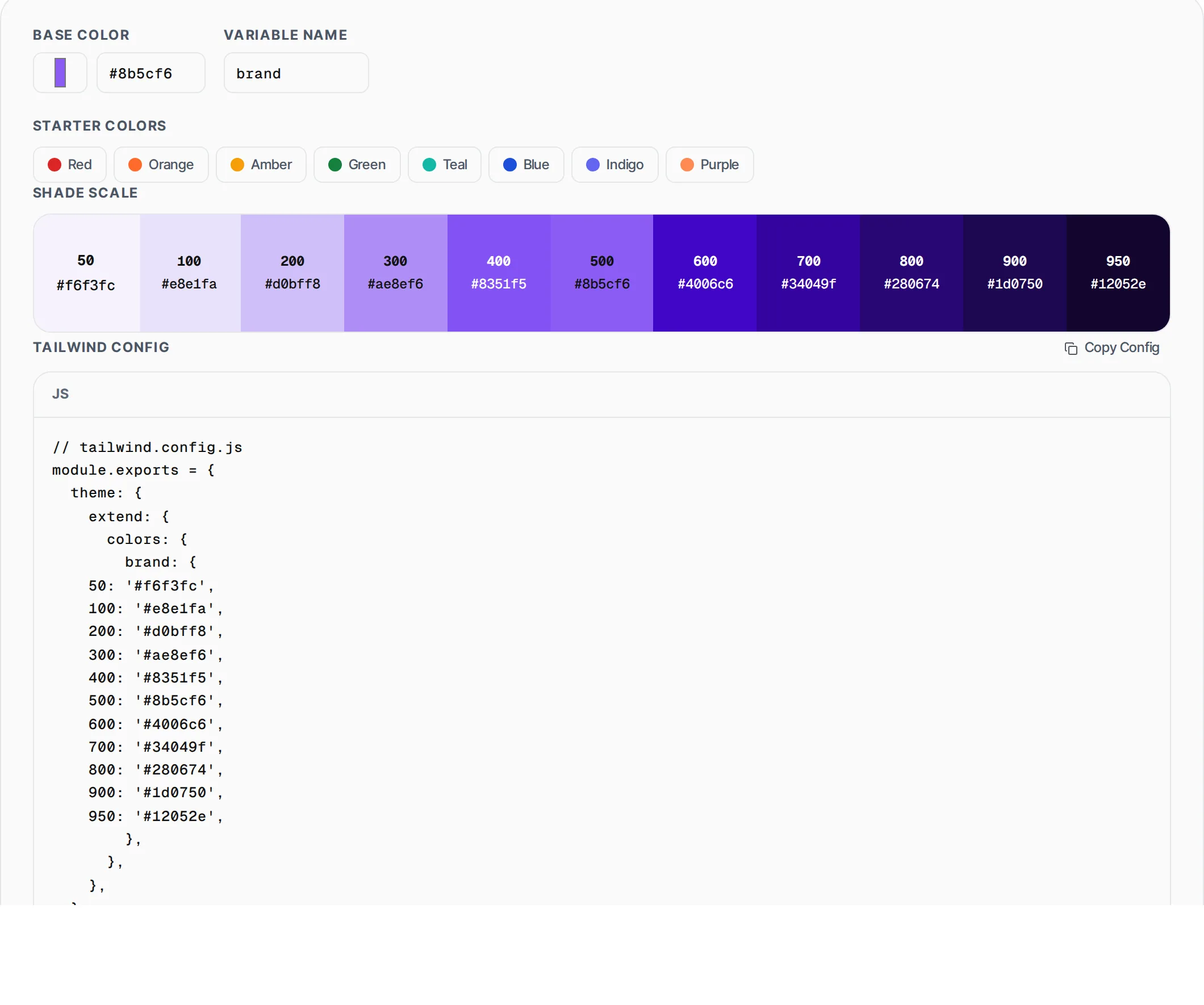
Pick a base color and generate a full Tailwind CSS shade scale from 50 to 950. Click any swatch to copy its hex value. Export as a ready-to-paste Tailwind config.
- 100% free
- No sign-up
- Clear controls
- Open and use
// tailwind.config.js
module.exports = {
  theme: {
    extend: {
      colors: {
        primary: {
    50: '#f4f6fb',
    100: '#e3e8f7',
    200: '#c4d0f3',
    300: '#96aded',
    400: '#5d82e9',
    500: '#1d4ed8',
    600: '#133fb9',
    700: '#0f3294',
    800: '#0e276c',
    900: '#0c1d4a',
    950: '#09112a',
        },
      },
    },
  },
}- Full 50-950 shade scale
- Visual color picker + hex input
- 8 starter color palettes
- Click swatch to copy hex
- Tailwind config export
- 100% browser — no upload
What is Tailwind Color Generator?
A Tailwind color generator takes a single base color and computes the full 11-shade scale that Tailwind CSS expects: 50, 100, 200, 300, 400, 500, 600, 700, 800, 900, and 950.
Tailwind ships with carefully crafted default palettes, but custom brand colors need the same shade distribution to work correctly with utility classes like bg-primary-100, text-primary-700, and ring-primary-500. Manually picking 11 harmonious shades is tedious and error-prone. This tool uses HSL-based interpolation to generate lighter tints for the low shades and darker tones for the high shades, keeping hue consistent and adjusting saturation naturally so the entire scale looks cohesive. The base color becomes shade 500 (the midpoint), lighter shades are generated by increasing lightness and slightly reducing saturation, and darker shades decrease lightness while maintaining richness. You get a visual grid of all 11 swatches with hex values, click any swatch to copy it, and export the complete colors configuration ready to paste into tailwind.config.js. All computation runs in your browser with no server calls.
How to use Tailwind Color Generator
- 1
Pick your base color
Use the color picker or type a hex code directly. The base color becomes shade 500 in the generated scale. You can also click one of the 8 starter colors to begin from a popular palette.
- 2
Review the shade scale
All 11 shades from 50 (lightest) to 950 (darkest) are displayed in a visual grid. Each swatch shows its shade number and hex value. Click any swatch to copy its hex code to your clipboard.
- 3
Export the Tailwind config
Set the variable name (default: primary) and click Copy Config to get a complete tailwind.config.js snippet. Paste it into your theme.extend.colors section and all Tailwind utilities will use your custom palette.
Everything this tool
does for you
- Generates all 11 Tailwind shades: 50, 100, 200, 300, 400, 500, 600, 700, 800, 900, 950
- HSL-based algorithm that preserves hue and adjusts saturation naturally
- Visual color picker with hex text input for precise control
- 8 popular starter colors to begin from established palettes
- Click any swatch to instantly copy its hex value
- Exports ready-to-paste tailwind.config.js colors object
Related free tools
Frequently asked questions
Beyond this tool
See the full picture for your website.
Enter your URL for a free audit across eight scored areas. See prioritised issues and clear next steps in one report.
Free to start · No signup required