URL Encoder & Decoder
Encode special characters for safe URL transmission, or decode percent-encoded strings back to readable text. Pure client-side, your data never leaves the browser.
- 100% free
- No sign-up
- Clear controls
- Open and use
- Encode special chars for query strings
- Decode percent-encoded URLs
- Pure browser — zero server calls
- Free, no signup, no limits
What is URL Encoder & Decoder?
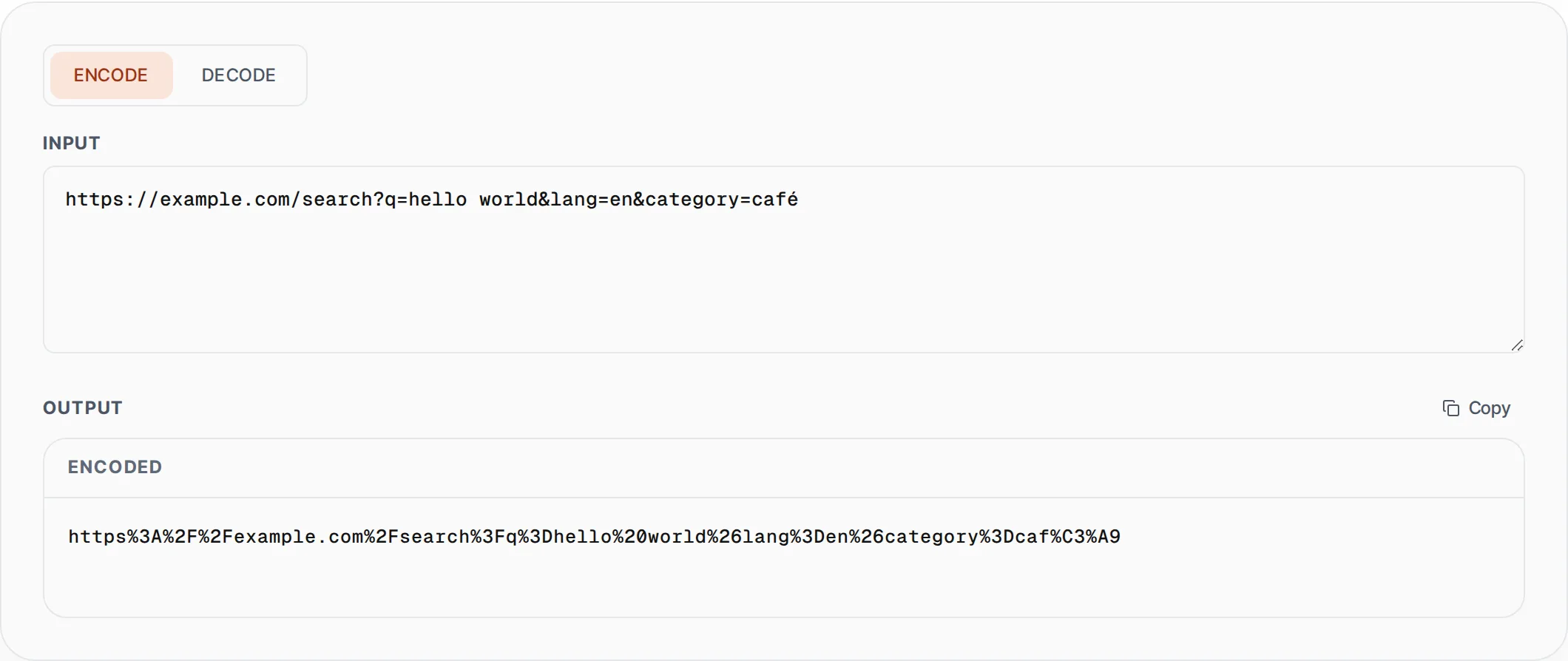
URL encoding (also called percent encoding) converts special characters into a format that can be safely transmitted in URLs.
Characters like spaces, ampersands, question marks, and non-ASCII characters are replaced with percent-encoded equivalents (e.g., space becomes %20, & becomes %26). This is essential because URLs can only contain a limited set of ASCII characters. Without encoding, special characters in query parameters, form data, or path segments can break URL parsing or cause security issues. This tool uses JavaScript's built-in encodeURIComponent() and decodeURIComponent() functions, which handle the full Unicode character set including emojis and international characters. All processing happens in your browser — no data is sent to any server.
How to use URL Encoder & Decoder
- 1
Choose encode or decode
Select Encode to convert special characters to percent-encoded format, or Decode to convert percent-encoded strings back to readable text.
- 2
Enter your text or URL
Paste a URL with special characters, a query string value, or any text. The output updates instantly as you type.
- 3
Copy the result
Click Copy to grab the encoded or decoded output for use in your URLs, API requests, or application code.
Everything this tool
does for you
- Encodes all special characters for URL-safe transmission
- Decodes percent-encoded URLs back to readable text
- Full Unicode support including emojis and CJK characters
- Uses standard encodeURIComponent/decodeURIComponent
- Real-time conversion as you type
- Runs in your browser — your data never leaves the browser
Related free tools
Frequently asked questions
Beyond this tool
See the full picture for your website.
Enter your URL for a free audit across eight scored areas. See prioritised issues and clear next steps in one report.
Free to start · No signup required