Hreflang Checker
Paste your <link rel='alternate'> tags and validate language + region codes against ISO 639-1 / ISO 3166-1. Catches missing x-default and duplicate codes.
- 100% free
- No sign-up
- Clear controls
- Open and use
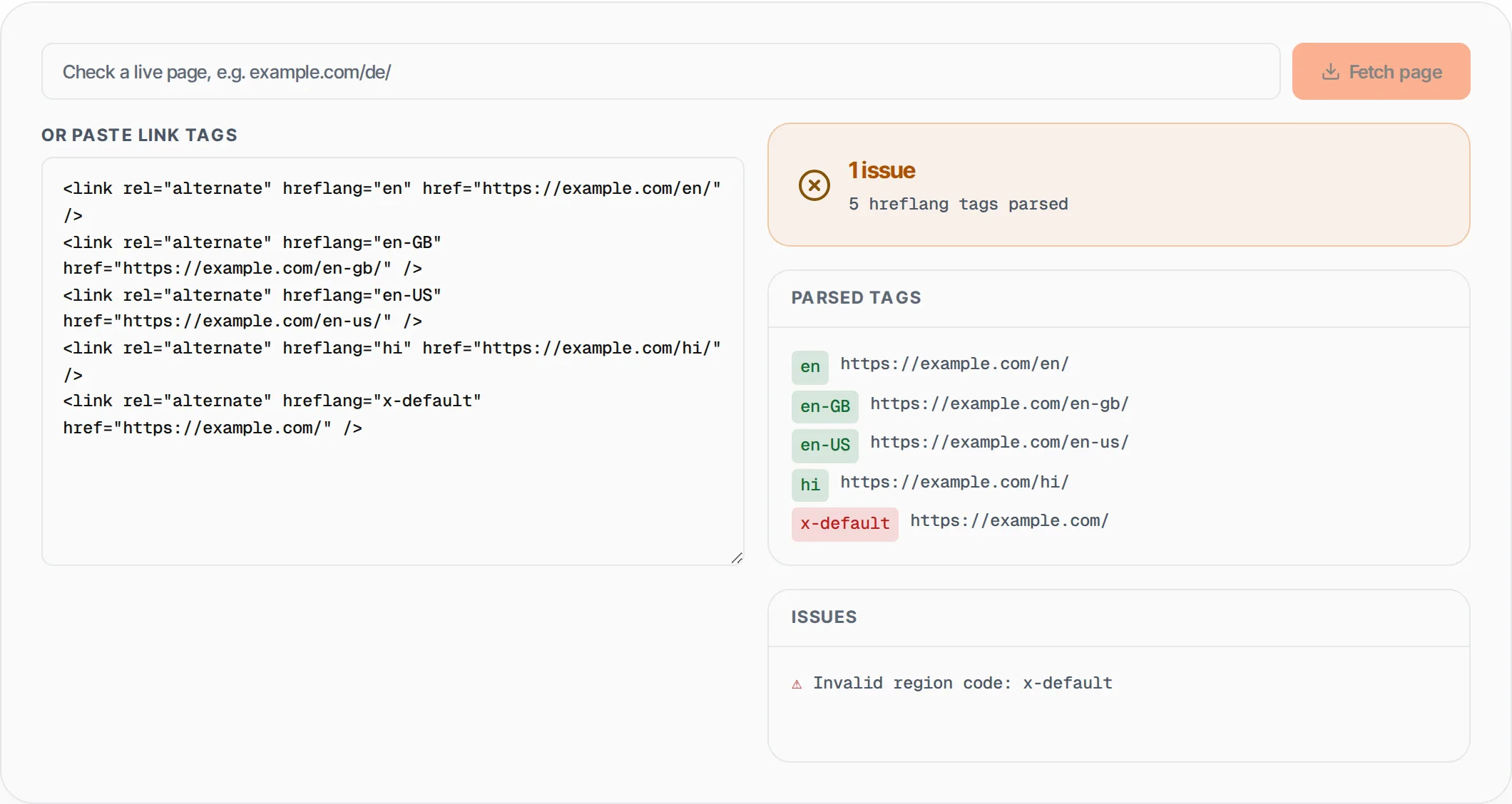
- enhttps://example.com/en/
- en-GBhttps://example.com/en-gb/
- en-UShttps://example.com/en-us/
- hihttps://example.com/hi/
- x-defaulthttps://example.com/
- ⚠Invalid region code: x-default
- Validates ISO 639-1 + ISO 3166-1 codes
- Detects missing x-default fallback
- Catches duplicate hreflang values
- Bulk parse all tags at once
What is Hreflang Checker?
An hreflang checker validates the hreflang link tags on your website to ensure search engines correctly serve the right language and regional version of your pages to users in different countries.
Hreflang is an HTML attribute used in <link rel='alternate'> tags that tells Google, Yandex, and other search engines about the language and geographic targeting of alternate versions of a page. For example, if you have English, Spanish, and Hindi versions of the same content, hreflang tags prevent Google from treating them as duplicate content and ensure Spanish-speaking users in Mexico see your Spanish page while English-speaking users in the US see your English page. Incorrect hreflang implementation is one of the most common international SEO mistakes -- invalid language codes, missing x-default fallbacks, and duplicate values silently break your multi-language targeting. This tool parses your hreflang tags, validates language codes against ISO 639-1 and region codes against ISO 3166-1, and flags missing x-default tags, duplicate entries, and malformed codes.
How to use Hreflang Checker
- 1
Paste your hreflang link tags
Copy all <link rel="alternate" hreflang="..."> tags from your page source and paste them into the editor. You can paste multiple tags at once -- the tool parses all of them in a single pass.
- 2
Review validation results
The tool instantly checks each tag for valid ISO 639-1 language codes and ISO 3166-1 region codes. Valid tags appear in green; invalid ones in red. A summary shows the total issue count.
- 3
Fix flagged issues
Address any issues like missing x-default fallback, duplicate hreflang values, or invalid language/region codes. Edit your tags and re-paste to verify the fixes before deploying to your site.
Everything this tool
does for you
- Validates language codes against the complete ISO 639-1 standard (180+ languages)
- Validates region codes against ISO 3166-1 alpha-2 country codes (55+ countries)
- Detects missing x-default fallback tag that Google recommends for all hreflang implementations
- Catches duplicate hreflang values that confuse search engines about which URL to serve
- Color-coded tag display -- green for valid, red for invalid -- with extracted href URLs
- Bulk parsing of all hreflang tags at once for pages targeting dozens of language-region combinations
Further reading
Related free tools
Frequently asked questions
Beyond this tool
See the full picture for your website.
Enter your URL for a free audit across eight scored areas. See prioritised issues and clear next steps in one report.
Free to start · No signup required